

Review Subject Visits & Enrollment
Last updated: Apr 17, 2026
Who can complete this task?
Veeva Clinical Basics: Vault Admin, Study Manager, Monitor
If you have not yet started the monitoring visit and completed monitoring visit details, do that first. While you are conducting your visit, you can fill out the monitoring visit as you go.
Review Enrollment Metrics
Reviewing enrollment metrics helps ensure that sites are following the protocol’s timelines and that study milestones are being met.
To review enrollment metrics:
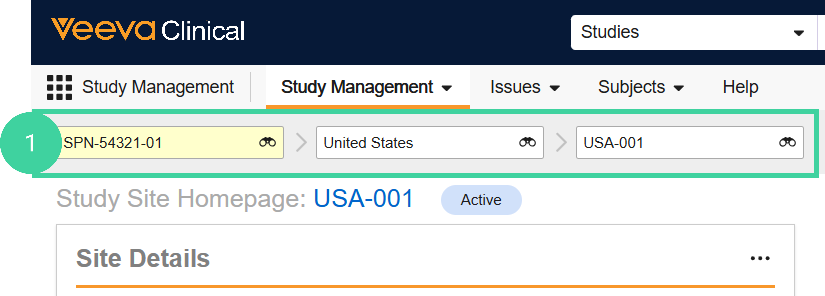
Navigate to the Study Management homepage. Use the study selector to navigate to the correct country and site.
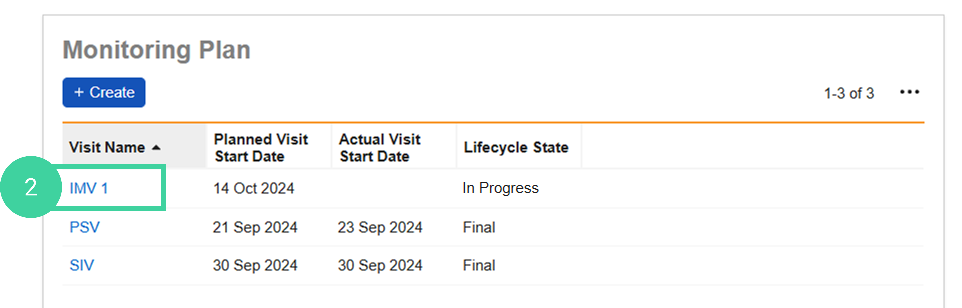
In the Monitoring Plan section, click the Visit you are conducting.
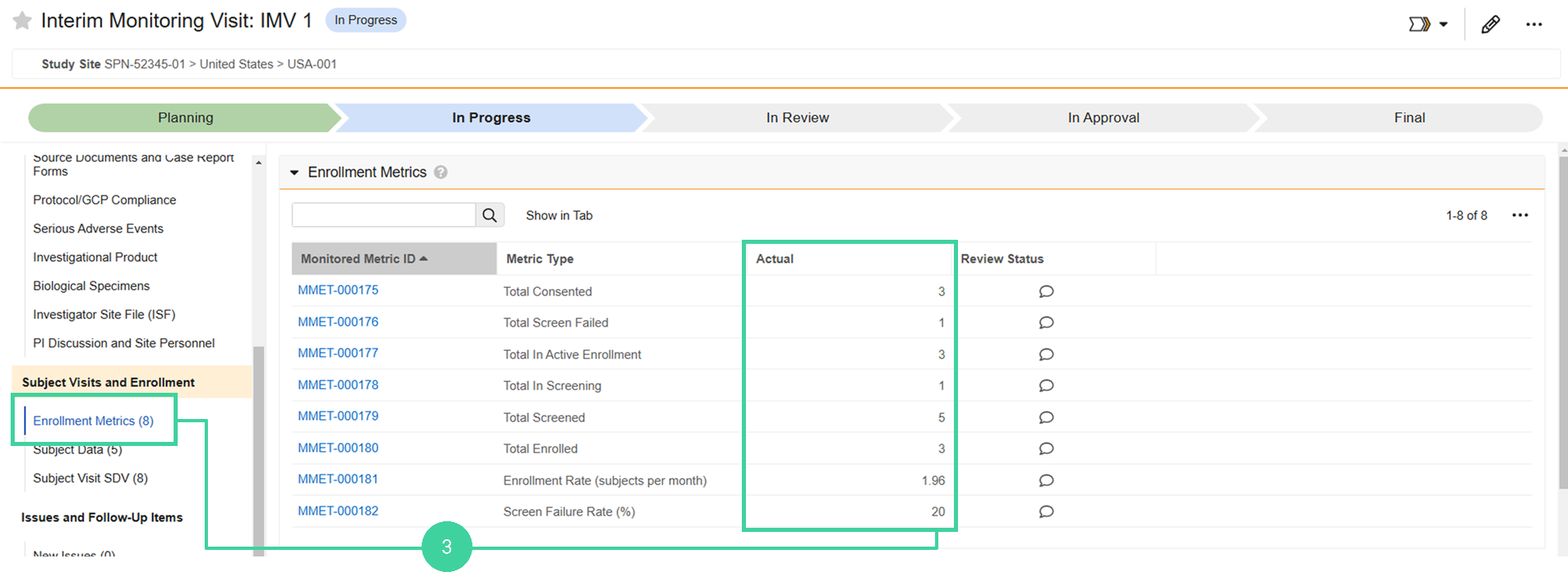
Click Enrollment Metrics from the Subject Visits and Enrollment group on the left and review the Actual enrollment counts.
Note: This section may take up to 5 minutes after starting the visit before the enrollment metrics display.
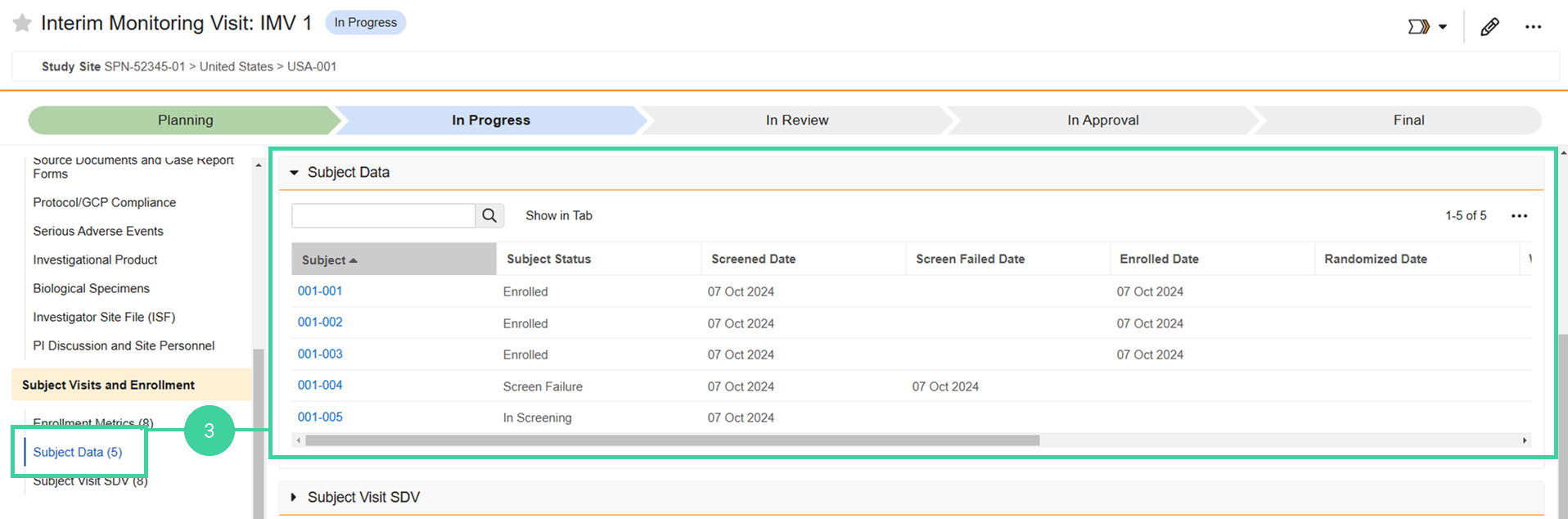
Review Subject Data
You can see detailed information about the monitored subjects at the site, including their status and significant dates like their Screened Date and Enrolled Date.
Tip
If you know updates have been made to Subject records while the visit has been In Progress or Changes in Progress, select Refresh Subject Data from the Actions menu () to re-seed the monitored subjects and visits. Subjects are included on Monitoring Visits (Interim and Close Out) at the Site if at least one Key Date is on or before the Actual Visit End Date of the Monitoring Visit.
To review enrollment metrics:
Navigate to the Study Management homepage. Use the study selector to navigate to the correct country and site.
In the Monitoring Plan section, click the Visit you are conducting.
Click Subject Data from the Subject Visits and Enrollment group on the left and review the status and dates for the monitored subjects.
Review Subject Visit SDV
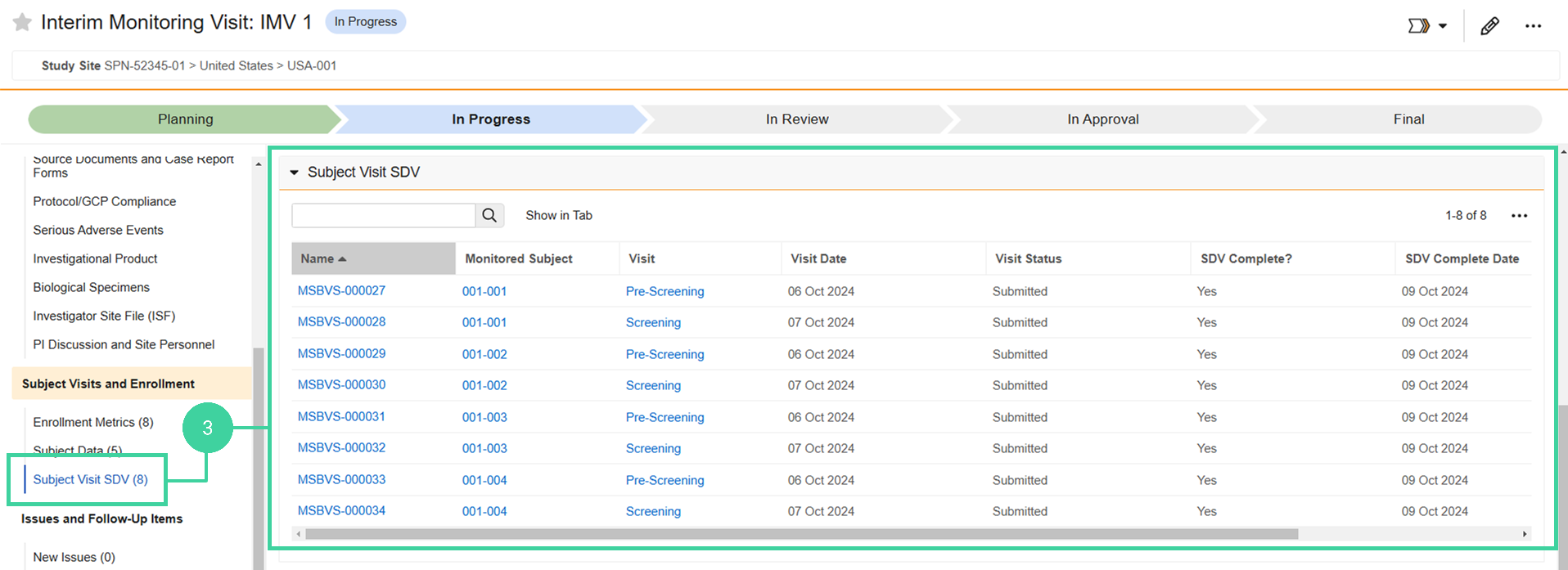
You can check the progress of subject visits and whether or not SDV (Source Data Verification) is complete for that visit.
Tip
If you know updates have been made to Subject Visit records while the visit has been In Progress or Changes in Progress, select Refresh Subject Data from the Actions menu () to re-seed the monitored subjects and visits. Subject visits are included on Monitoring Visits (Interim and Close Out) at the Site if the Visit Date is on or before the Actual Visit End Date of the Monitoring Visit, and one of the following is true:
- SDV is Incomplete and required or optional
- SDV was completed since the previous Monitoring Visit
To review subject visit SDV:
Navigate to the Study Management homepage. Use the study selector to navigate to the correct country and site.
In the Monitoring Plan section, click the Visit you are conducting.
Click Subject Visit SDV from the Subject Visits and Enrollment group on the left and review the SDV data for the monitored subjects.
What is the next step?