

Create a Study & Add Study Products, Countries, Sites
Last updated: Jun 2, 2026
Who can complete this task?
Veeva Clinical Basics: Vault Admin, TMF Manager
Setting up a study involves associating study personnel, products, countries and sites.
Create a Study
To create a study:
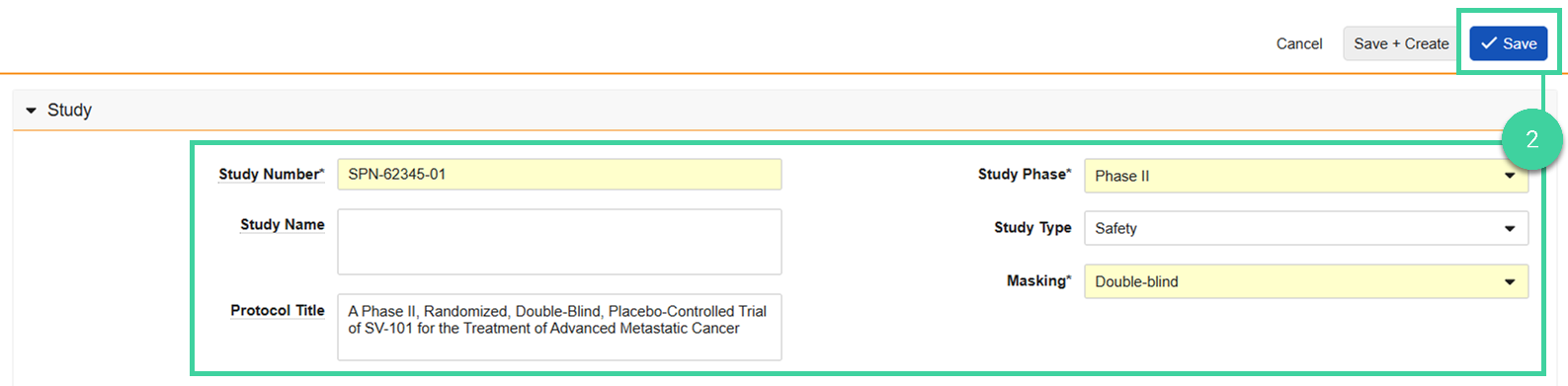
Navigate to Clinical Admin > Studies and click Create.

Complete the required study details and click Save.
Add a Study Product
To add a study product:
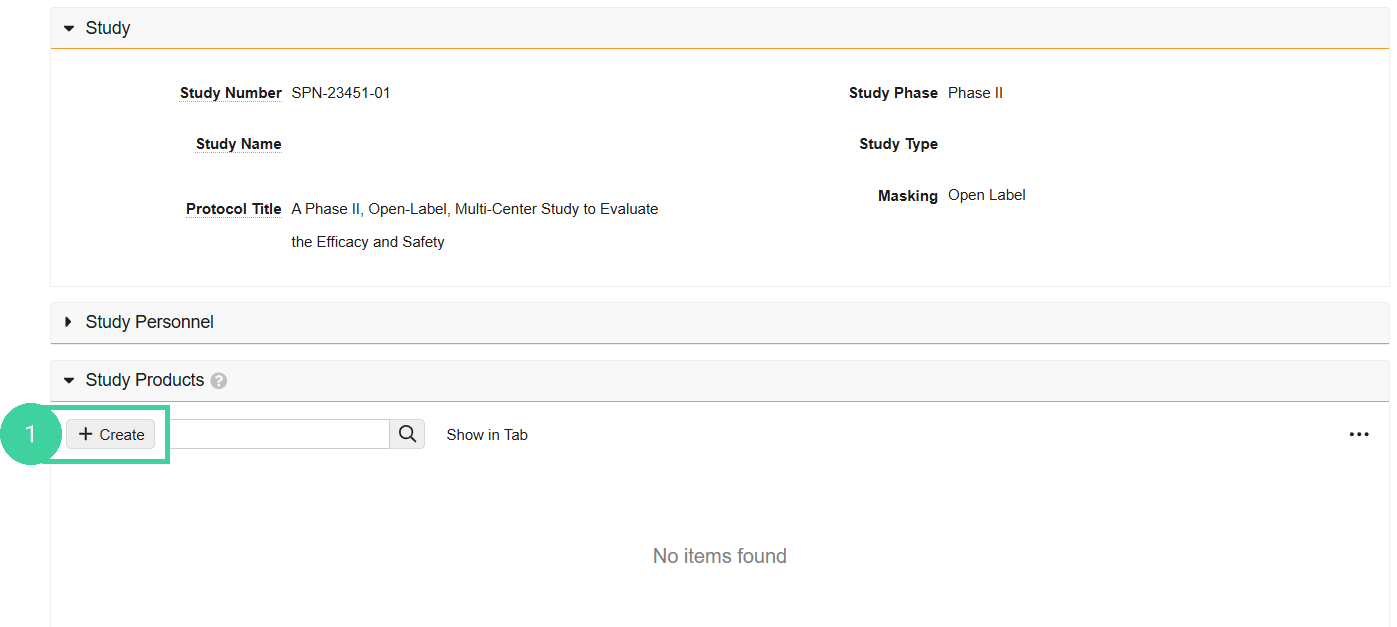
Starting from the study record, open the Study Products section and click Create.
Select a Product and click Save.
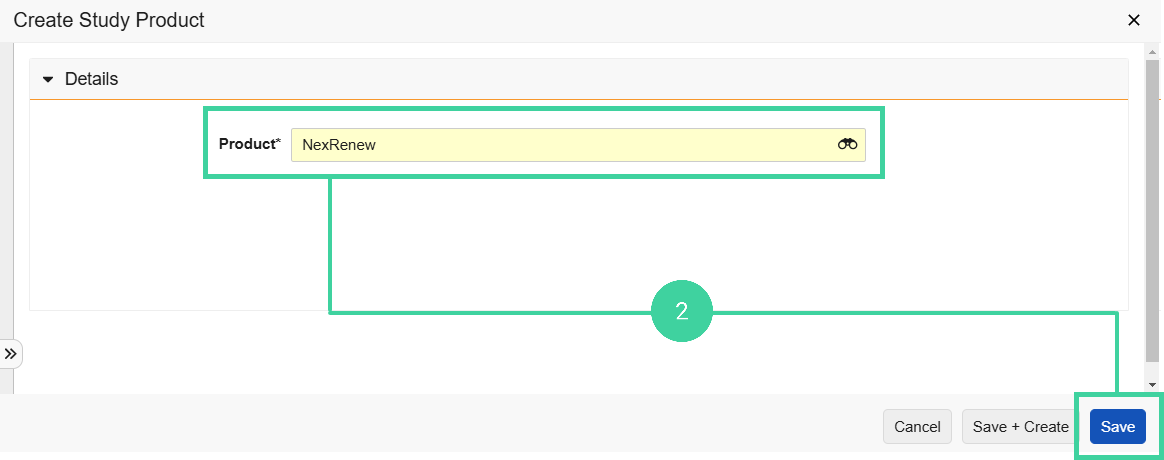
Add additional products to the study if necessary.
Add a Study Country
To add a study country:
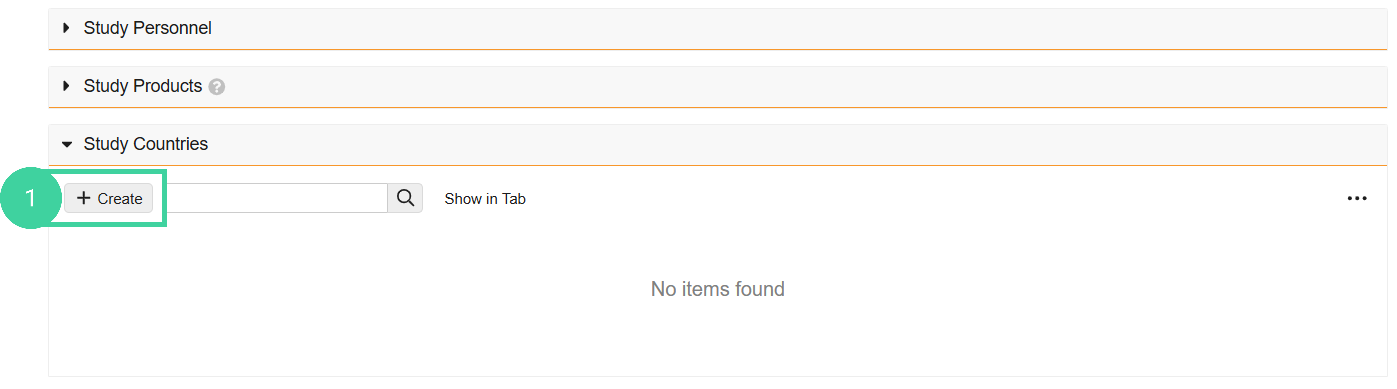
Starting from the study record, open the Study Countries section and click Create.
Select a Study Country and click Save.

Add additional study countries to the study if necessary.
Add a Study Site
To add a study site:
Starting from the study record, open the Study Countries section and click the Country you want to add sites to.
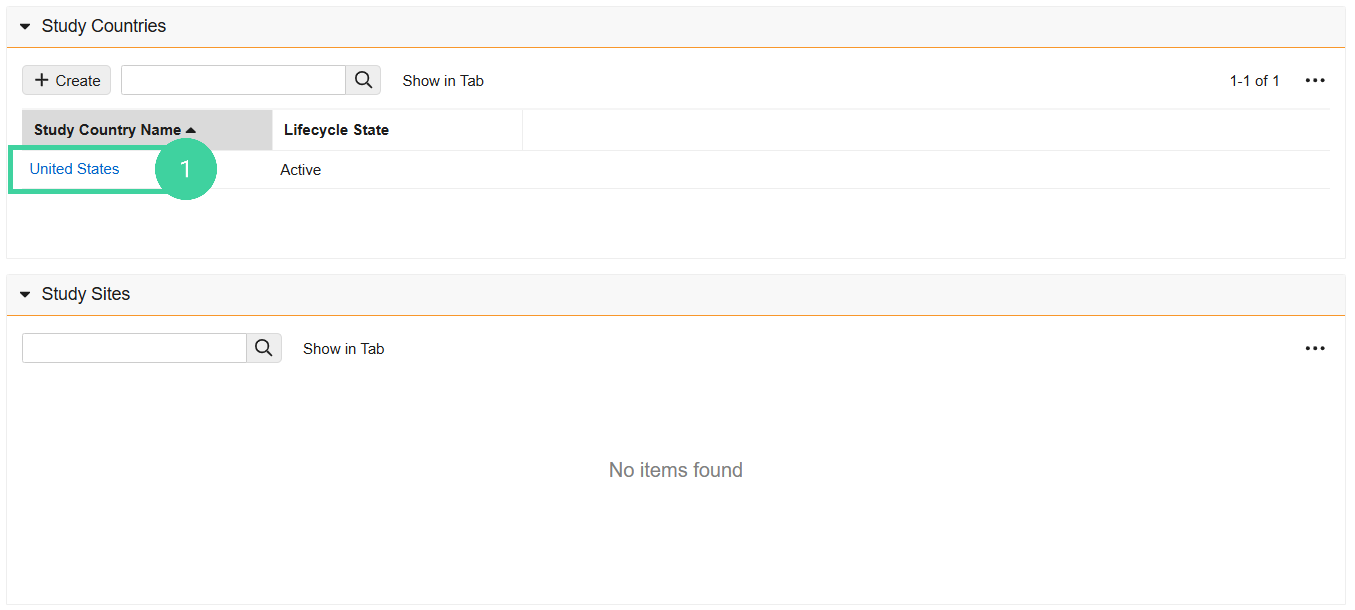
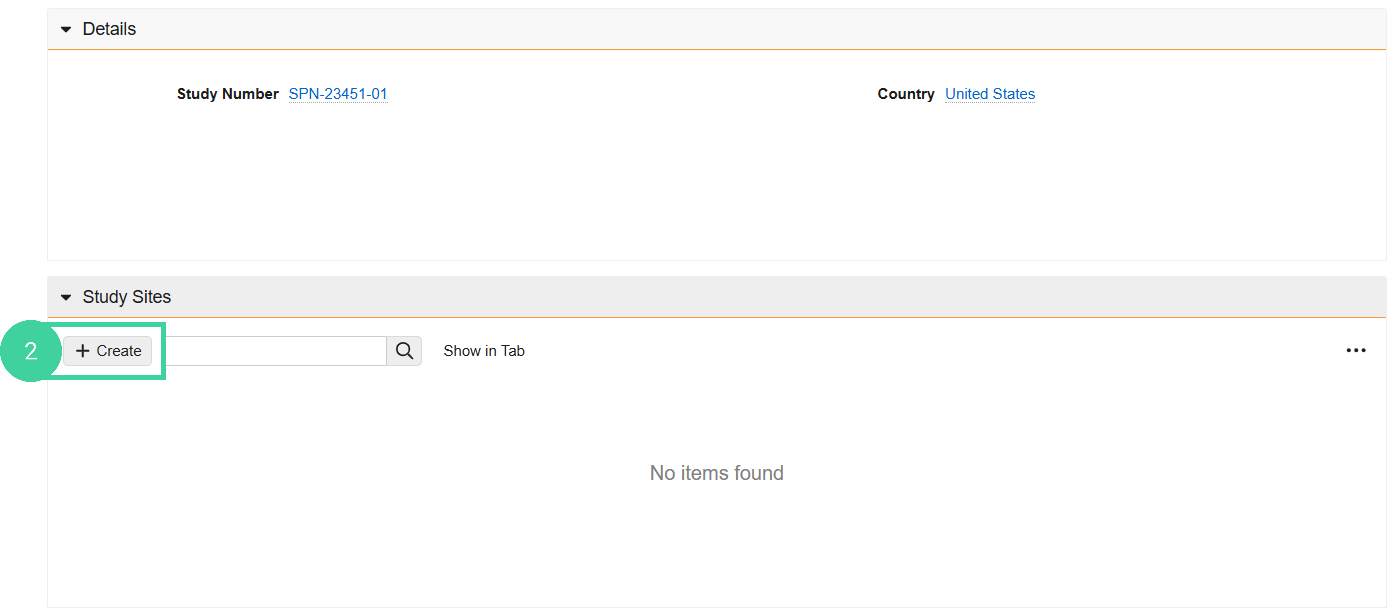
Open the Study Sites section and click Create.
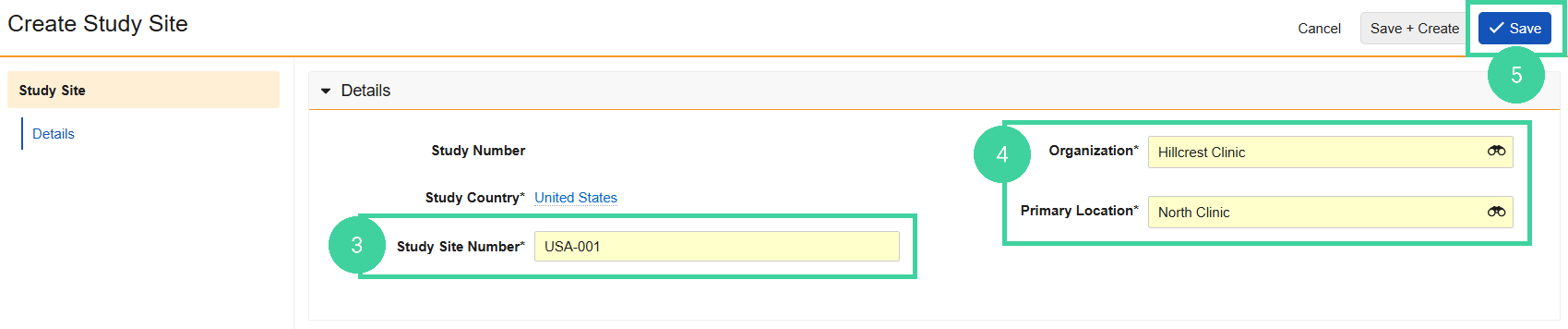
Enter the Study Site Number.
Select the Organization and Primary Location.
Note Only Organizations that have been added to the Global Directory by a Vault Admin are available to select from the dropdown.Click Save.
Add additional study sites to the country if necessary.