Add a Discussion to a Medical Interaction
Last updated: Apr 17, 2026
Who can complete this task?
Vault CRM Basics: Medical User, Vault Admin
You can add one or more discussions to a medical interaction. Discussions can be categorized as Proactive or Reactive and you can add one or more attachments to it.
To add a discussion to a medical interaction:
Navigate to Medical Interactions and select the medical interaction you want to add a discussion to.
Click Edit from the All Actions menu.

Click Add Discussion.
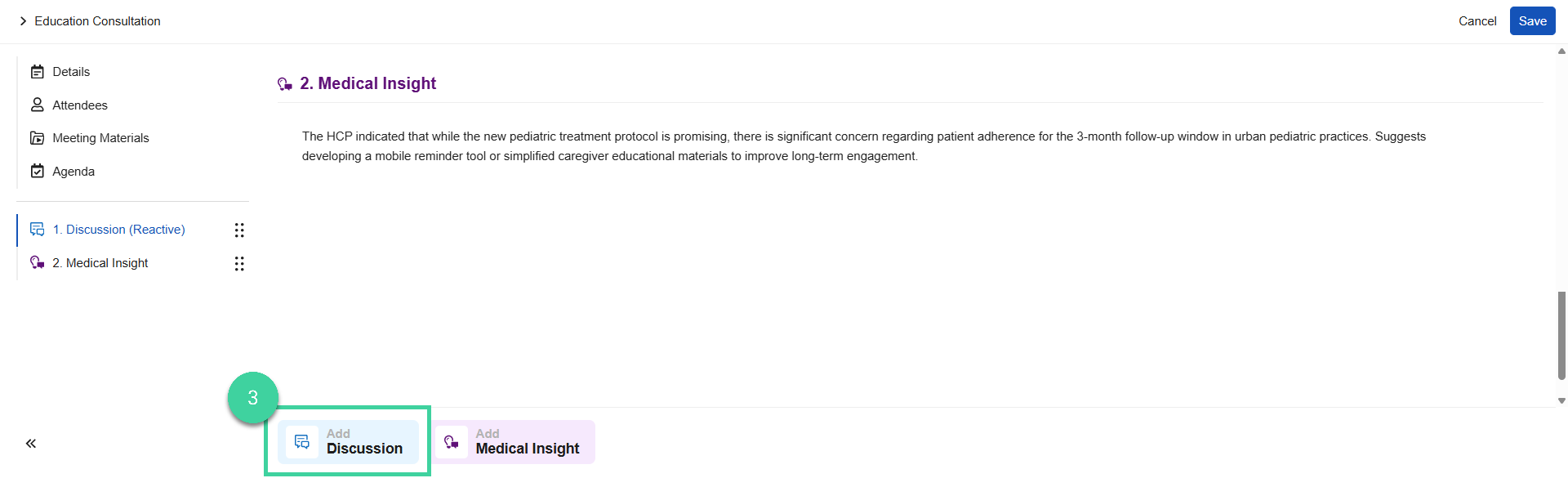
Enter notes for the discussion.

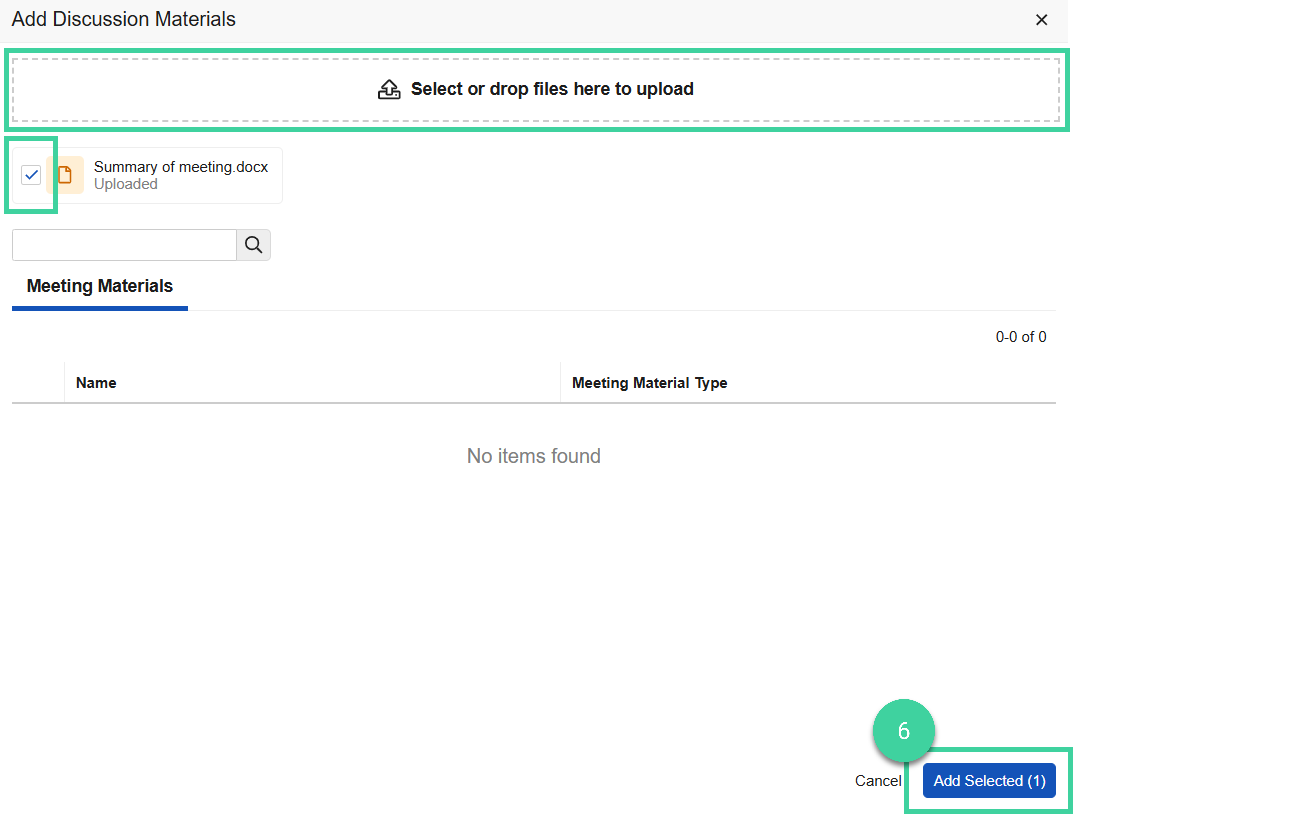
If applicable, click Add Materials to add meeting materials.

You can drag and drop files to upload them, or select and add one or more files. Check the box for the material(s) to attach to this discussion. Click Add Selected.
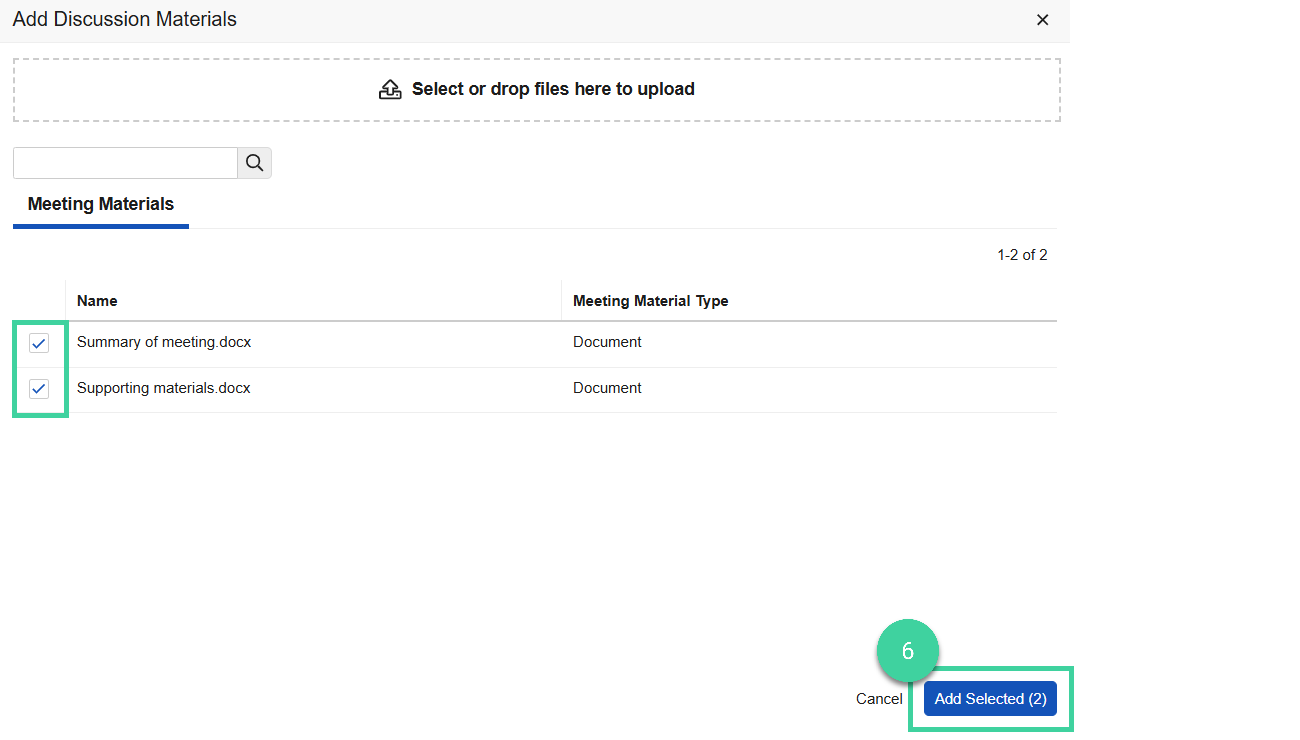
Alternately, if you previously uploaded meeting materials for this medical interaction, you can select one or more from the list and click All Selected.
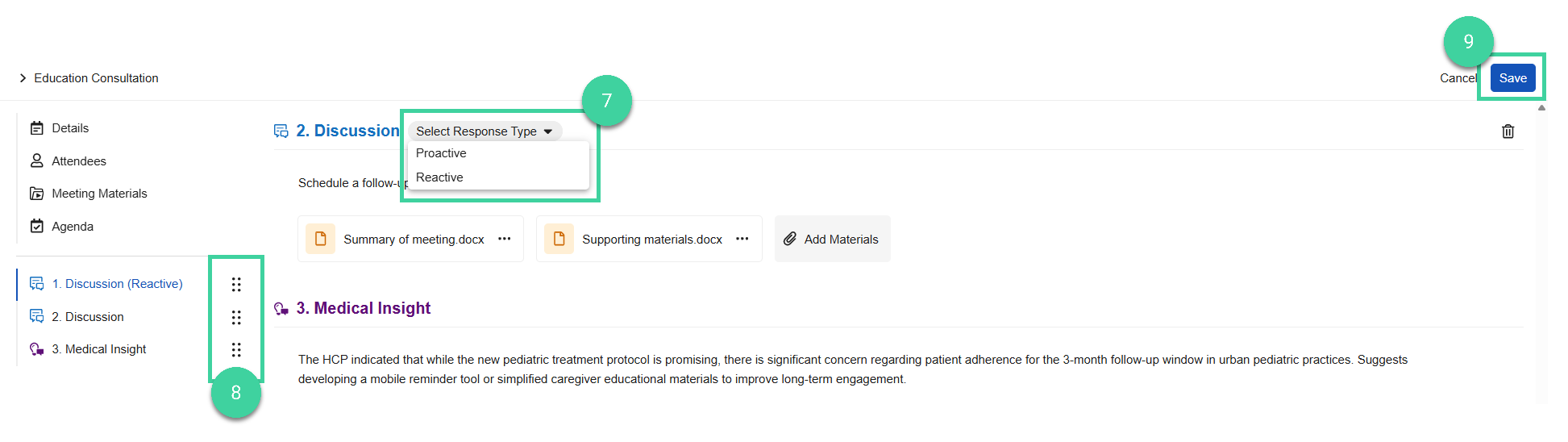
Select from the discussion dropdown if this discussion was Proactive or Reactive.
Optionally, drag and drop the discussion as needed to change the order in which it displays on the interaction.
Click Save.