Create a Medical Insight
Last updated: Apr 17, 2026
Who can complete this task?
Vault CRM Basics: Medical User
Medical insights can be created from within a medical interaction.
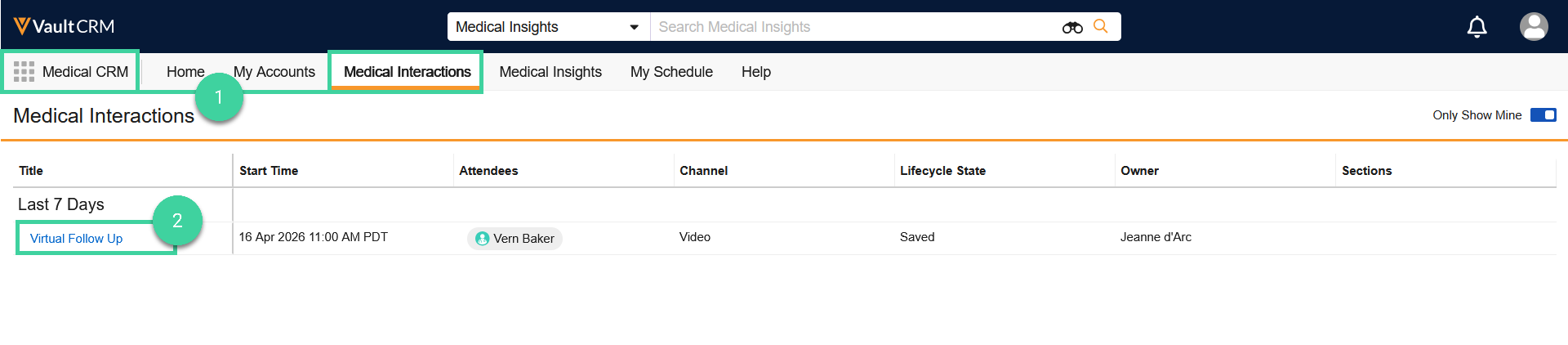
- Navigate to Medical CRM > Medical Interactions.
- Click a medical interaction.
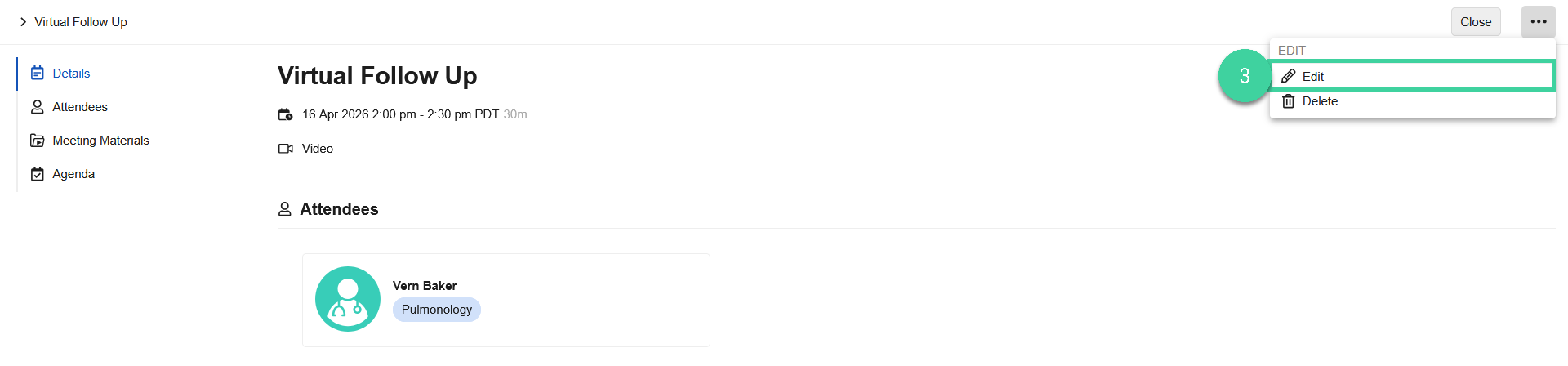
- From the All Actions menu, click Edit.
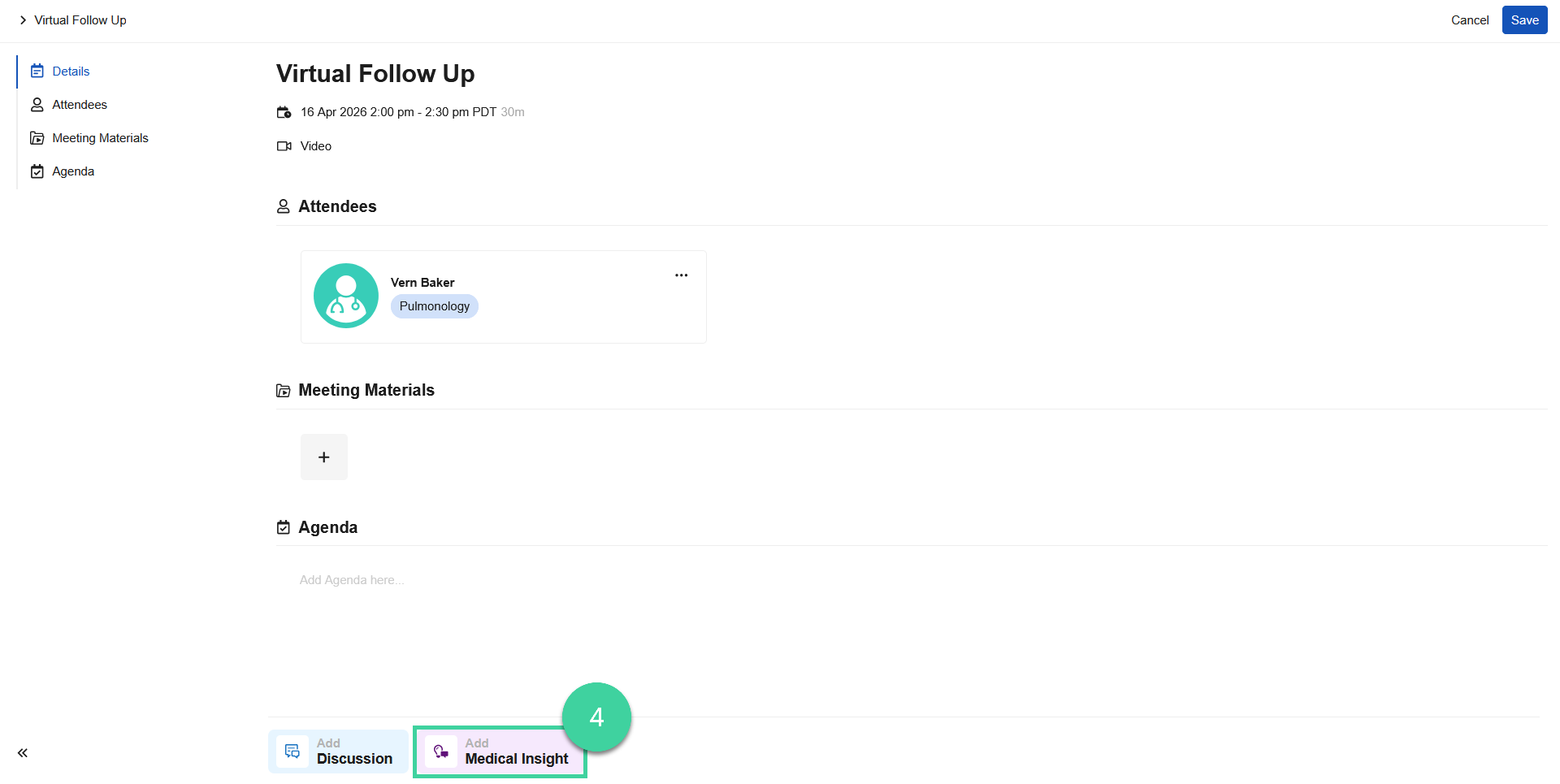
- Click Add Medical Insight.
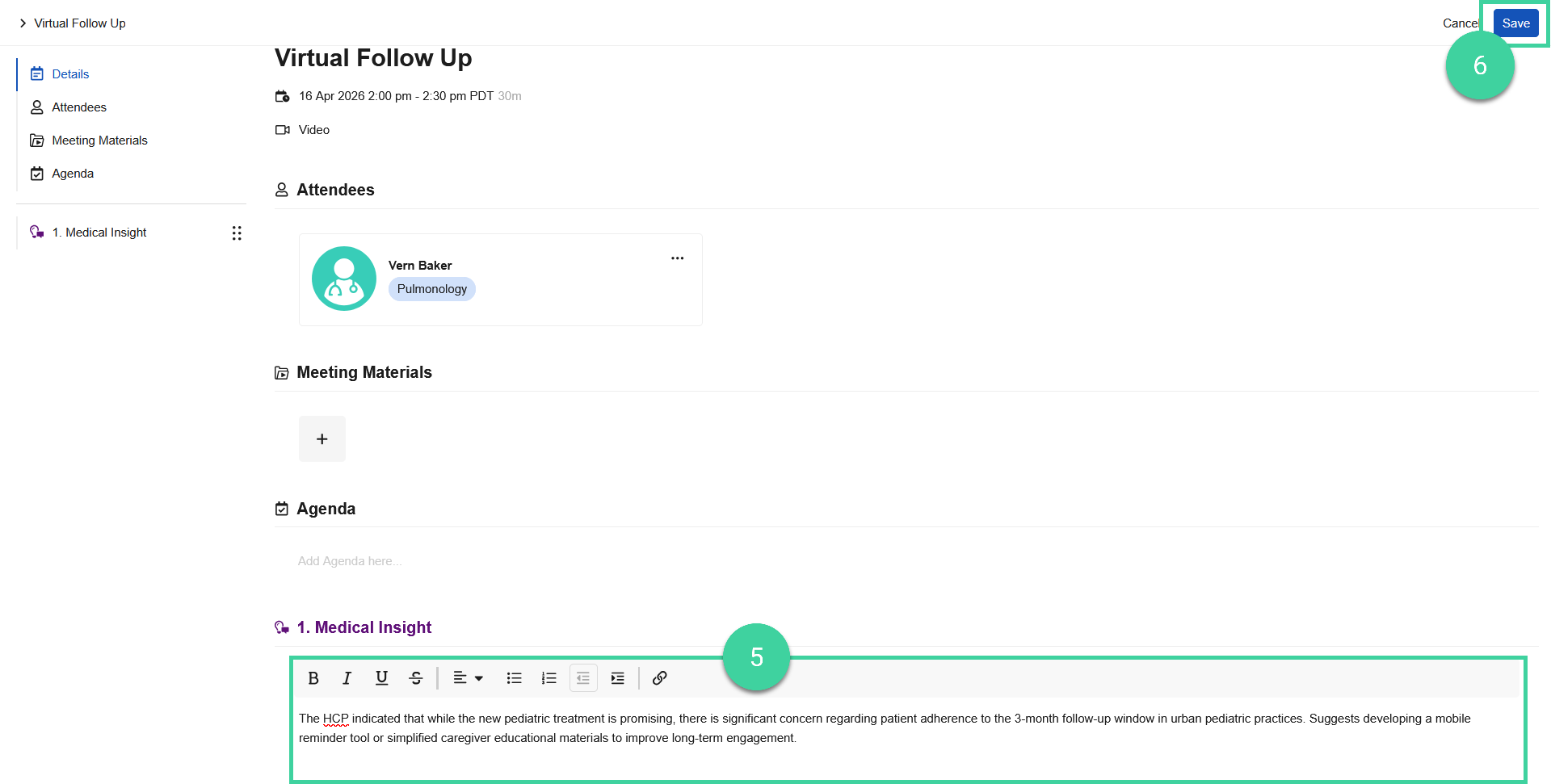
- Enter the medical insight into the free text field.
- Click Save.