Create a Medical Interaction
Last updated: Apr 17, 2026
Who can complete this task?
Vault CRM Basics: Medical User
Create a Medical Interaction via Calendar
- Navigate to Medical CRM > My Schedule.

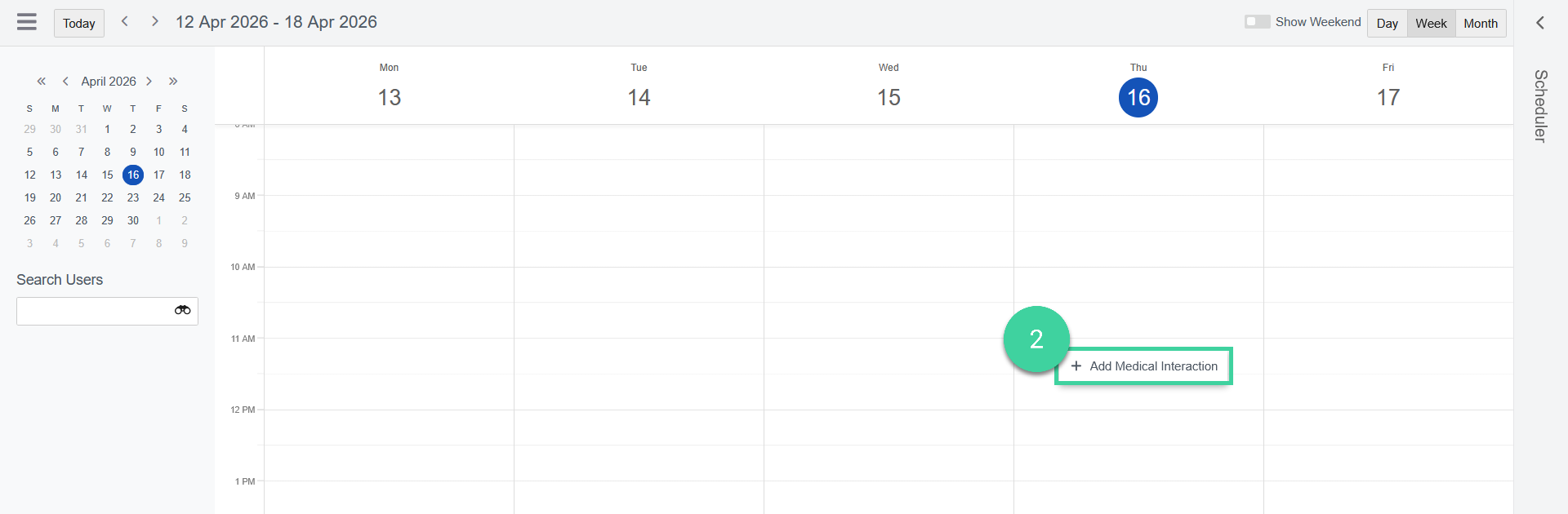
- Click a timeslot, then click Add Medical Interaction.
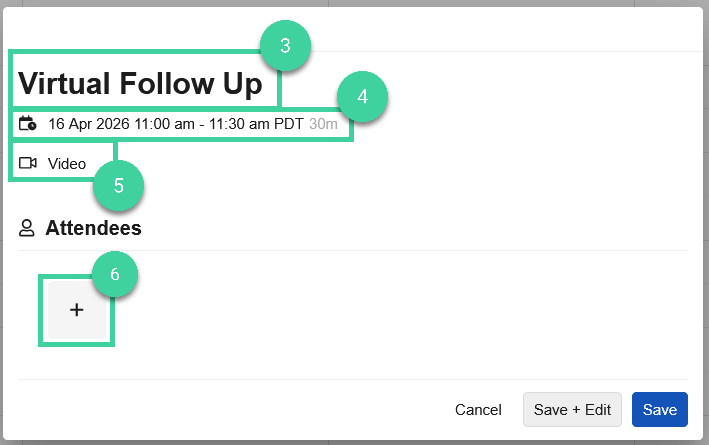
- Enter a Name.
- Select the Date and Duration.
- Select the Channel.
- Click + to add an Attendee.
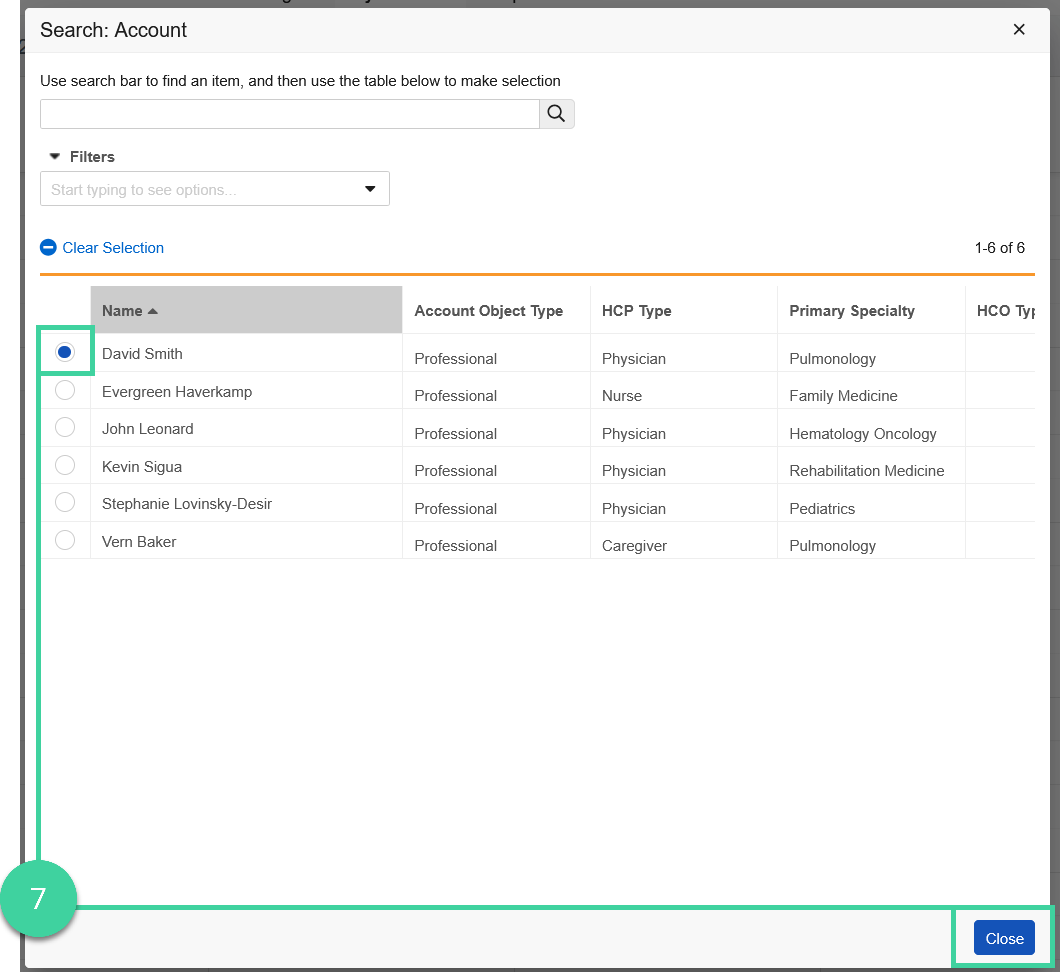
- Select the appropriate account, then click Close.
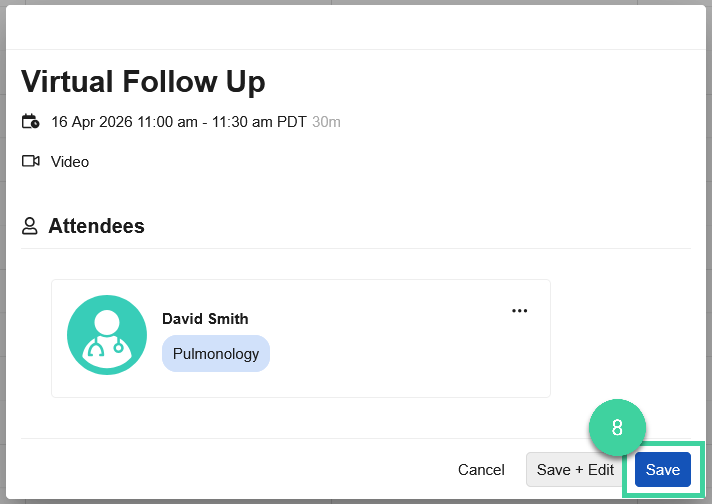
- Click Save.
Create a Medical Interaction via Scheduler
- Navigate to Medical CRM > My Schedule.
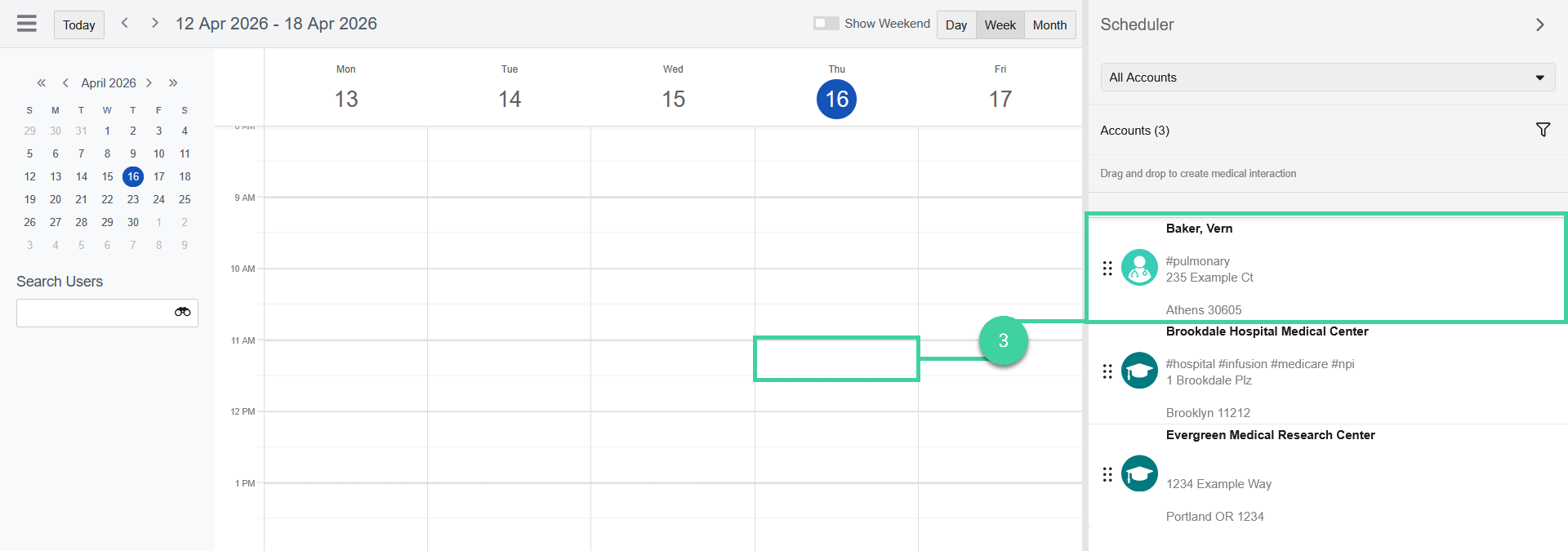
- Click the Scheduler to pull out the tab.
- Drag and drop the account to the calendar at the desired time.
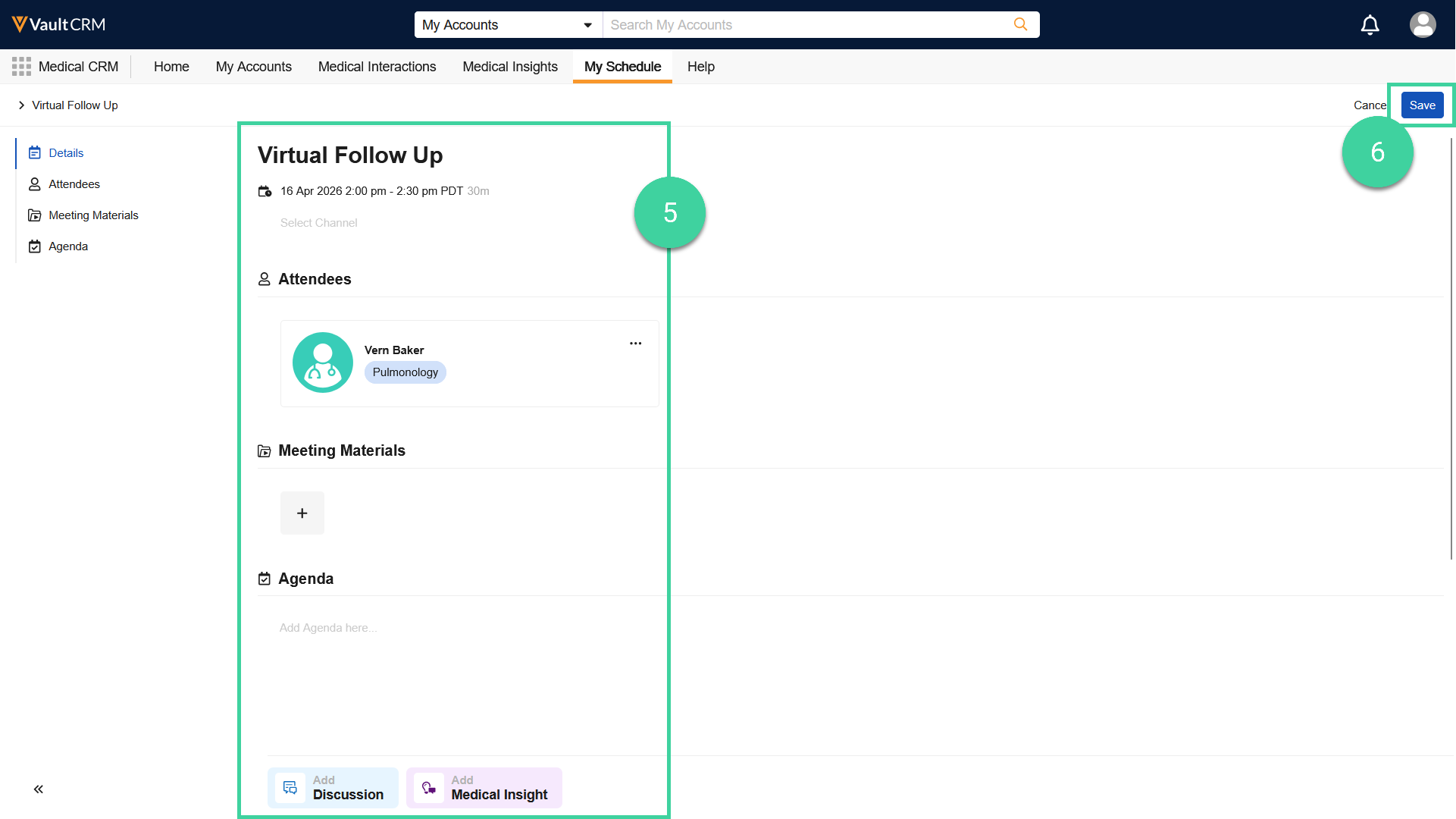
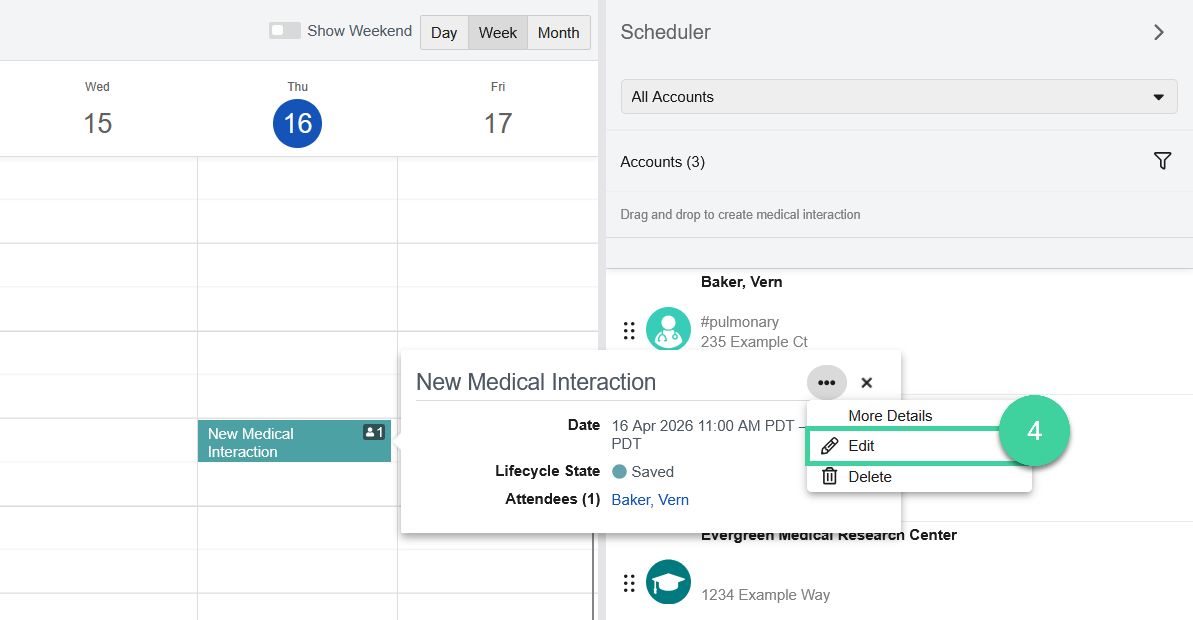
- Click the medical interaction > Actions () > Edit.
- Make any desired edits, such as changing the Name, Duration adding Meeting Materials or an Agenda, Discussions or Medical Insights.
- Click Save.