Review & Approve a Stability Spec Execution Record
Last updated: Apr 17, 2026
Who can complete this task?
Veeva LIMS Basics: Stability Approver
To review and approve a stability spec execution record:
When a stability spec ex is sent for approval, a task is sent to the specified approver(s). Click the task link.

If the spec execution record was sent to a group for approval, click Accept to accept the task. Only one person needs to accept it.

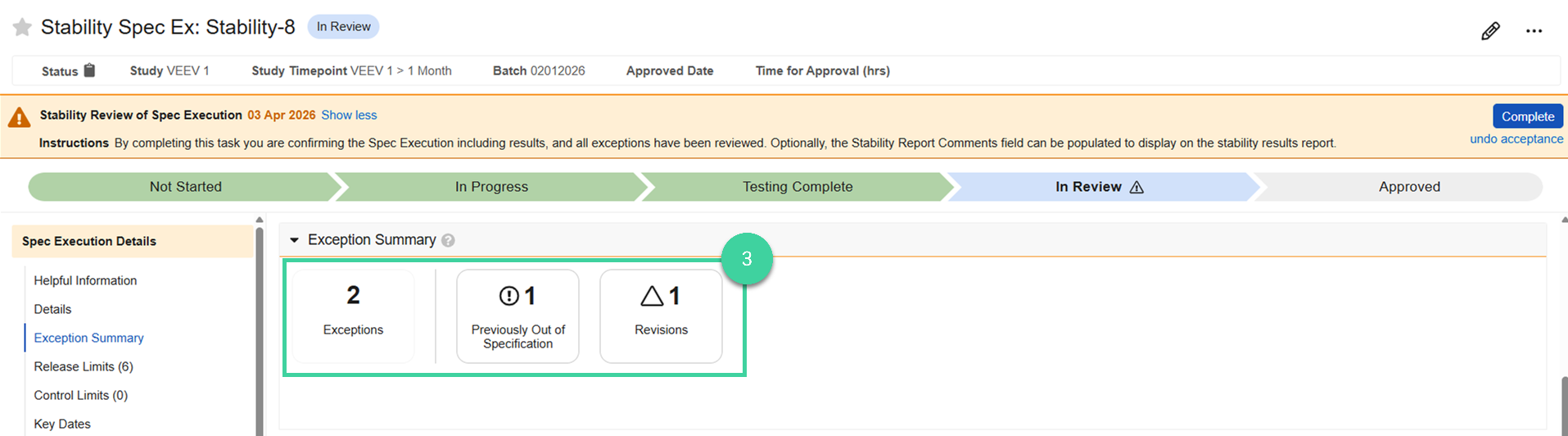
Check the Exception Summary to quickly find and focus your review on any results that were previously out of specification or had revisions during results entry. Click into any exception for more details.
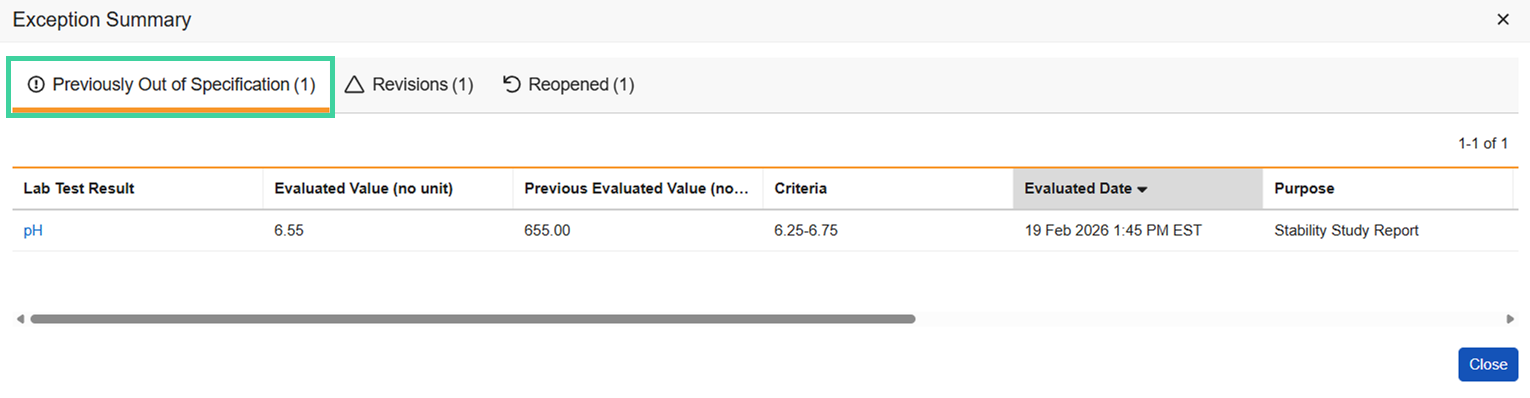
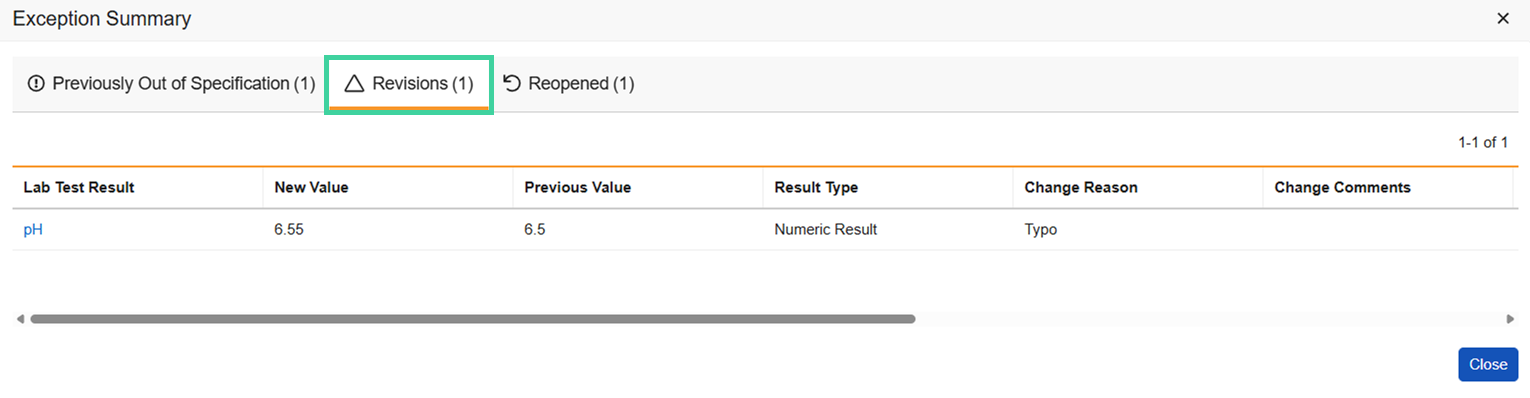
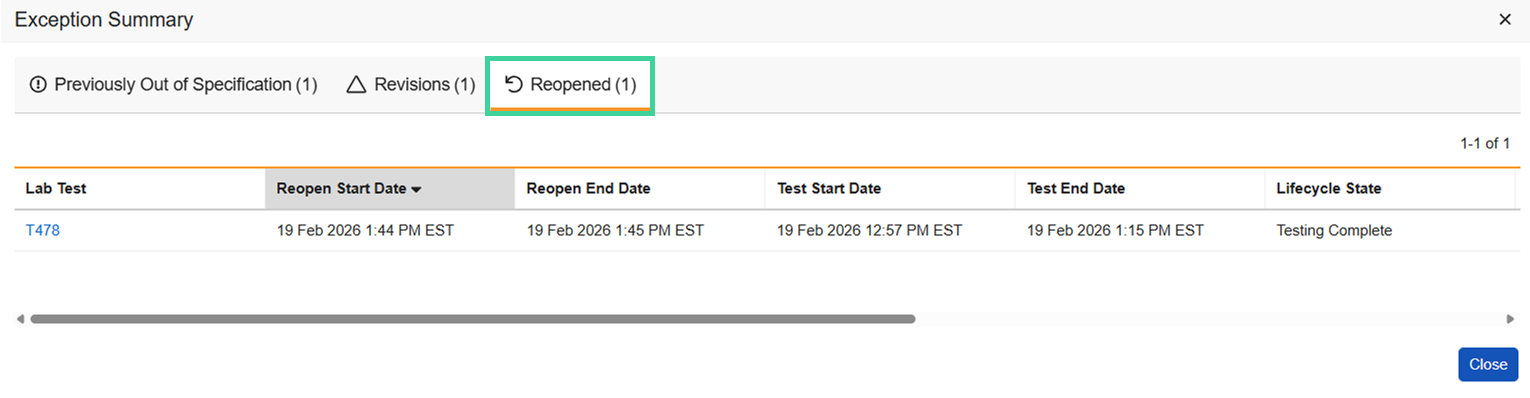
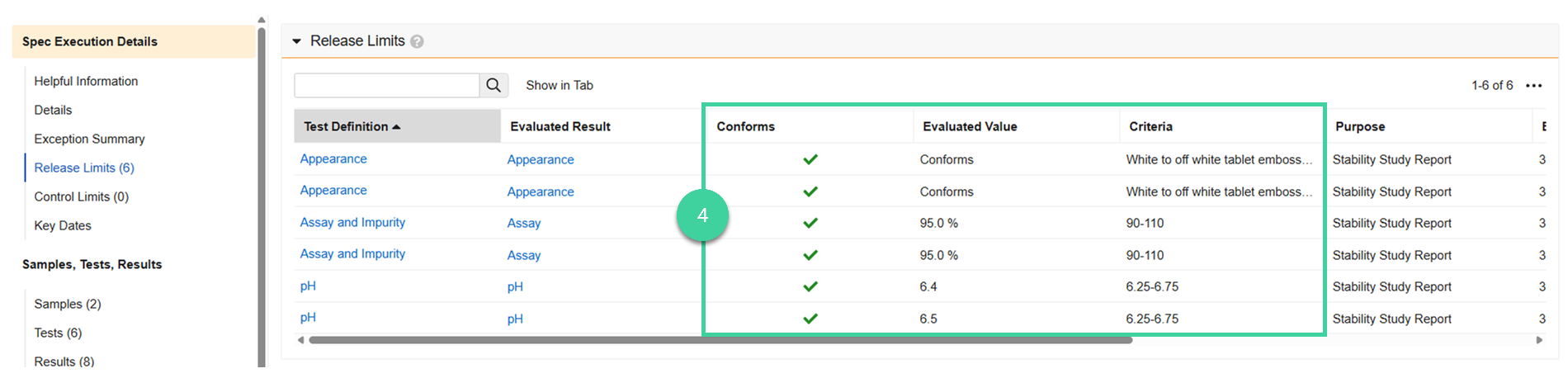
Name Indicates Description Out of Specification Result does not meet Criteria with an indication of Out of Specification Previously Out of Specification Result was out of specification prior to being edited, and is no longer out of specification Out of Control Result does not meet Criteria with an indication of Alert Revised Result was changed after result evaluation Reopened Lab Test has been reopened Retested Lab Test has been retested Open the Release Limits and Control Limits sections. Review the Criteria, Evaluated Value, and check whether the result Conforms or is out of specification.
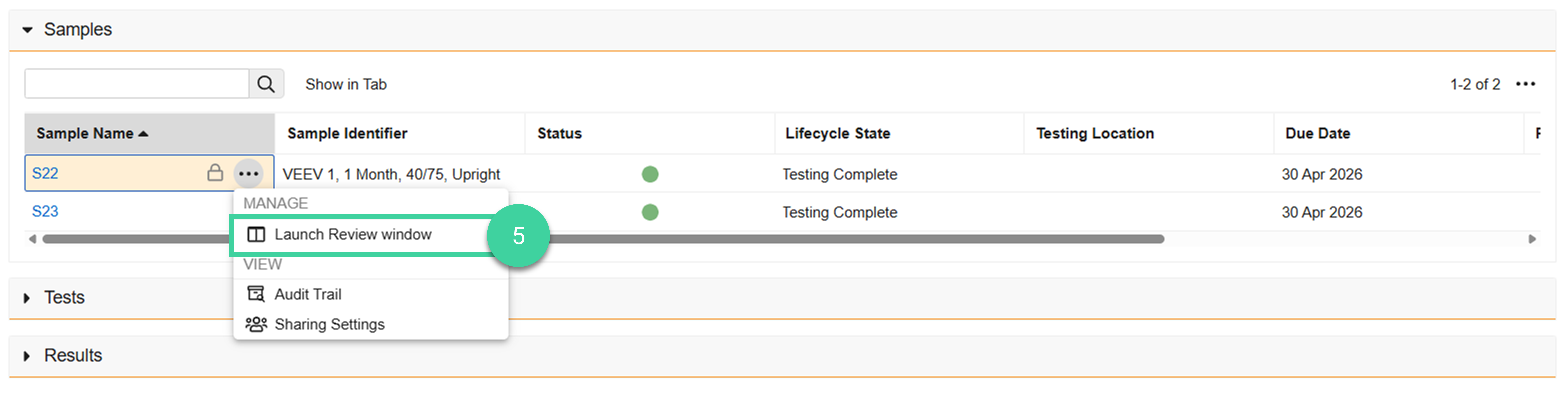
Open the Samples section. Hover over a sample name and select Launch Review window from the Actions menu.
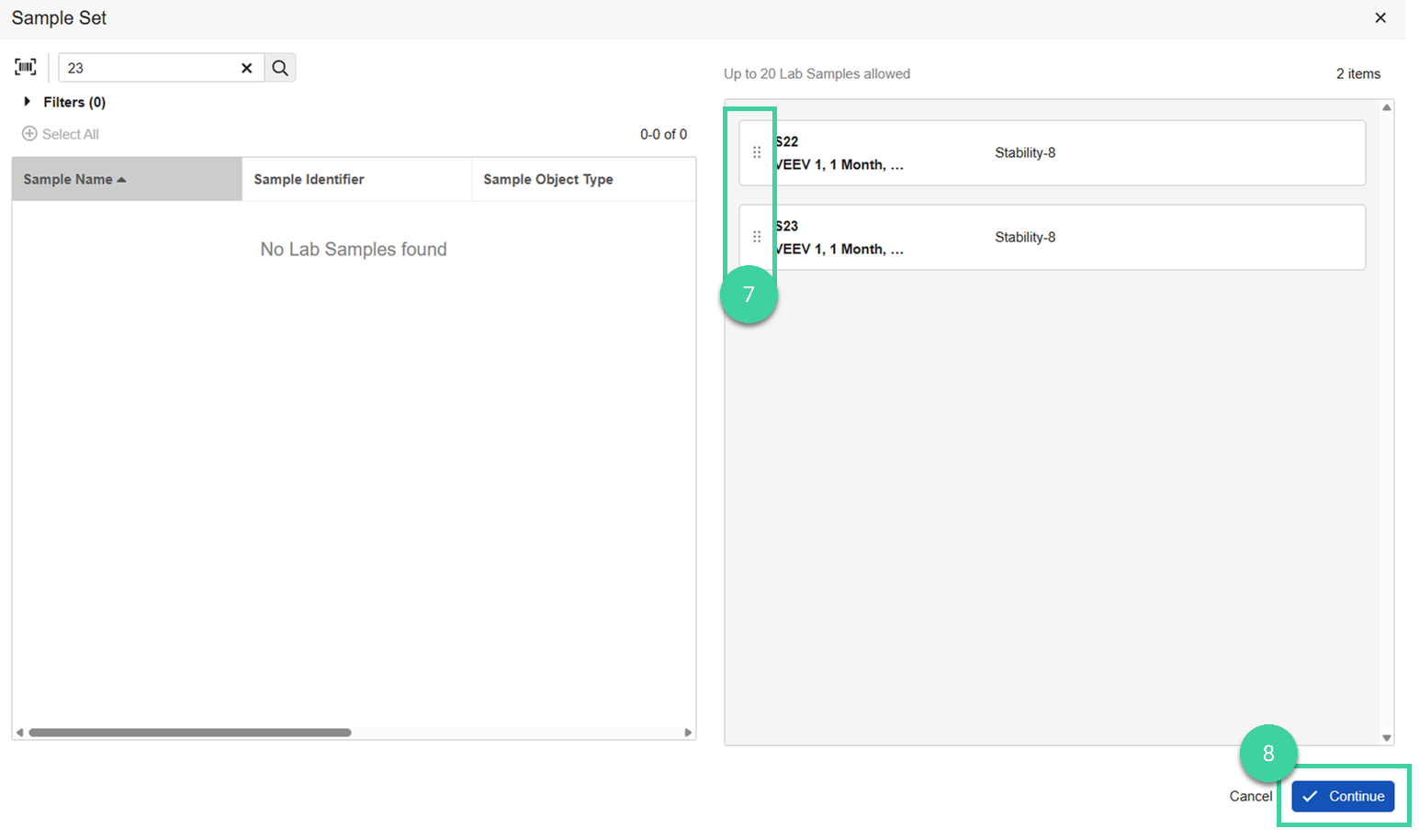
Optionally, click the plus icon () to add additional samples. You can add up to 20 samples.
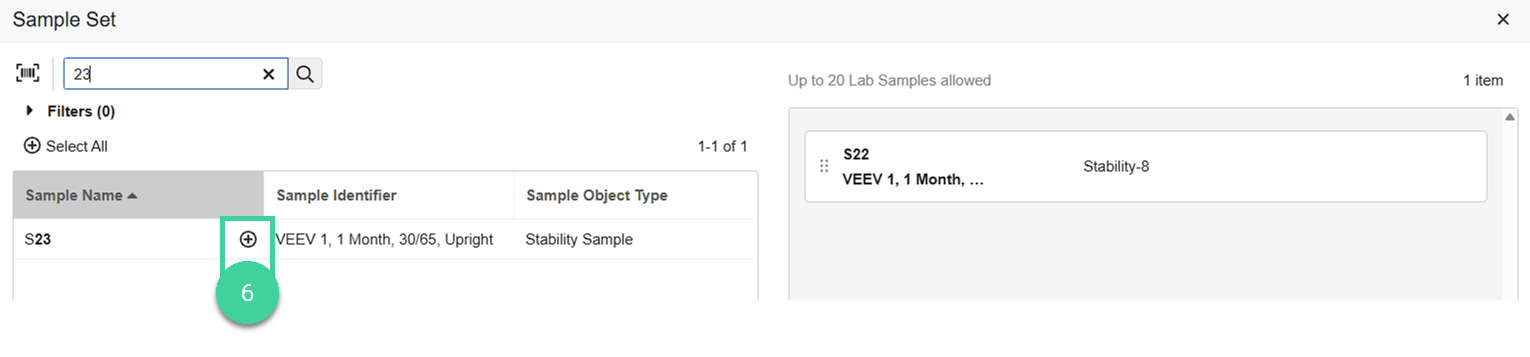 Note The Sample Identifier column helps you understand the study, timepoint, conditions, and orientation for the sample.
Optionally, drag and drop the samples in the order you want to display them in.
Click Continue.
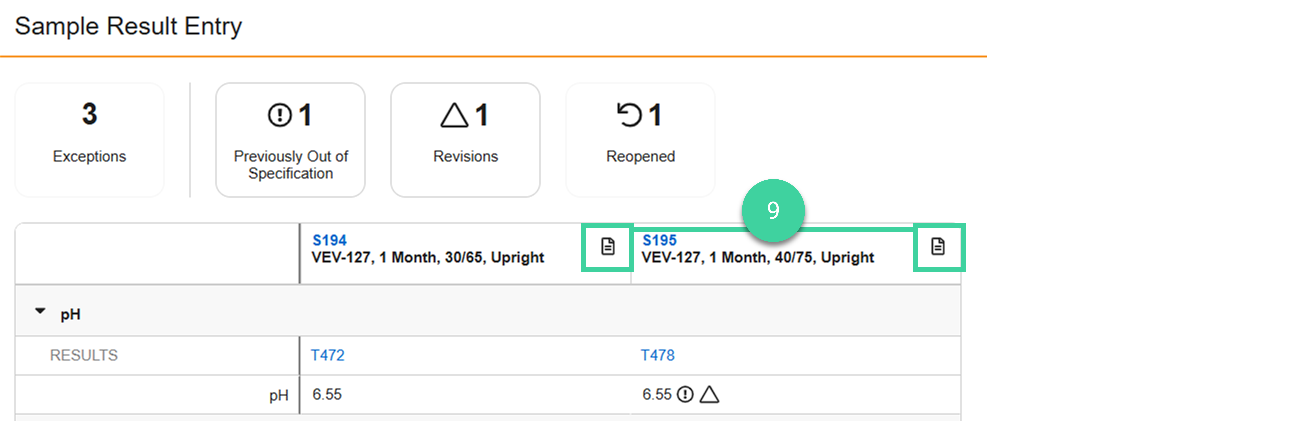
If a results document was uploaded for the sample during results entry, click the document icon () to open the results for that sample.
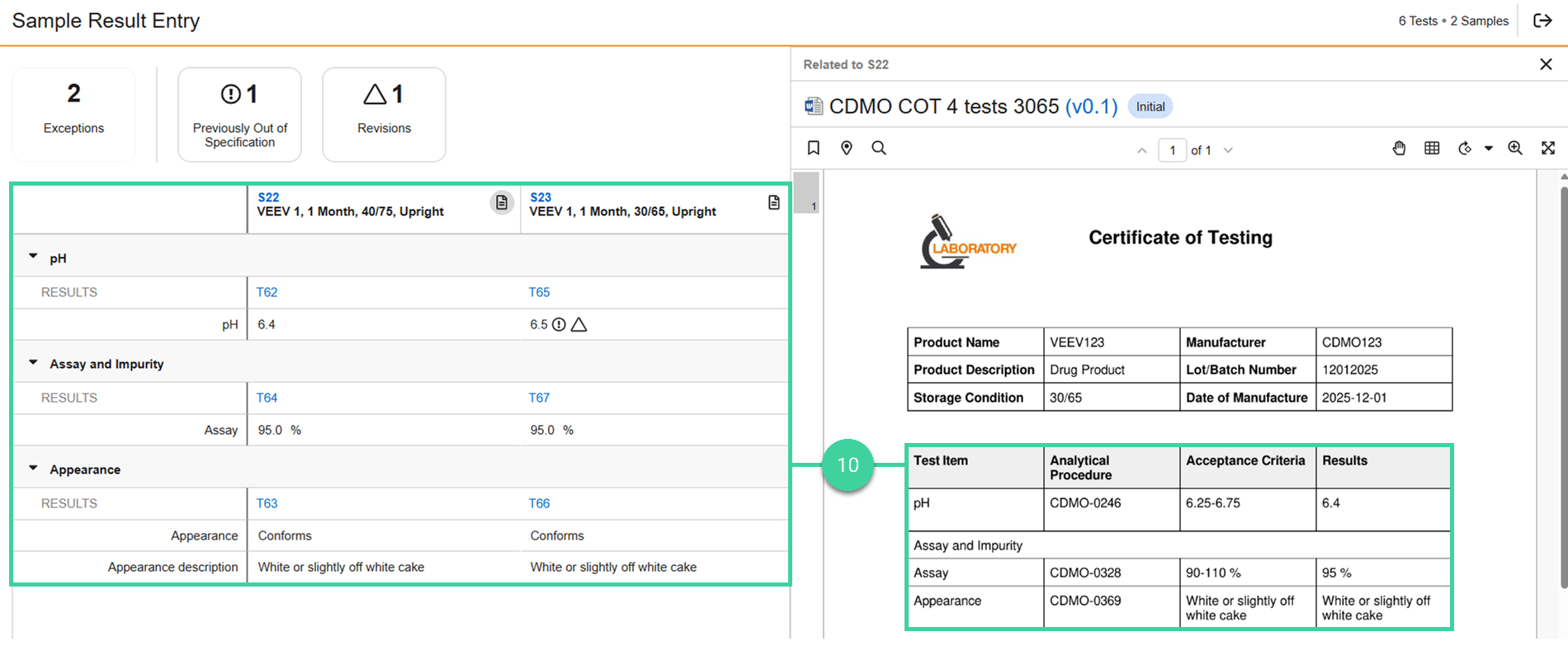
Compare the entered results to the results provided by the testing lab to ensure accuracy.
Click an exception to only show the result(s) associated with the exception.

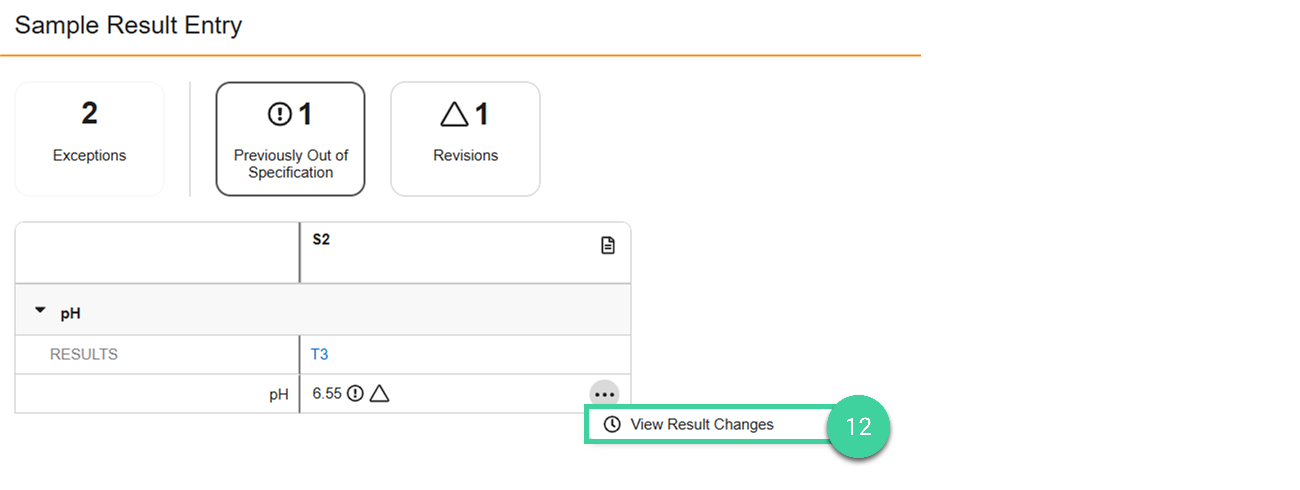
Hover over a result and select View Result Changes to see a full history of changes to this result.
Click Exit () to close the results window.
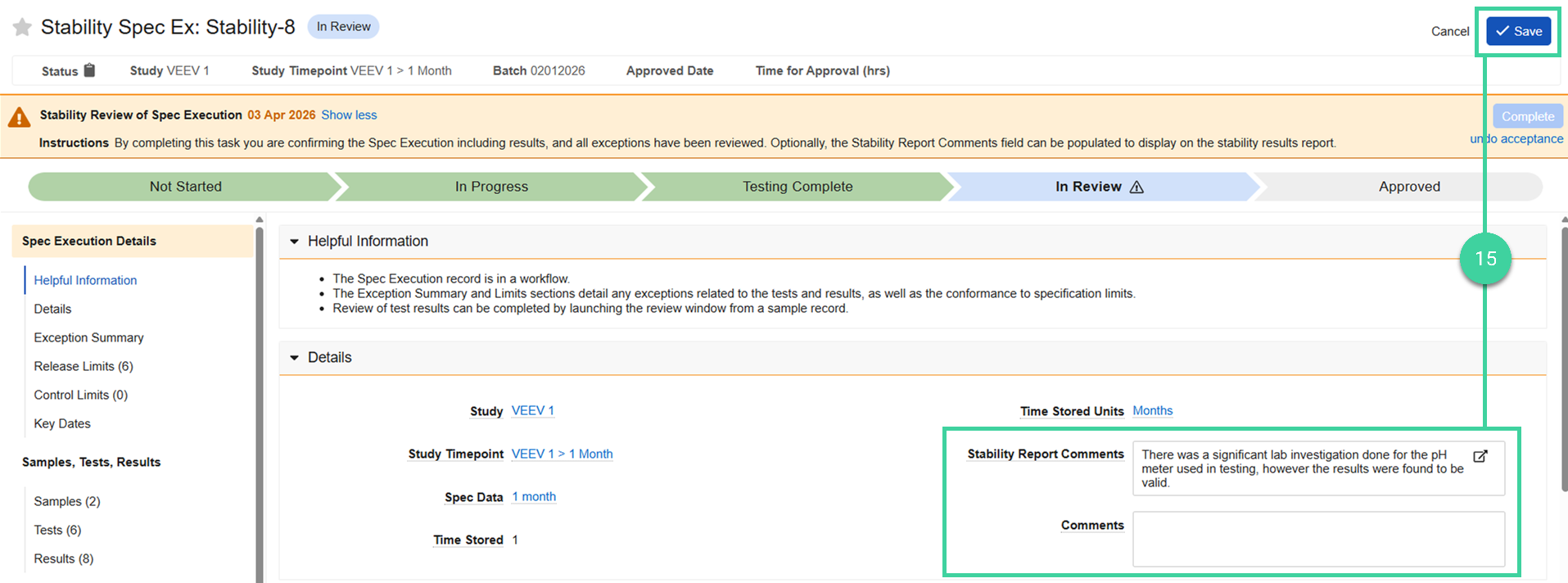
From the stability spec ex record, click Edit ().
Enter a Stability Report Comment and/or Comment and click Save.
Stability Report Comment: Text specific to this timepoint that you want to include on the Stability Report.
Comment: Text that you want to add to the spec ex record, but not include on the Stability Report.
When your review is finished, click Complete.

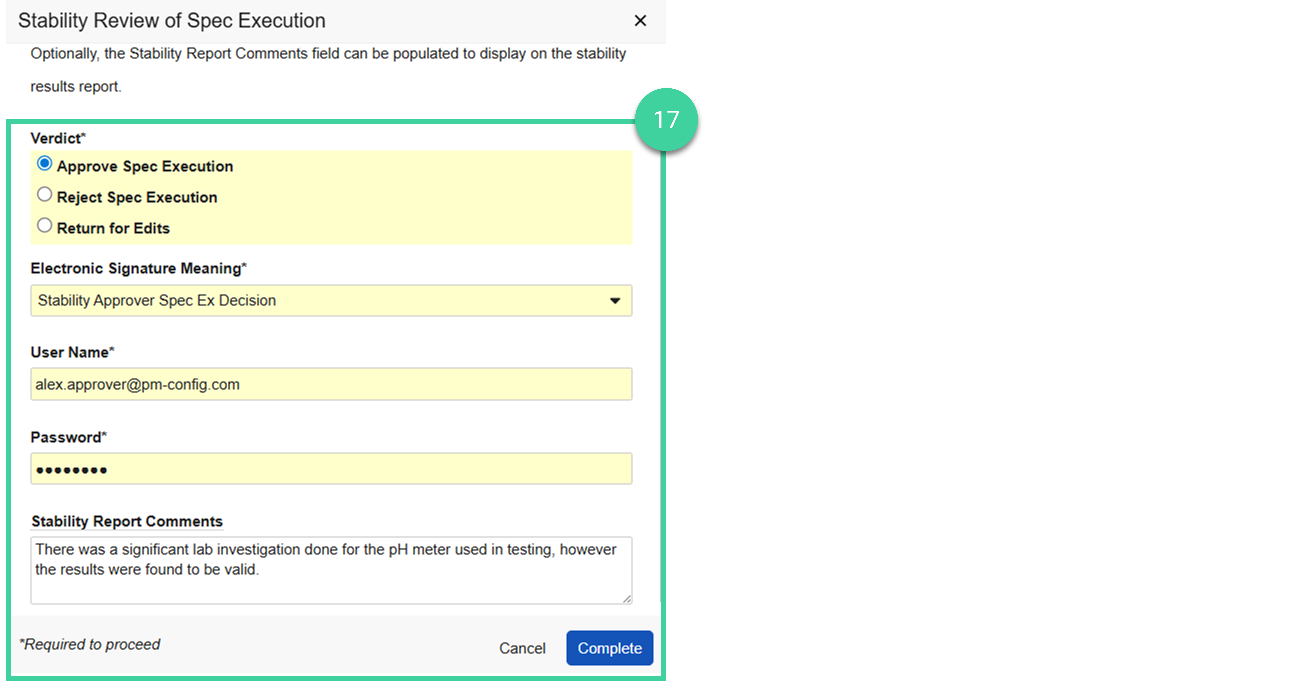
Provide your verdict.
Select Return for Edits if you anticipate approving the spec execution record but edits are needed first. Enter the Reason for return and click Complete. The spec execution record will be returned to the Results Entry user to make updates and, when ready, send for approval again.
Select Reject Spec Execution if you will not move forward with approving the spec execution record. Enter the Reason for return, provide your e-signature, and click Complete.
Select Approve to approve the spec execution record. Provide your e-signature, optionally add Stability Report Comments that will display on the Stability Report, and click Complete. The spec execution record changes to Approved.