Cancel a Stability Study
Last updated: Apr 17, 2026
Who can complete this task?
Veeva LIMS Basics: Stability Design & Study Admin
A stability study record can be cancelled prior to it being initiated (i.e., from the Draft or Pending Start states). If an initiated/in progress study will not be completed, pending timepoints will need to be cancelled.
To cancel a stability study:
Open the study record you want to cancel and select Cancel Study from the All Actions menu.
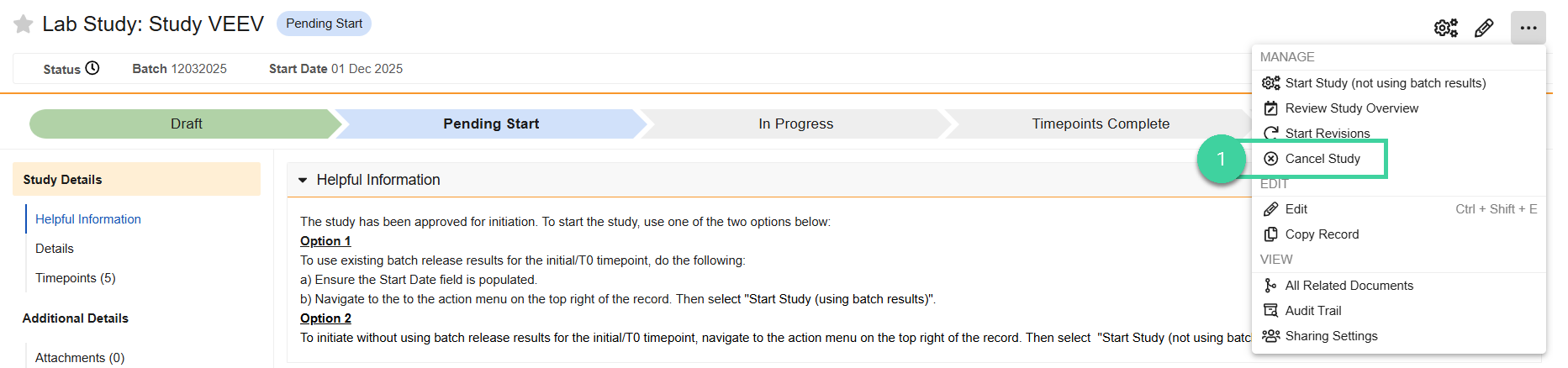
Click Start.

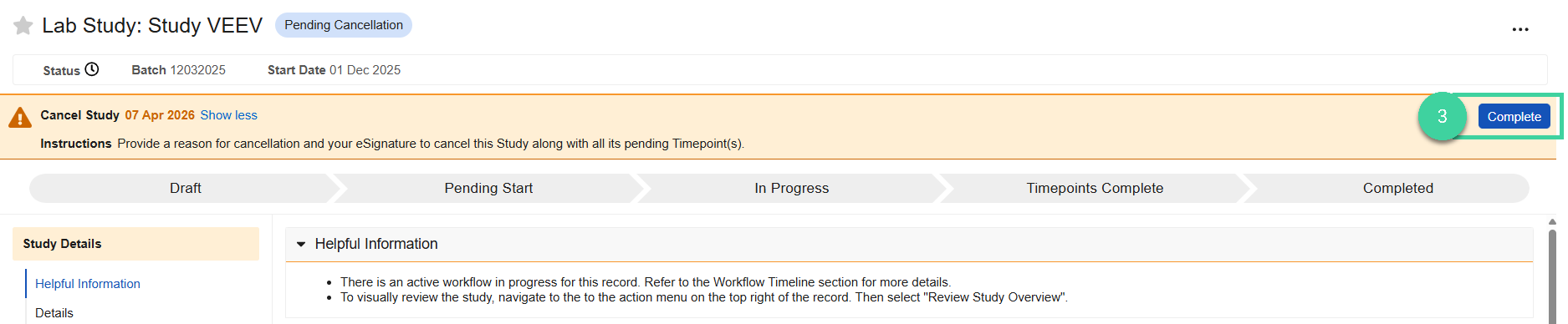
You will receive a task to cancel study. Click Complete to complete the task.
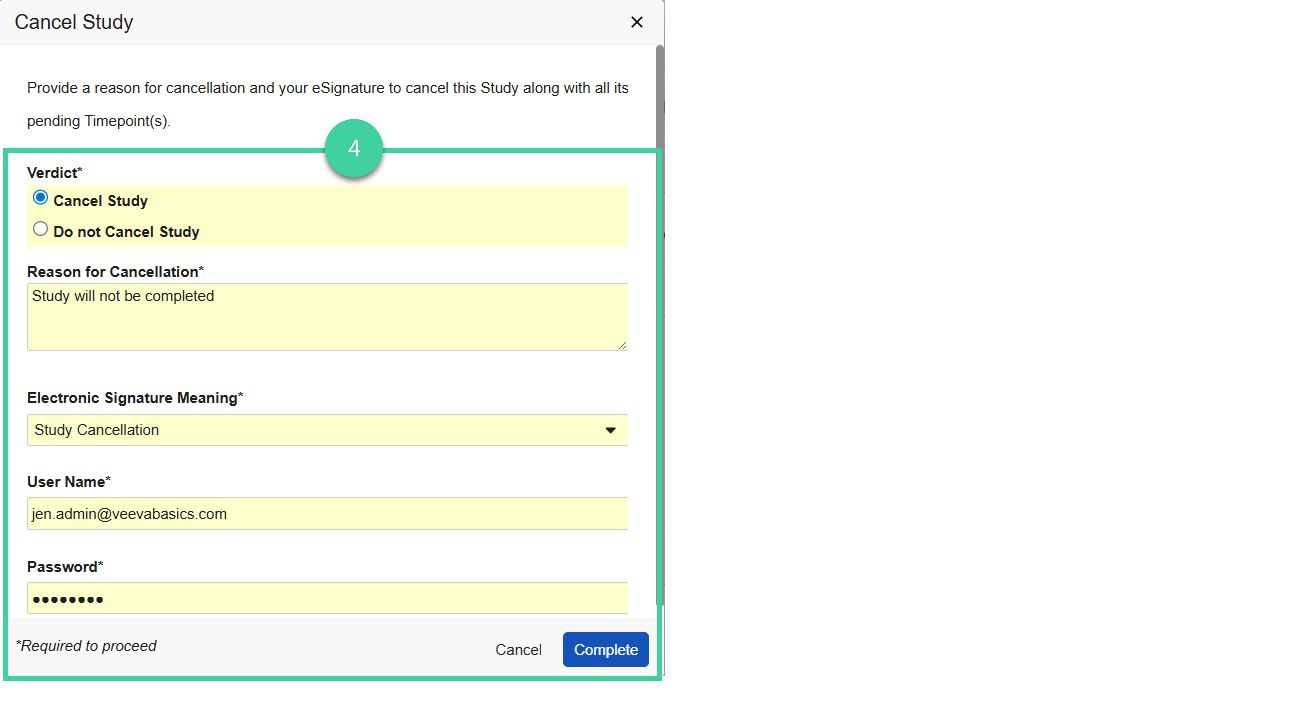
Provide your verdict.
Select Cancel Study, provide the Reason for Cancellation, your e-signature, and click Complete. The study and all timepoints will be Cancelled.
Select Do not Cancel Study and click Complete if you don’t want to proceed with the study cancellation.