

Cancel a Timepoint
Last updated: Apr 17, 2026
Who can complete this task?
Veeva LIMS Basics: Stability Design & Study Admin
There may be times when you want to cancel a timepoint, for example, if a study is cancelled midway through or a given timepoint is no longer requried.
If needed, you can cancel a non-initiated timepoint while a study is In Progress or In Revision
Note
If a stability timepoint requires cancellation after it has been initiated, the Spec Execution will need to be cancelled.
To cancel a timepoint:
Open the timepoint record you want to Cancel and select Cancel Timepoint from the Workflow menu.
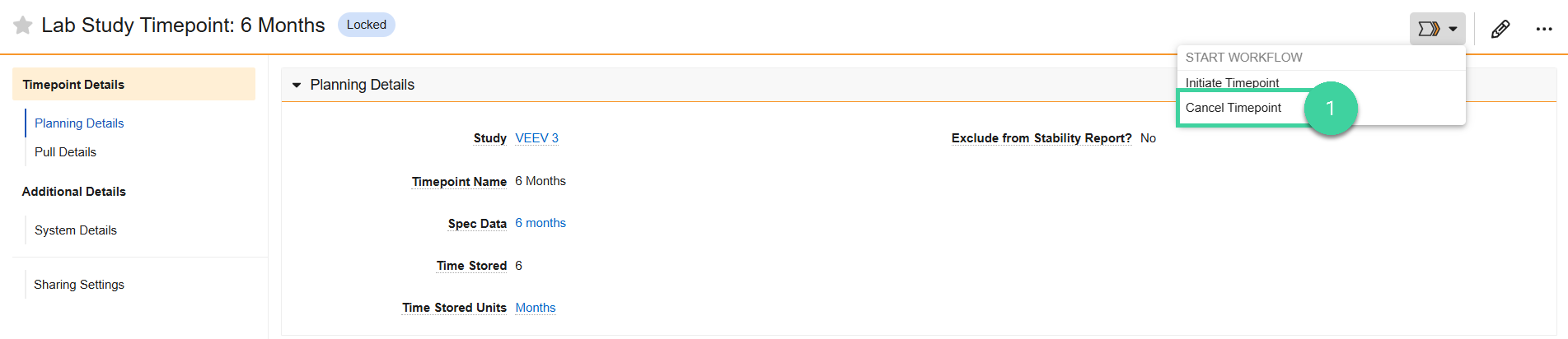
Click Start.

You will receive a task to provide a reason for cancellation. Click Complete to complete the task.
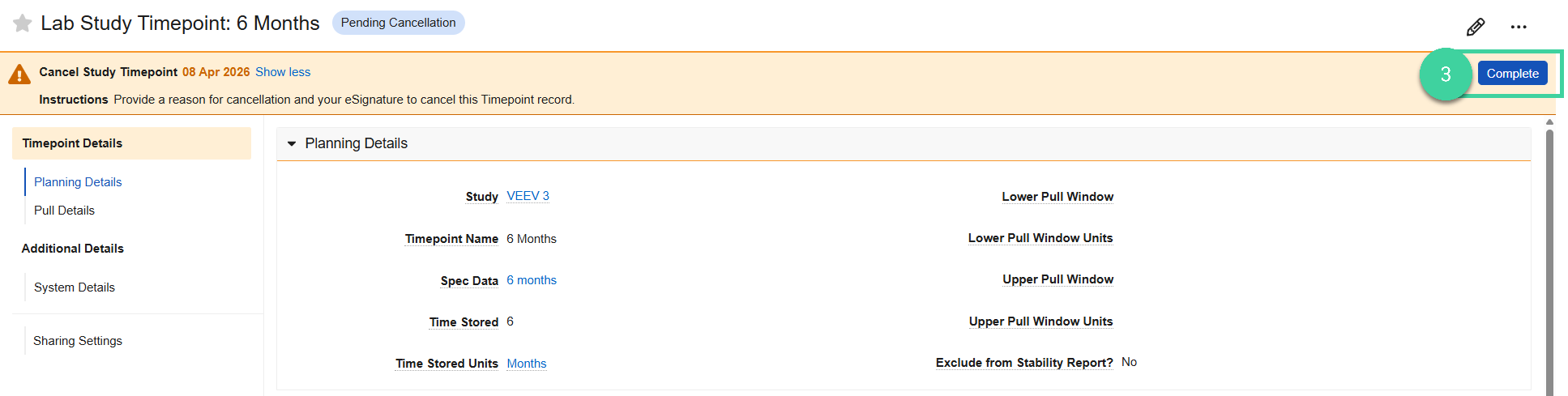
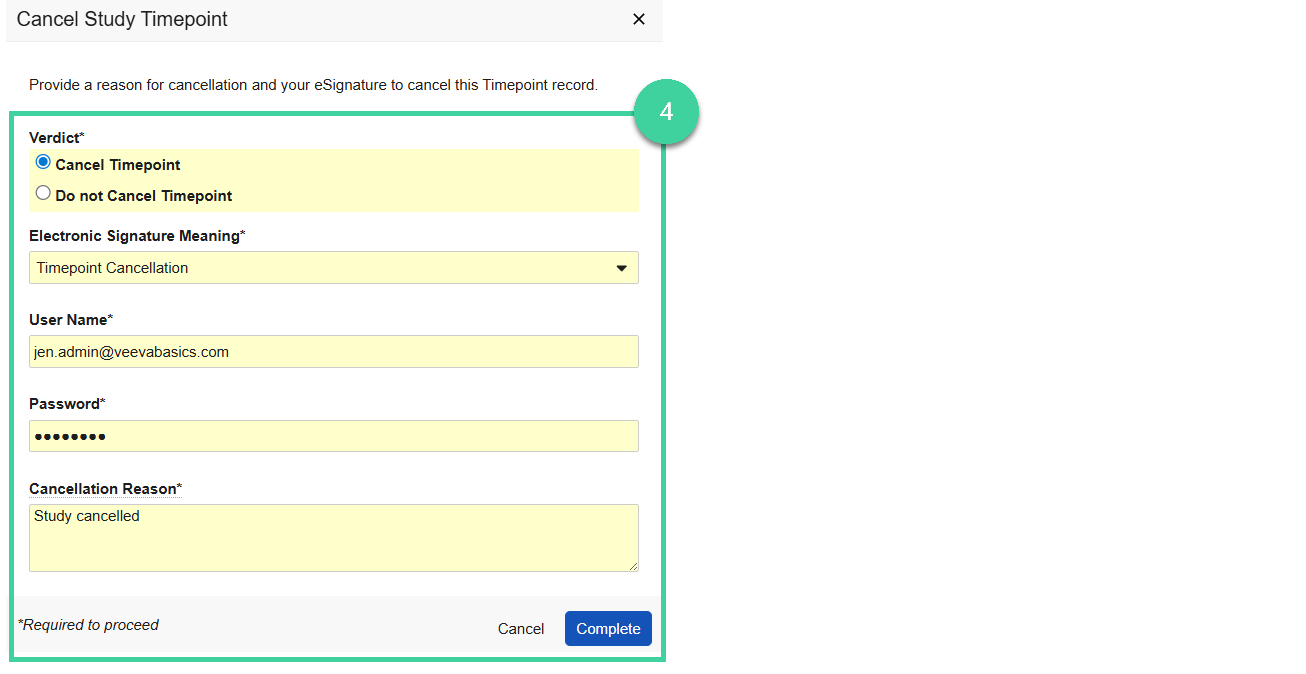
Provide your verdict.
Select Cancel Timepoint, provide the Cancellation Reason, your e-signature, and click Complete. The timepoint changes to Cancelled.
Select Do not Cancel Timepoint and click Continue if you don’t want to proceed with the cancellation of the timepoint.
Note
If you need to cancel more than one timepoint record, you can do so by starting a multi-record workflow.
Cancelled timepoints will not be initiated, do not show up in the stability report, and cannot be reactivated. If a timepoint was cancelled in error, the study can be revised and a new timepoint record can be added.