Create a Sample Plan
Last updated: May 7, 2026
Who can complete this task?
Veeva LIMS Basics: Design Data Admin, Stability Design & Study Admin, Vault Admin
Release Testing
In release testing, sample plans indicate how many samples will be created when a batch is created for a given material. Sample plans are reusable across materials as long as the sample definitions required for the materials are the same.
Create Sample Plan
To create a sample plan:
Navigate to Design & Admin > Design Data > Sample Plans and click Create.

Enter the Sample Plan Name.
Click Save.

Note
You can create a sample plan by navigating to Design & Admin > Design Data > Sample Plans, hovering your mouse over an existing sample plan and selecting Create Design Data Copy. This will also copy the sample definition(s) and you can make adjustments as needed for the new record (e.g., rename the Sample Plan, modify/create/delete Sample Definitions etc.).
Create Sample Definition
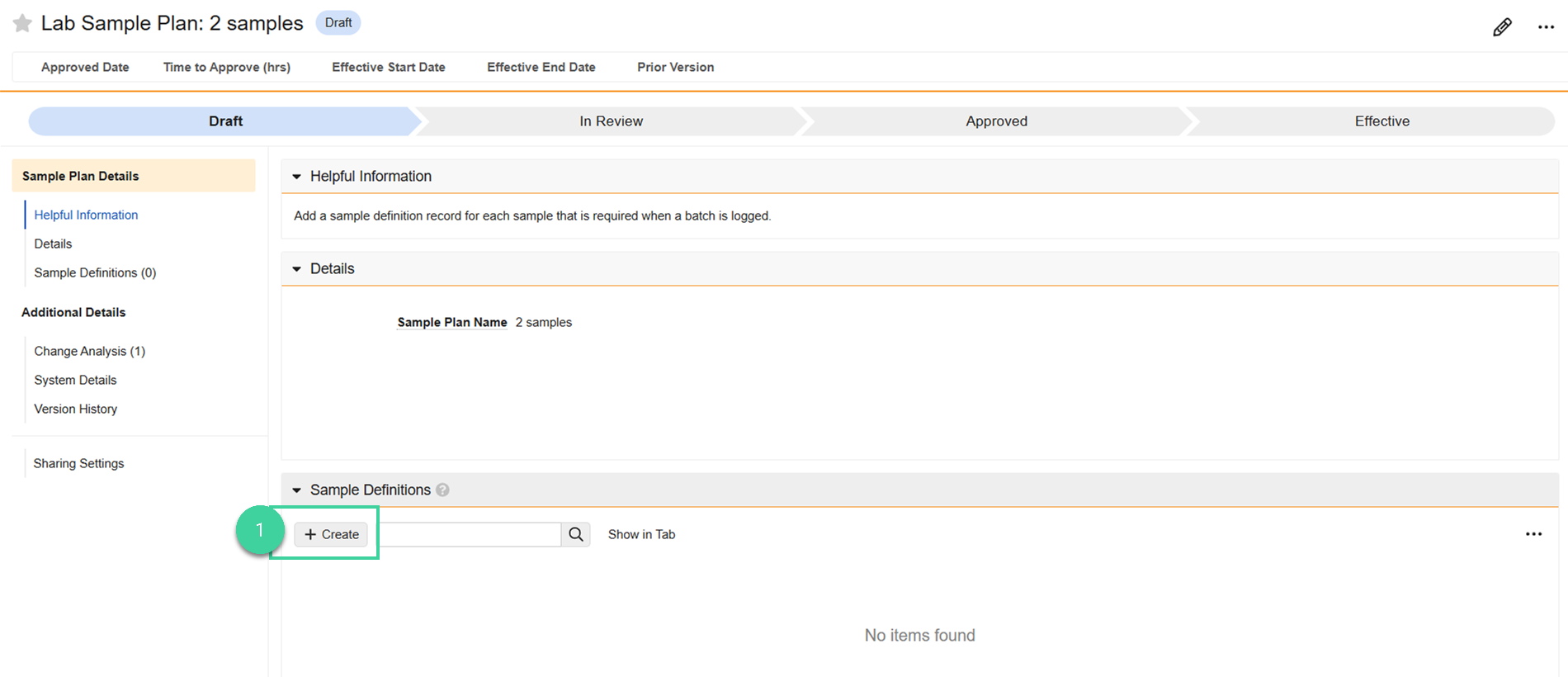
After creating the sample plan record, the next step is to create one or more sample definitions for each sample that is required when a batch is logged. Sample definitions are generally used to track the testing labs.
Note
If there is only one testing lab being created for a material, we recommend creating one sample definition.
To create a sample definition:
Navigate to the Sample Definitions section of the sample plan record and click Create.
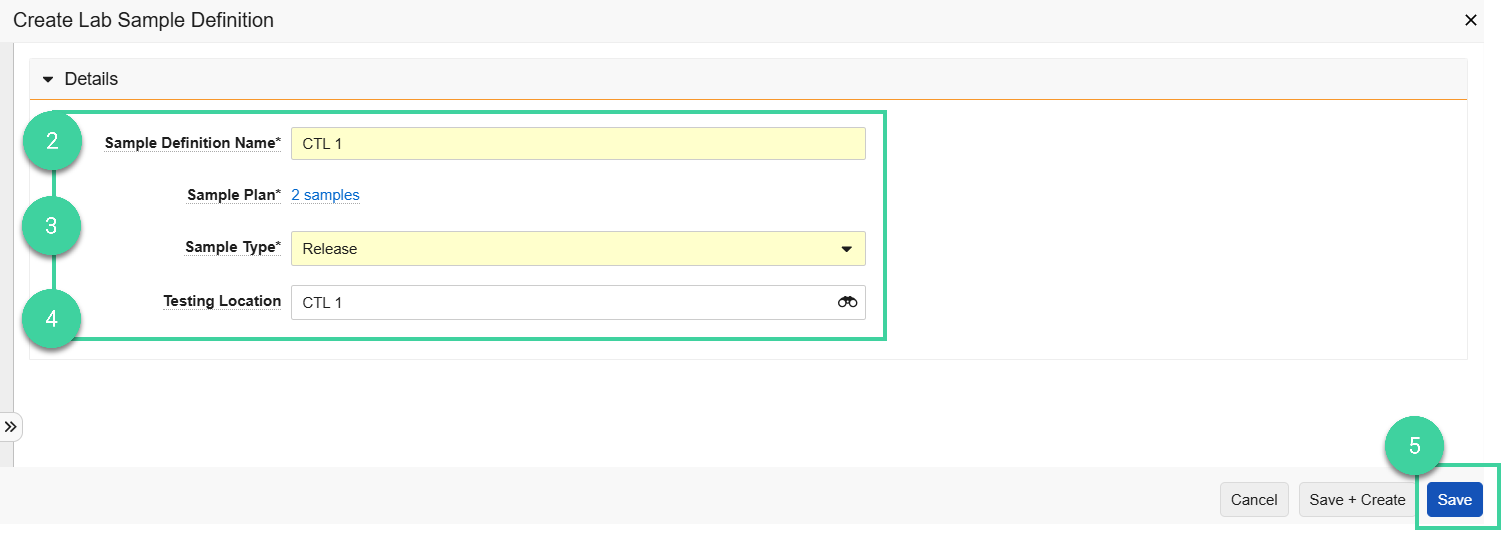
Enter a Sample Definition Name.
Best Practice If a Testing Location is going to be defined, we recommend naming the record the same as the testing location.Select the Sample Type. This is used to classify the sample at run time.
Select the Testing Location where the sample is going to be tested.
Click Save.
Stability Testing
In stability testing, sample plans indicate the storage conditions being tested at the timepoints indicated in the protocol.
Best Practice
Create one sample plan per timepoint.
Create Sample Plan
To create a sample plan:
Navigate to Design & Admin > Design Data > Sample Plans and click Create.

Enter the Sample Plan Name.
Click Save.

Note
You can create a sample plan by navigating to Design & Admin > Design Data > Sample Plans, hovering your mouse over an existing sample plan and selecting Create Design Data Copy. This will also copy the sample definition(s) and you can make adjustments as needed for the new record (e.g., rename the Sample Plan, modify/create/delete Sample Definitions etc.).
Create Sample Definition
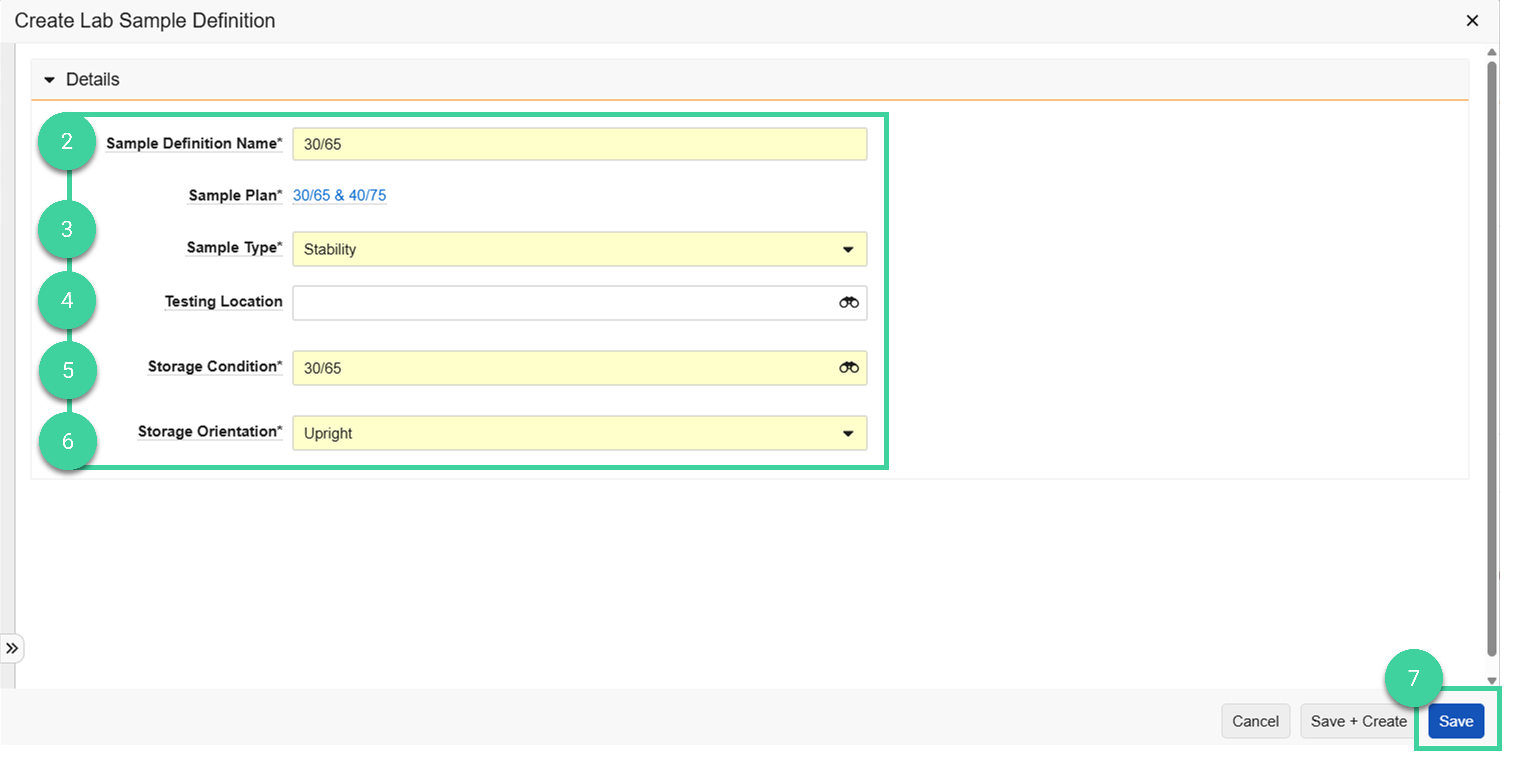
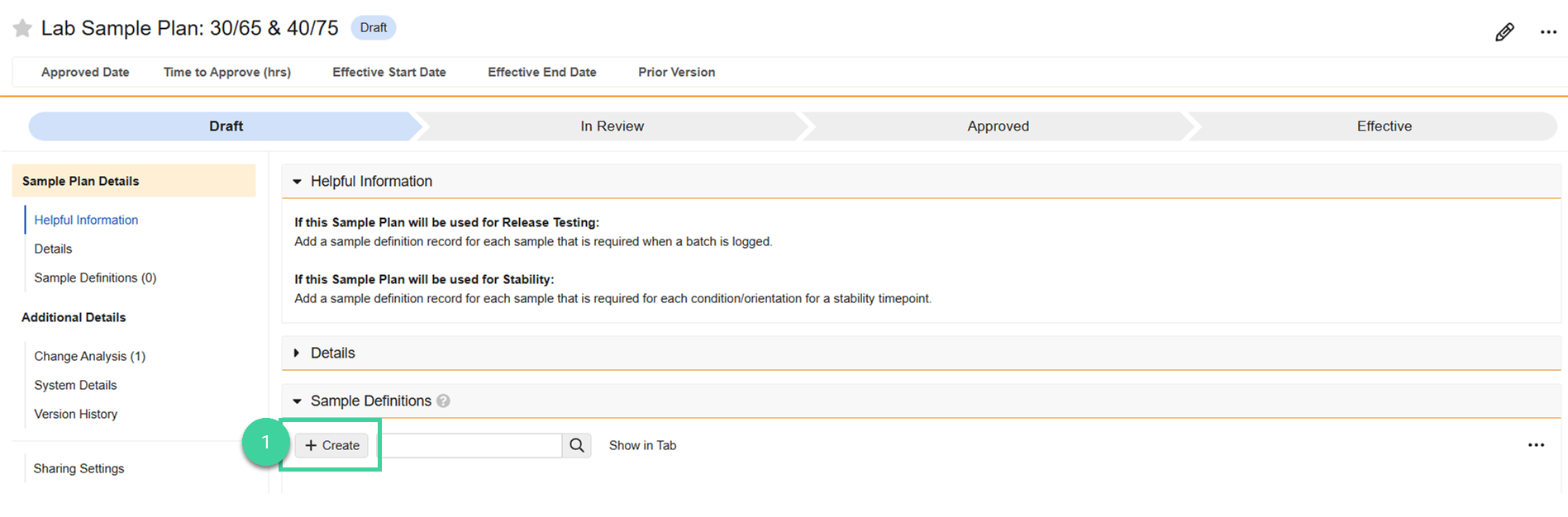
When used for stability, sample definitions within the sample plan are created for each condition and orientation for a stability timepoint, as indicated in the protocol.
To create a sample definition:
Navigate to the Sample Definitions section of the sample plan record and click Create.
Enter a Sample Definition Name.
Select the Sample Type. This is used to classify the sample at run time.
Optionally, select the Testing Location where the sample is going to be tested.
Select the Storage Condition for this sample definition.
Select the Storage Orientation
Click Save.