Perform Initial Review & Approval of a Stability Study
Last updated: Apr 17, 2026
Who can complete this task?
Veeva LIMS Basics: Stability Design & Study Reviewer
When the Stability Design & Study Admin creates a stability study, they will specify the timepoints at which specified tests will be performed and under what conditions. They will then send it for initial study approval.
To perform the initial review and approval of a stability study:
When initial study approval is requested, a task is sent to the specified approver(s). Click the task link.

If the task was sent to a group for approval, click Accept to accept the task. Only one person needs to accept it.

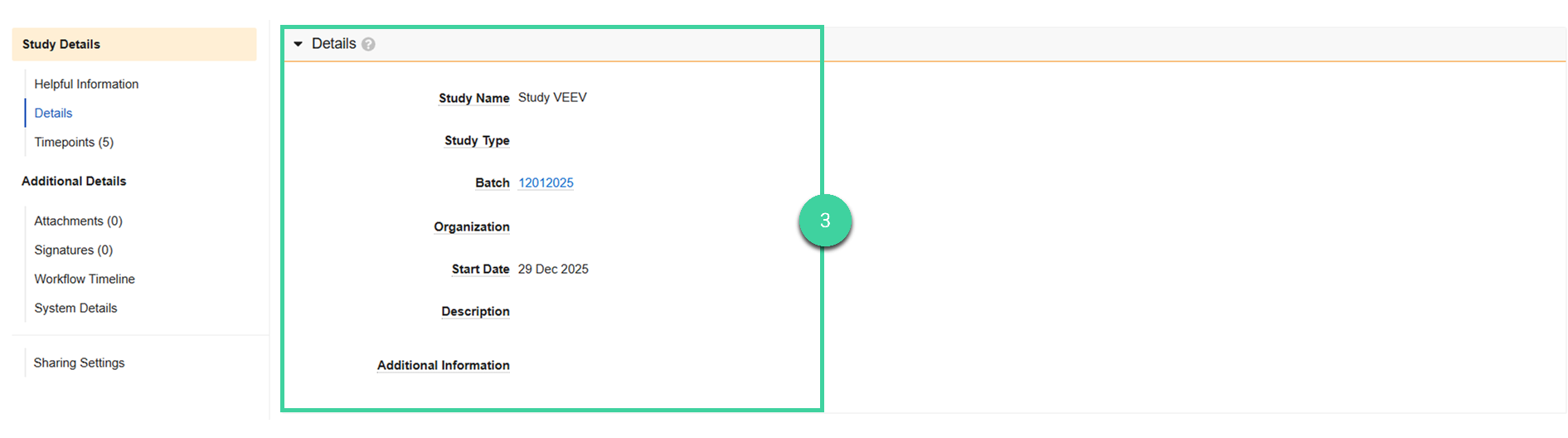
Expand the Details section and review the details. If a release batch will be used to link T0/Initial testing results, the batch will be shown in this section.
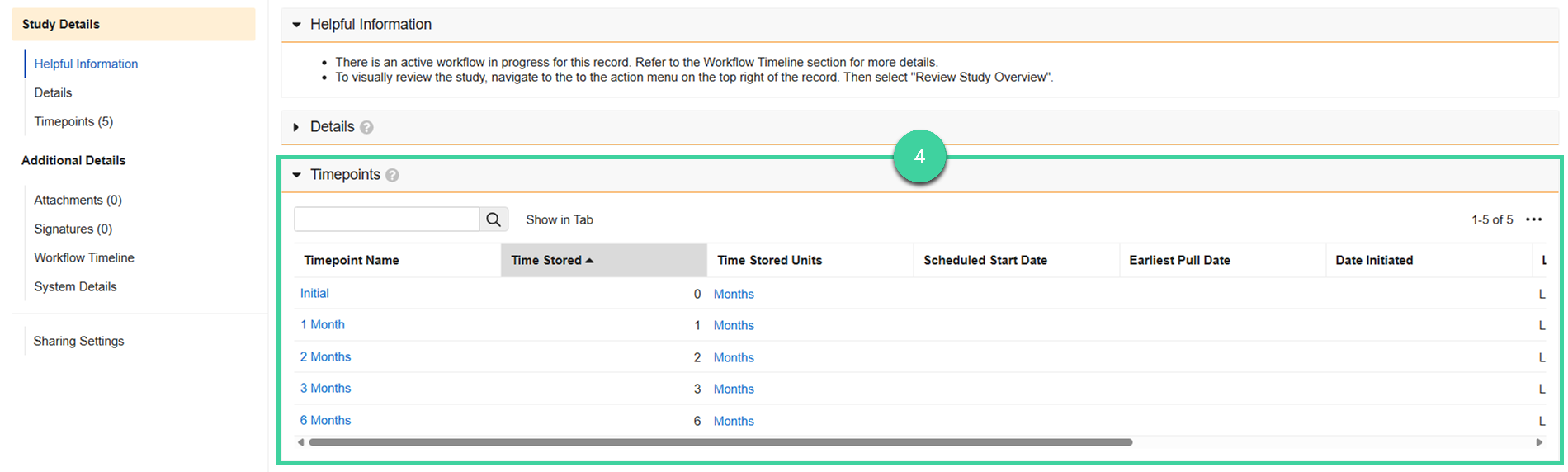
Expand the Timepoints section and review the timepoints and associated spec data. Or select Review Study Overview from the All Actions menu to visually review the tests to be performed for each timepoint by storage condition and/or orientation. Click the spec data link for each timepoint to review the samples, tests, and specification criteria details for the timepoint.
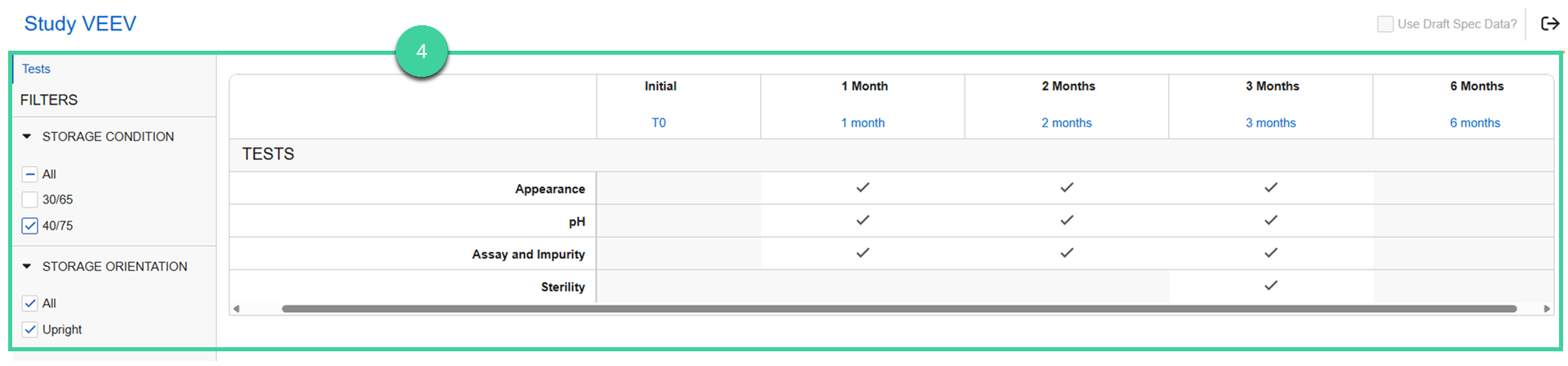
When you are finished with your review, click the Exit Overview icon ().
Click Complete to complete the task.

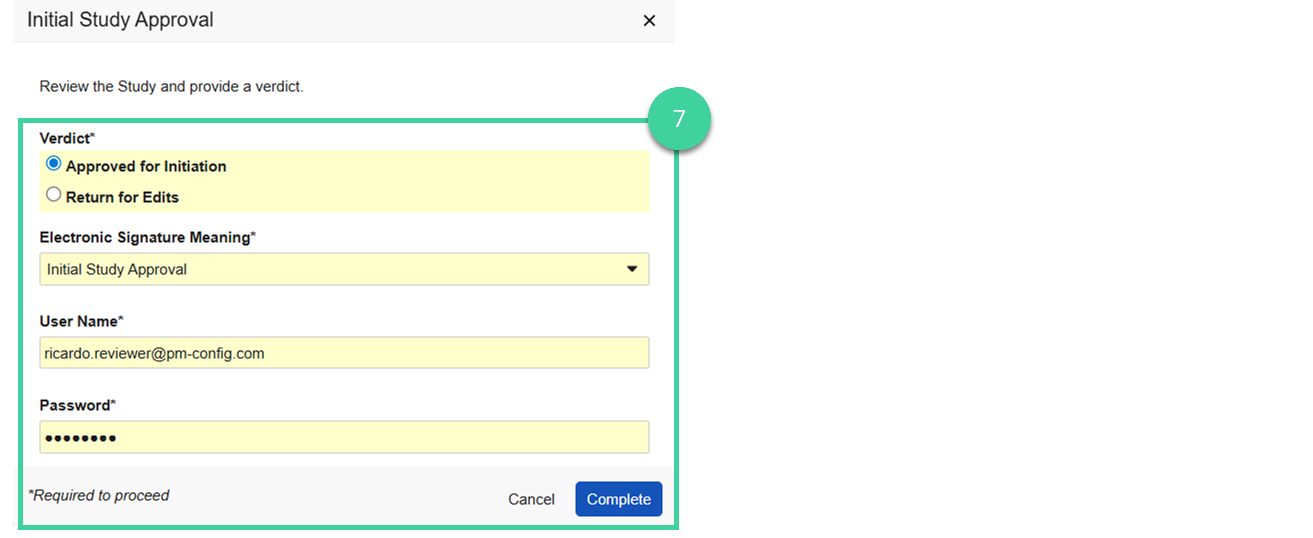
Provide your verdict.
Select Return for Edits if changes are needed before the study can be approved. Provide the Reason for return describing what changes are needed and click Complete.
Select Approved for Initiation, provide your e-signature, and click Complete to give initial study approval. If approved, the study will move to the Pending Start state.