Initiate a Timepoint
Last updated: Apr 17, 2026
Who can complete this task?
Veeva LIMS Basics: Stability Design & Study Admin
A stability timepoint record will automatically be initiated by the system when the Earliest Pull Date is reached. If a timepoint needs to be initiated prior to the Earliest Pull Date, you can manually initiate the timepoint.
Note
This workflow can only be used for timepoints in the Locked state.
To initiate a timepoint:
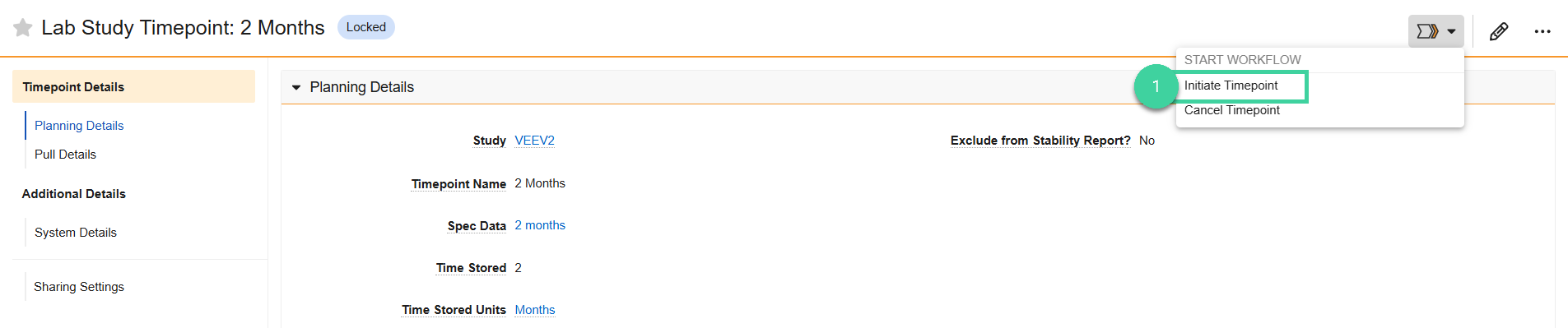
Open the timepoint record you want to initiate and select Initiate Timepoint from the Workflow menu.
Click Start.

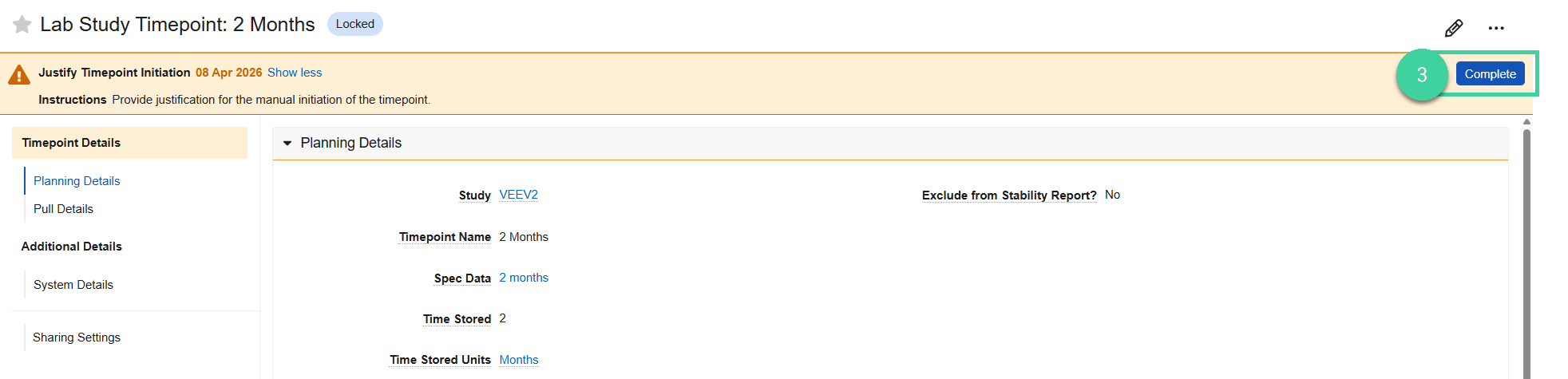
You will receive a task to justify timepoint initiation. Click Complete to complete the task.
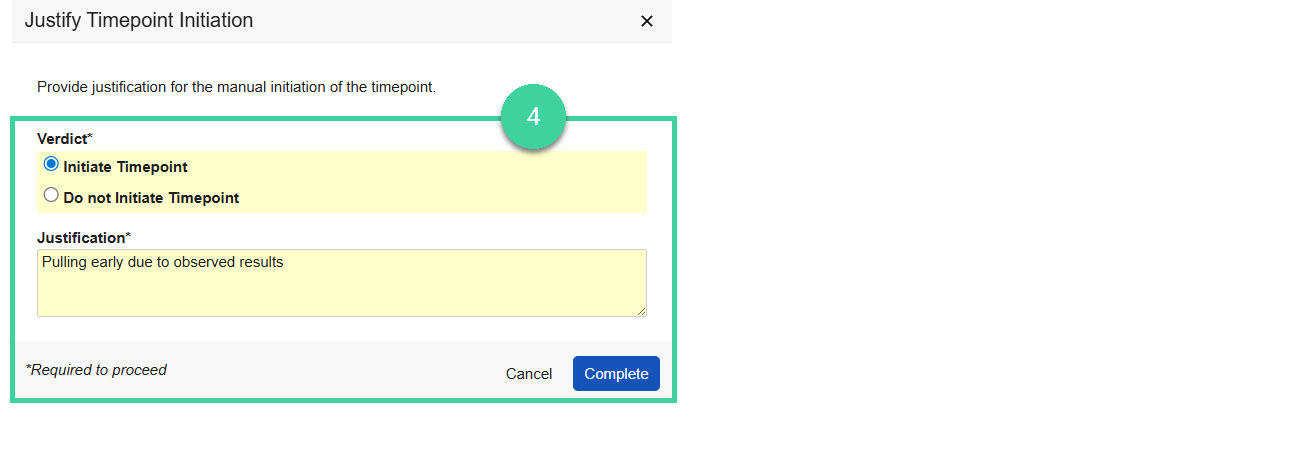
Provide your verdict:
Select Initiate Timepoint, provide the Justification, and click Complete. The timepoint will be initiated and a Spec Execution record with applicable Sample(s), Test(s), Result(s), and Limit(s) will be created for the Timepoint.
Select Do not Initiate Timepoint and click Complete if you don’t want to proceed with initiating the timepoint.