

Offboard a User
Last updated: Jun 1, 2026
When a user leaves your organization, follow this checklist to ensure a smooth offboarding transition in your LIMS Basics Vault.
If the user leaving is a domain admin, they should make a different user a domain admin before they leave.
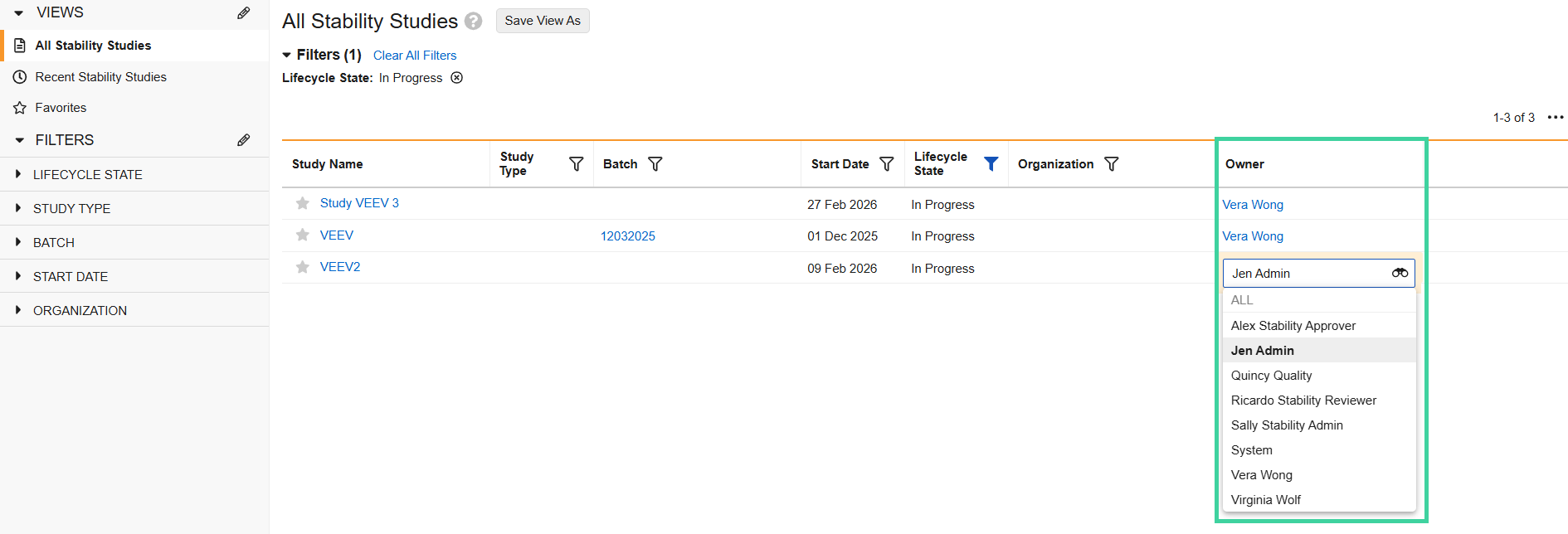
Important Sandbox and Production environments are on different domains and are not linked. Make sure you have a Domain Admin in both environments.If the user is a stability study owner, assign a new owner to the study. To do this, navigate to LIMS > Stability > Stability Studies, edit the columns to add the Owner column. Then double-click into the field, select a new owner, and click out of the field.
Reports
This report is available to support smoother offboarding:
- Open Stability Studies with Inactive Owners: If the stability study’s owner is inactive, they will need to be replaced with an active user in order for the Stability Report to generate. The Open Stability Studies with Inactive Owners report lists non-completed, non-cancelled stability studies with inactive owners.