

Review & Approve a Stability Report
Last updated: Apr 17, 2026
Who can complete this task?
Veeva LIMS Basics: Stability Approver
A Stability Report is automatically generated once all timepoints are complete. However the Stability Design & Study Admin has the option to generate an interim Stability Report, for example, after a condition has been completed.
Note
The Stability Report generated after a study reaches Timepoints Complete must be approved before the study can receive final approval.
To review and approve a Stability Report:
When a Stability Report is sent for approval, a task is sent to the specified approver(s). Click the task link.

Review the contents of the report.
Confirm the relevant spec exes are approved prior to approving an interim Stability Report.
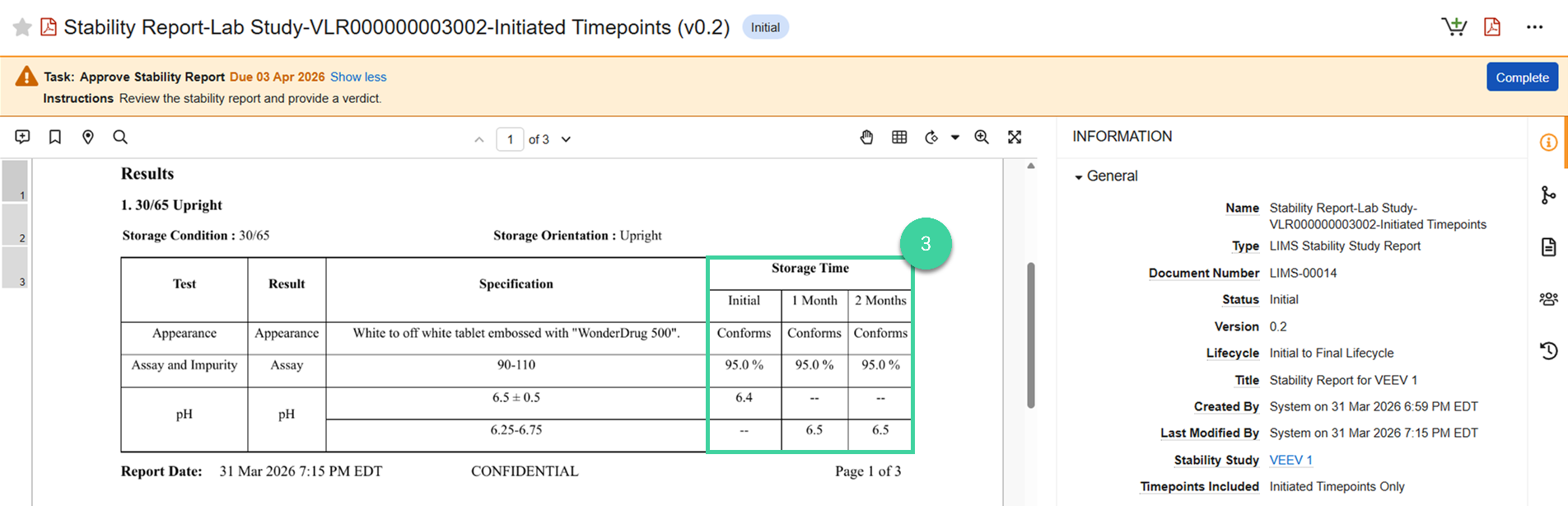
When your review is finished, click Complete.

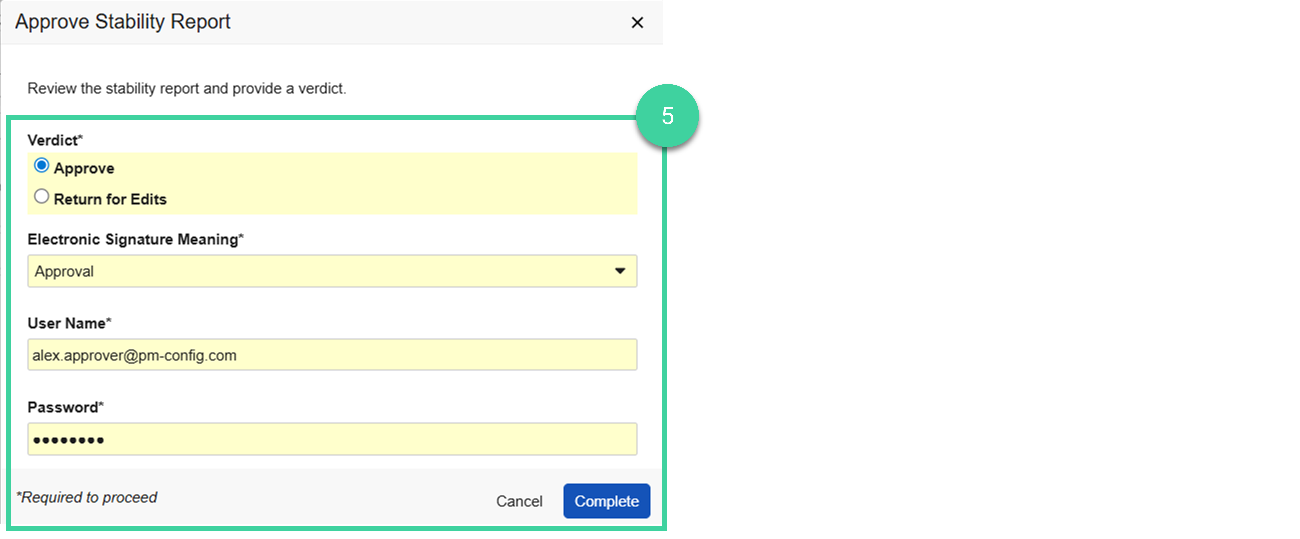
Provide your verdict.
Select Return for Edits if changes are needed before the Stability Report can be approved. Enter the Reason for return and click Complete. The Stability Report will be returned to the Stability Design & Study Admin user to make updates and, when ready, send for approval again.
Select Approve to approve the Stability Report. Provide your e-signature and click Complete. The report will be upversioned to the next major version, the report name will be updated to Stability Report for, with the study name appended.

Note
If the task was sent to more than one person, all of those people will need to approve the report before it becomes Final.