

Send Samples for Review
Last updated: Apr 17, 2026
Who can complete this task?
Veeva LIMS Basics: any user but generally a Results Entry user
After entering lab test results, you have the option to send the sample record(s) for review. This is an optional workflow and can be used for both release and stability testing. If used, a task will be sent to a user with the Results Reviewer role.
You can send all samples for a spec ex for review at the same time.
To send all samples for a spec ex for review:
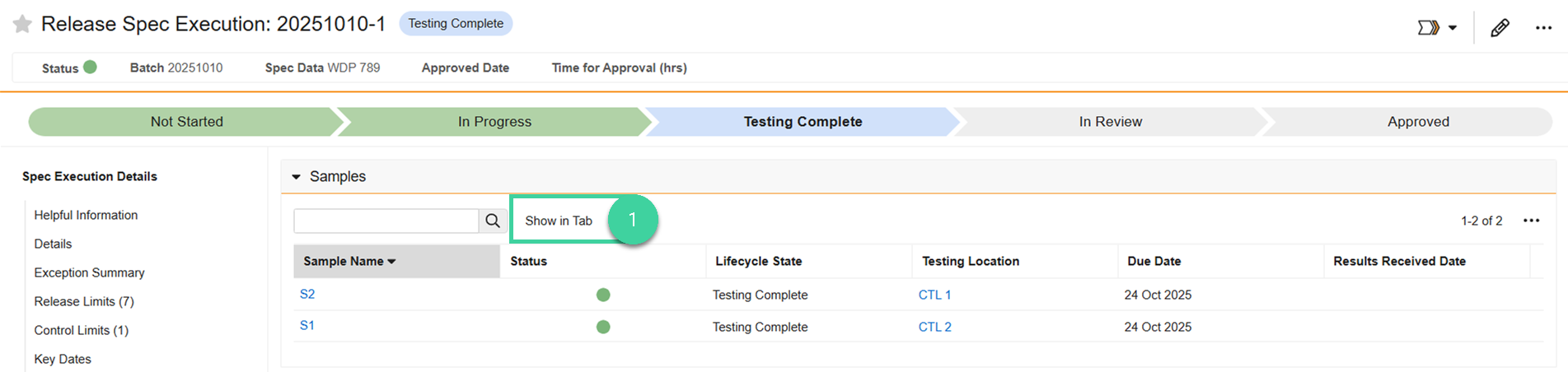
Open the Samples section of spec execution record and click Show in Tab.
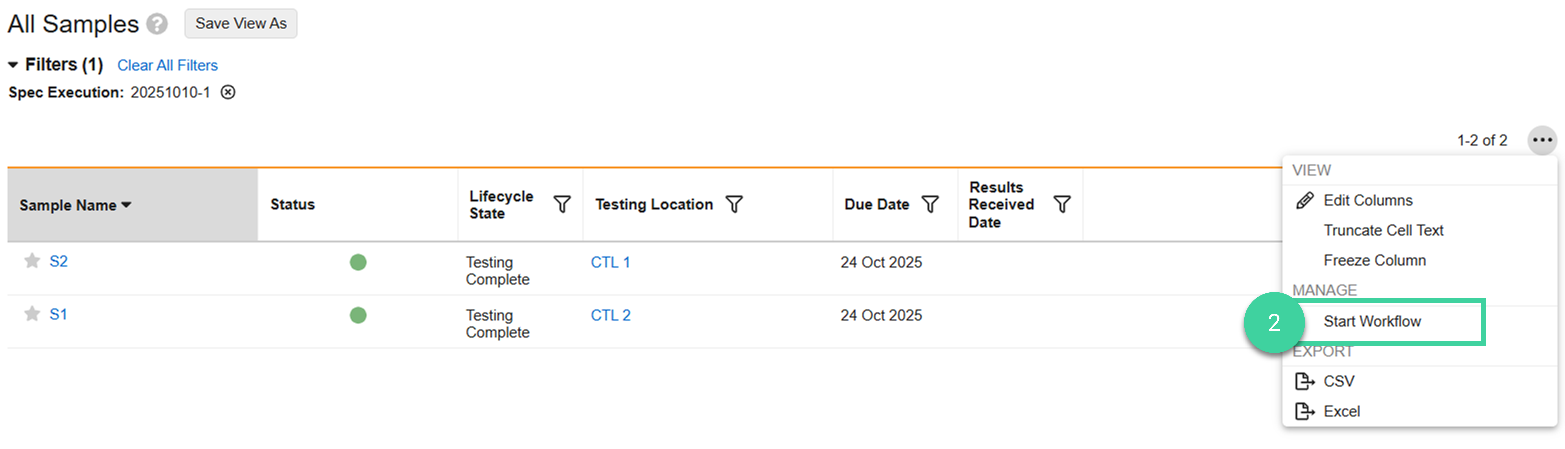
Select Start Workflow from the All Actions menu.
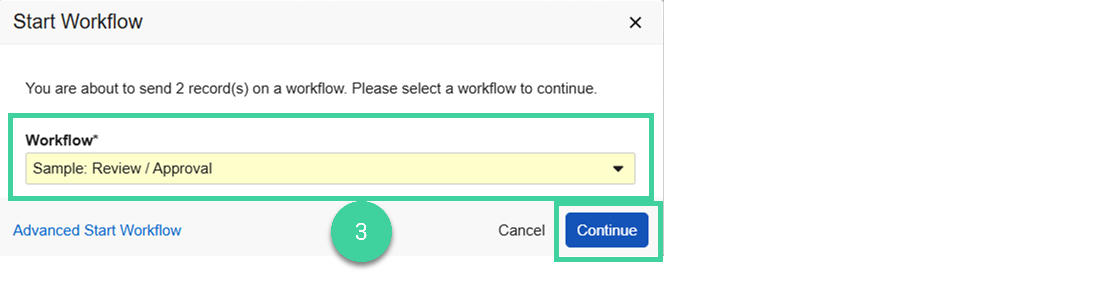
Select the Sample: Review / Approval workflow and click Next.
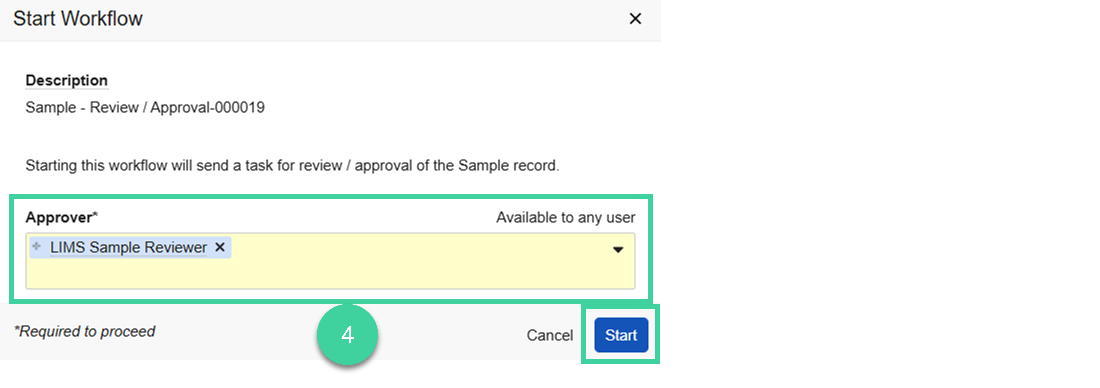
Select Approver (can be an individual or a group). If you specify a group, only one person in that group will need to accept and complete the review and approval task. Click Start.
The samples change to In Review.
Note
You can send a single sample for review if you want. To do this, select Send for Review from the individual sample record.