

Send Stability Study for Initial Approval
Last updated: Apr 17, 2026
Who can complete this task?
Veeva LIMS Basics: Stability Design & Study Admin
When a stability study is created, all necessary timepoints have been added, and spec data versions are in the correct state, you can start the initial approval workflow.
Spec Data Version Check
Before sending a study for initial approval, you can run the Spec Data Version Check to see if there are any spec data records for the study where there is only a draft version.
To run the spec data version check:
Navigate to Design & Admin > Stability > Studies and select the stability study record.
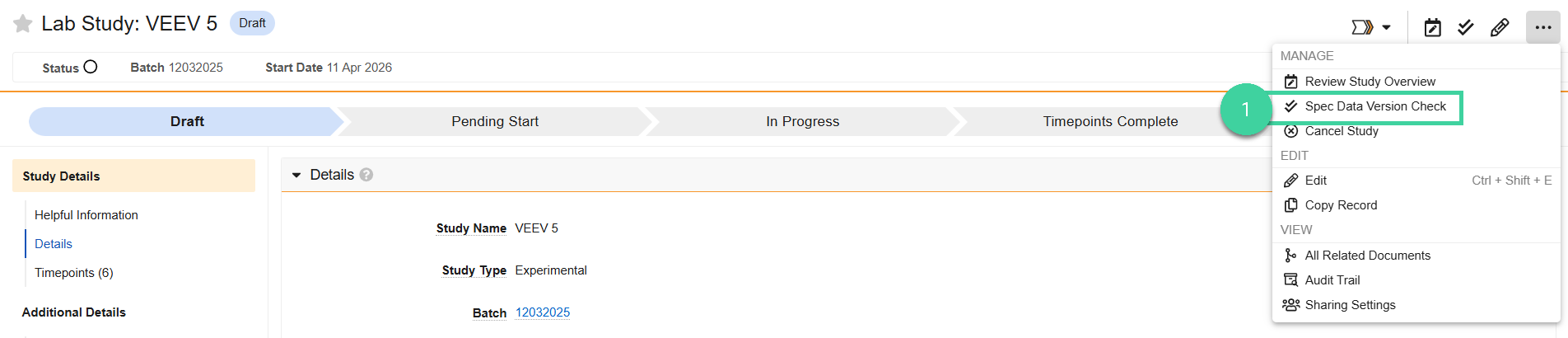
Select Spec Data Version Check from the All Actions menu.
You will receive an error if any spec data records are not in the correct state. Use the Change Analysis workflow to approve the spec data records.

You will see a notification at the top of the page if all related spec data records are in the correct state.

Send for Approval
To send a stability study for initial approval:
Navigate to Design & Admin > Stability > Studies and select the stability study record.
Select Send for Review / Approval from the All Actions menu.

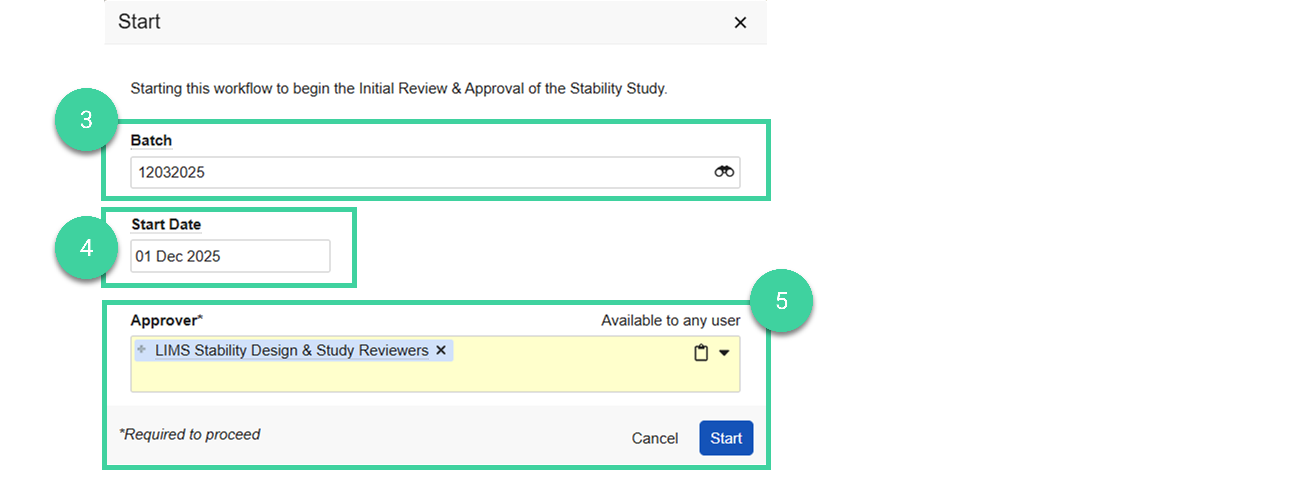
If you will be associating a release Batch to this study, specify it here. The batch can be used to link T0/initial testing results.
Optionally, specify the study Start Date.
Select the approver (can be an individual or a group). If you specify a group, only one person in that group will need to accept and complete the review and approval task. Click Start.
The stability study record changes to In Review.