

Complete Review Task
Last updated: Apr 17, 2026
Who can complete this task?
Veeva MedComms Basics: Reviewer-Approver
The review process helps supply iterative feedback to ensure documents contain all required information.
To review a document:
Navigate to Content Workspace > Tasks and open the Review task.
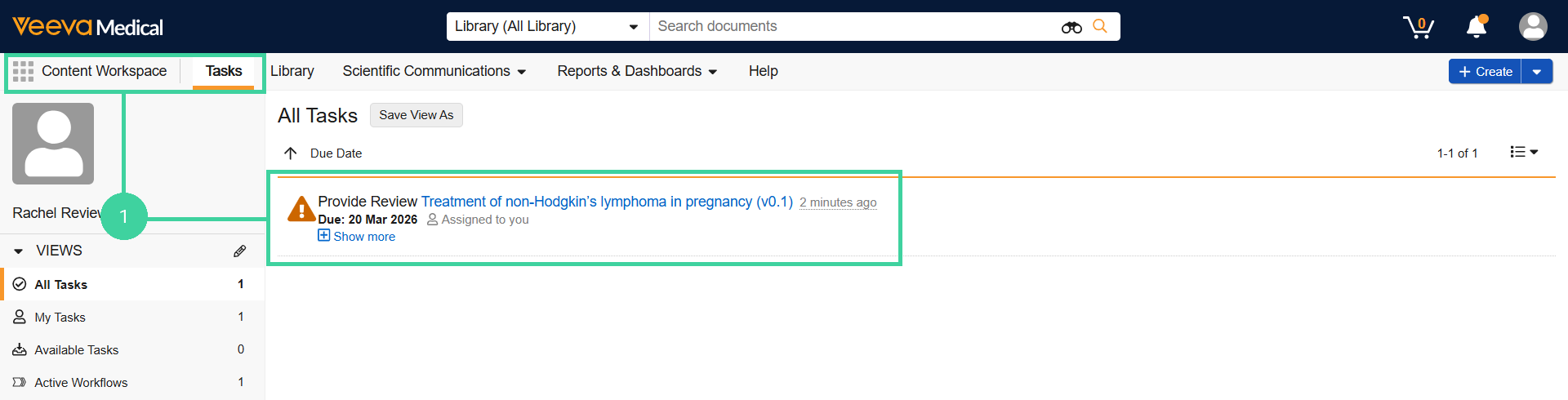
Review the content, add any annotations needed, then click Complete.

Select a Verdict. If the verdict is Revise and Resubmit, provide a descriptive comment.
Click Complete.
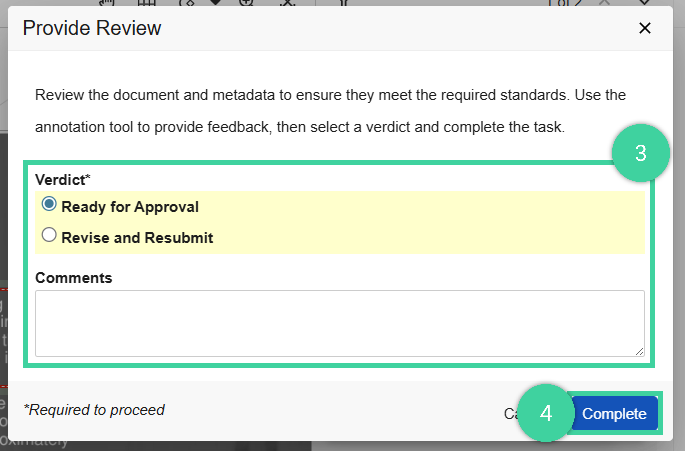
All reviewers must review a document for it to reach the Reviewed state. If any reviewer rejects the document, it returns to the Revise and Resubmit state.