Create an Organization
Last updated: Apr 17, 2026
Who can complete this task?
Veeva MedComms Basics: Vault Admin, Medical Admin
Organizations represent a distinct entity that will support specialized functions. Associating users with the correct organization ensures they have the right permissions. Organization records are related to the External Organization field on documents.
To create an organization:
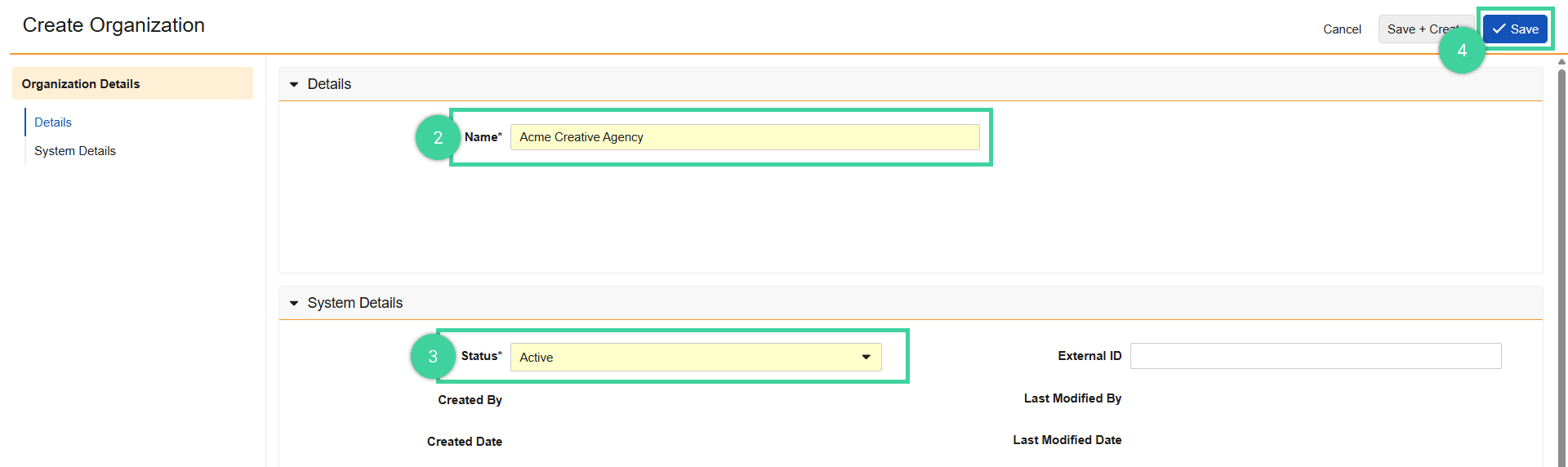
Navigate to Medical Admin > Organizations, and click Create.

Enter the Name.
Select the Status. Select inactive if the Organization should not be active after creation, which will prevent it from being selectable in document and user fields.
Click Save.