

Prepare a Production Proof
Last updated: Apr 17, 2026
Who can complete this task?
Veeva PromoMats Basics: Agency, Content Manager, Medical Signatory
In some cases, a production proof needs to be uploaded to a document as a rendition.
To upload a production proof:
Navigate to Content Workspace > Tasks and open the Prepare Production Proof task.

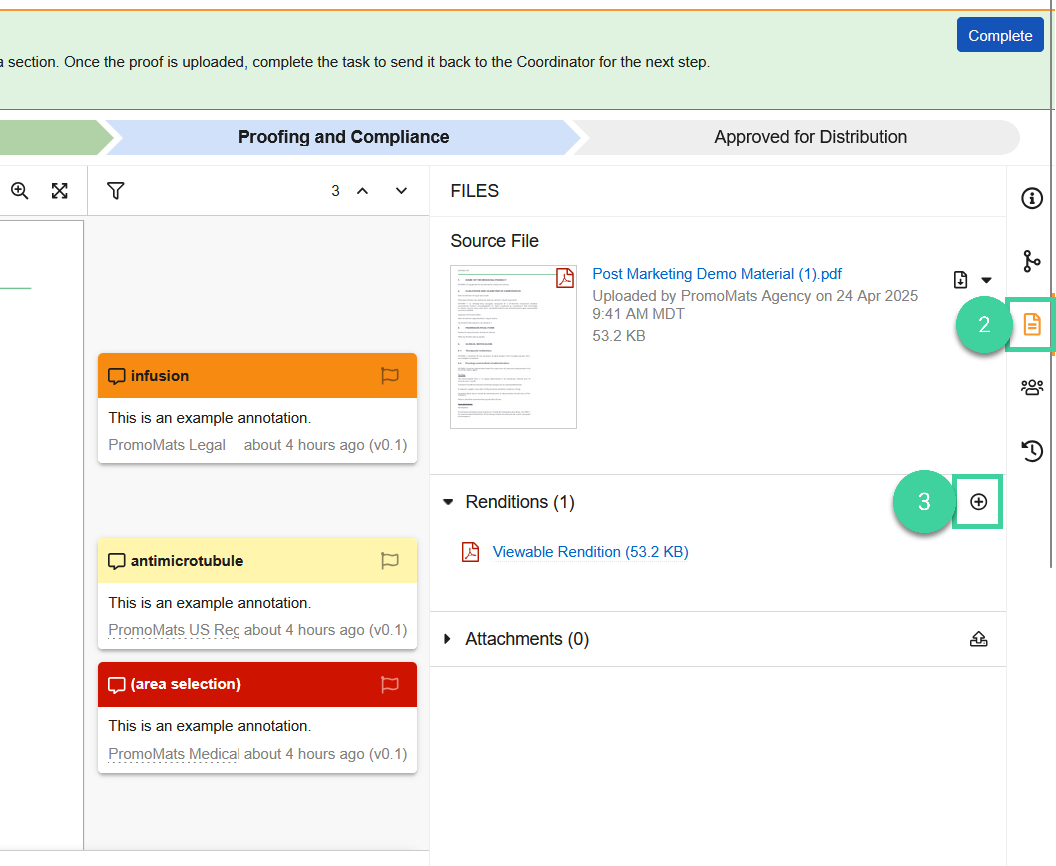
Select the Document Files tab.
Click Add (+) in the Renditions area.
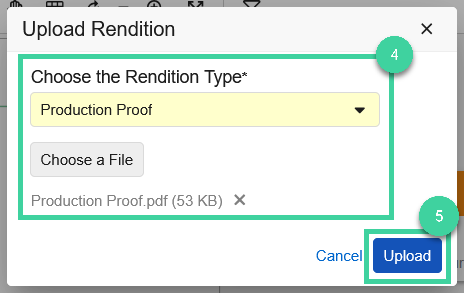
Select the Production Proof rendition type, and upload the production proof via the Choose a File option.
Click Upload.
Click Complete to complete the task.

United Kingdom Print Documents
After Certification, the Medical Signatory is assigned a Review Physical Copy task. While the task text varies, the steps follow the same general process outlined above.