

Curriculum Sequencing
Last updated: May 20, 2026
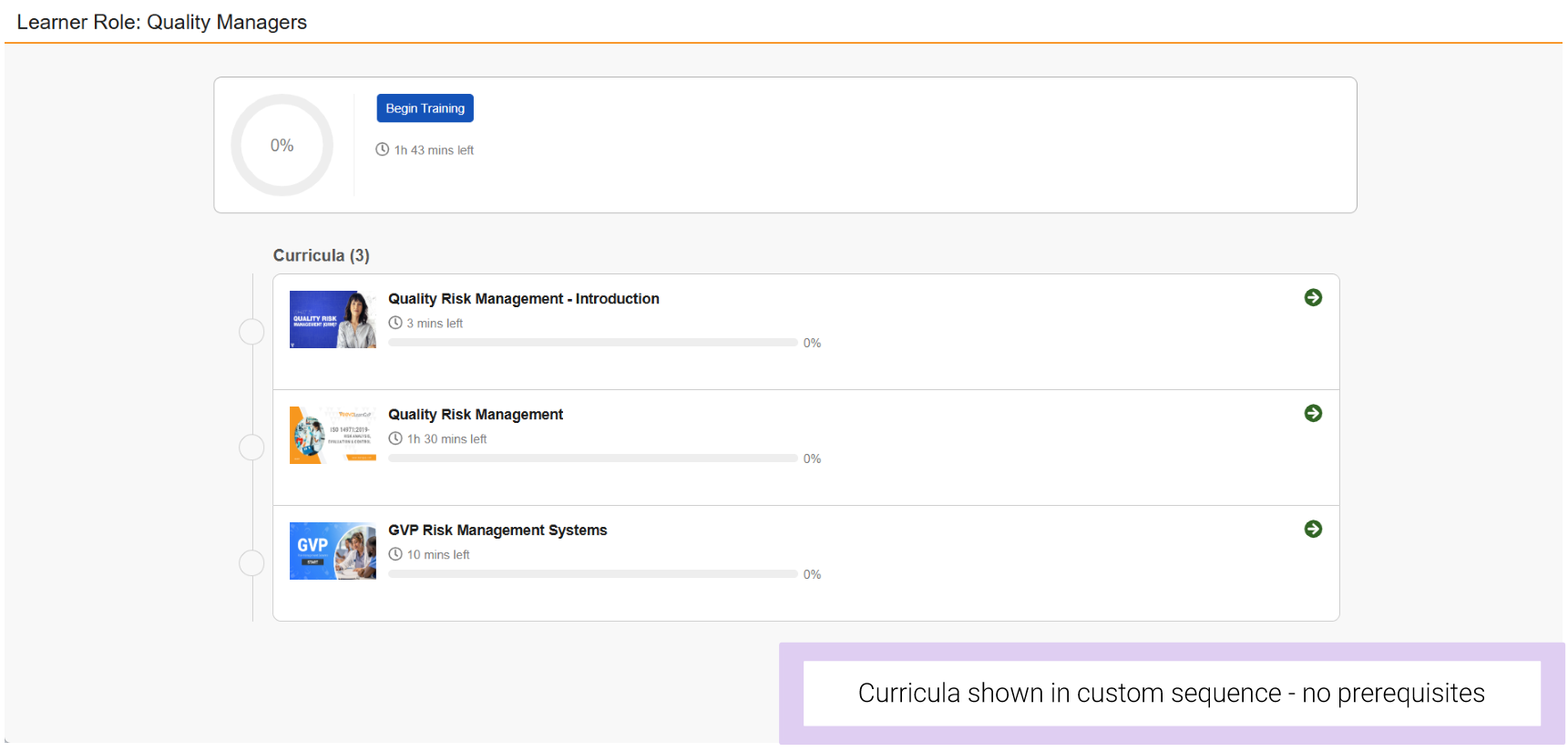
Training Admins can set the order in which they want Curricula within a Learner Role to be shown to the Learner. For example, if you want to sequence the curricula from introductory training to more advanced training.
You can choose to make the sequence a visual recommendation only:
Or you can choose to enforce the sequence of how Learners must complete the training:
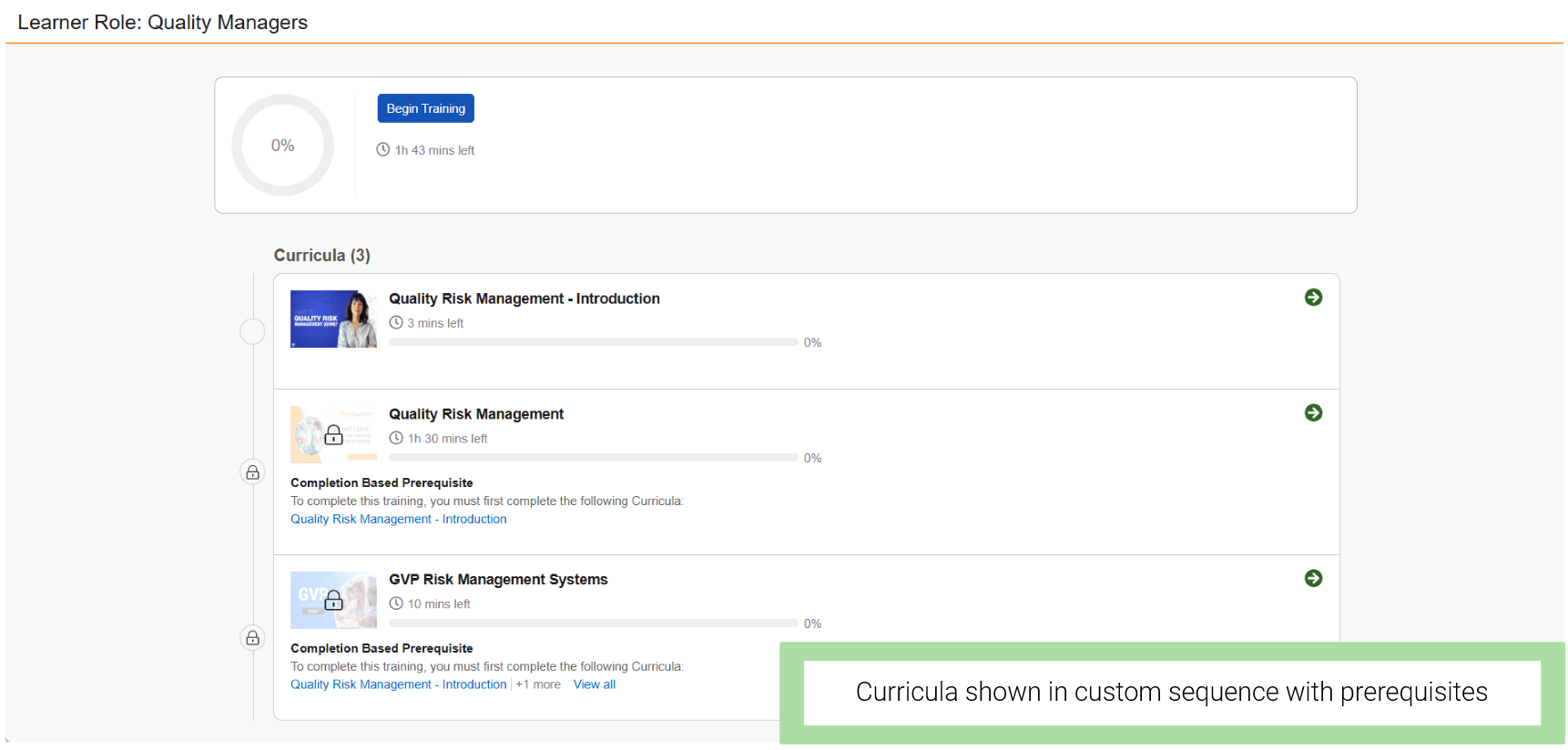
If enforced, you can specify whether Learners will unlock the next curriculum in a sequence by either:
- Completion of the previous curriculum in the sequence
- Specific length of time passing For example, 30 days after the activation date of the user account
Note
If a curriculum sequence is set, a Learner can view training assignments by Learner Role for the sequence in which they should complete their training.
You can further customize how you want due dates for the curricula to be calculated. You can start the duration clock either:
- Immediately after a Learner is assigned to the Learner Role
- Offset so that the duration clock doesn’t start on a curriculum until its prerequisite is complete.
Note
While they can be used together, Curriculum Sequencing is independent of the Training Requirement prerequisite functionality already available in your Quality Basics Vault.
How to Use Curriculum Sequencing
Watch this video (3 min) to learn how to set up curriculum sequencing for learner roles.
Having trouble viewing the video? Open it in a new tab.