Create a CAPA Action
Last updated: Apr 17, 2026
Who can complete this task?
Veeva Quality Basics: Deviation Owner
If a Deviation’s CAPA Required field is set to Yes, at least one CAPA Action must be created and in the Initiated state or later before the Deviation can be sent for approval.
To create a CAPA Action for a Deviation:
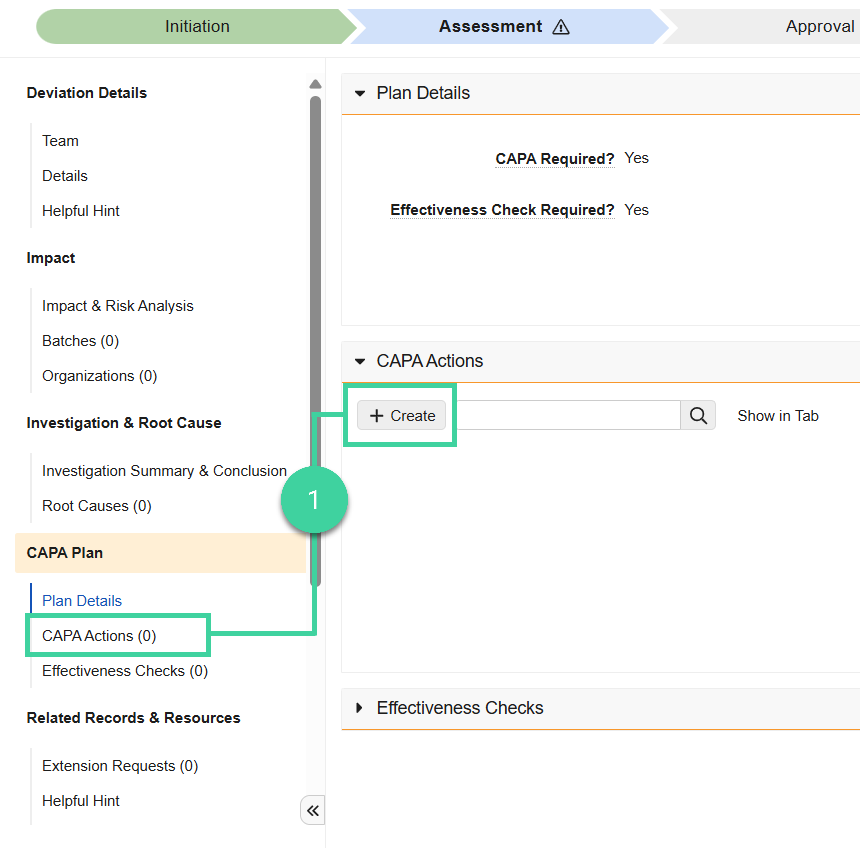
In the Deviation record, expand the CAPA Actions section and click Create.
Enter the required information:
- Title
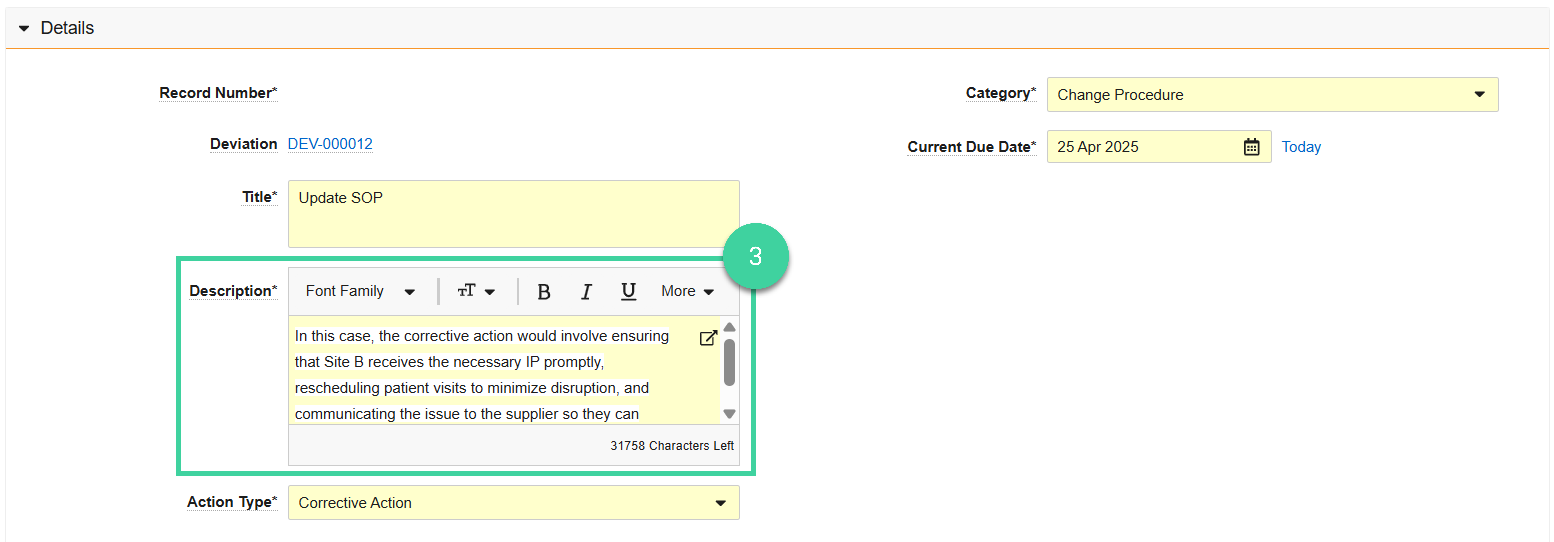
- Description: Actions required to implement the CAPA Action.
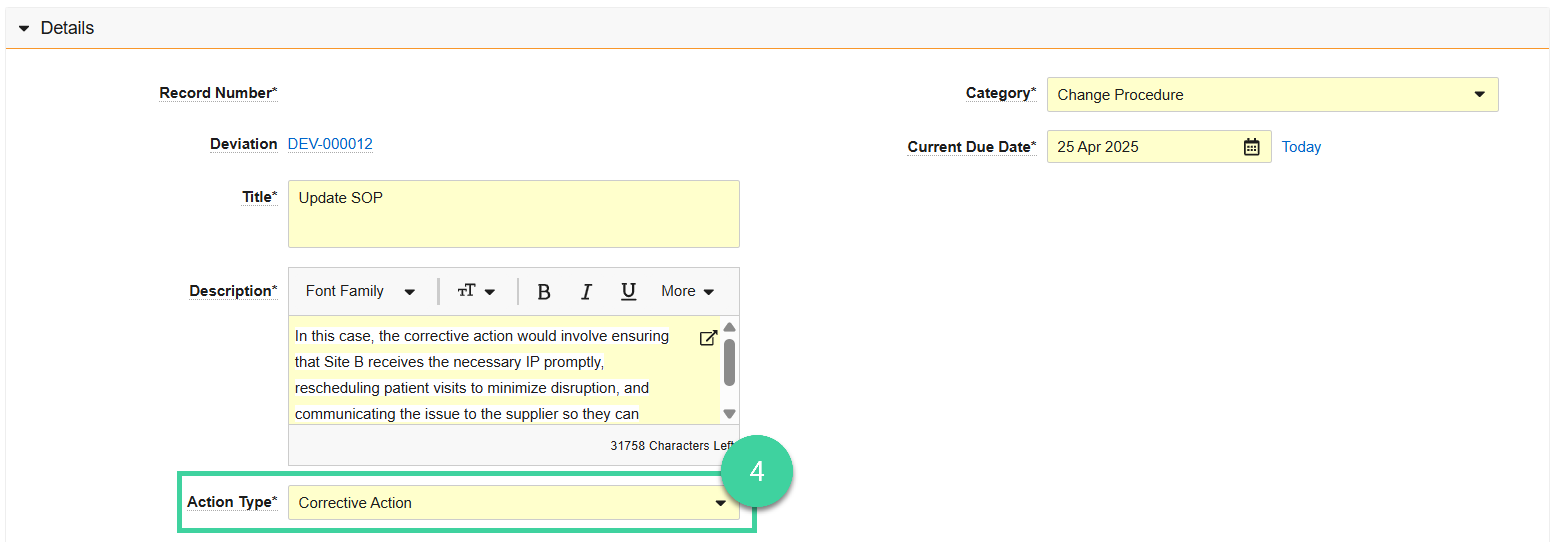
- Action Type: Either a Corrective Action or Preventive Action.
- Category: Type of action to be completed.
- Owning Department: Department responsible for implementing the CAPA Action.
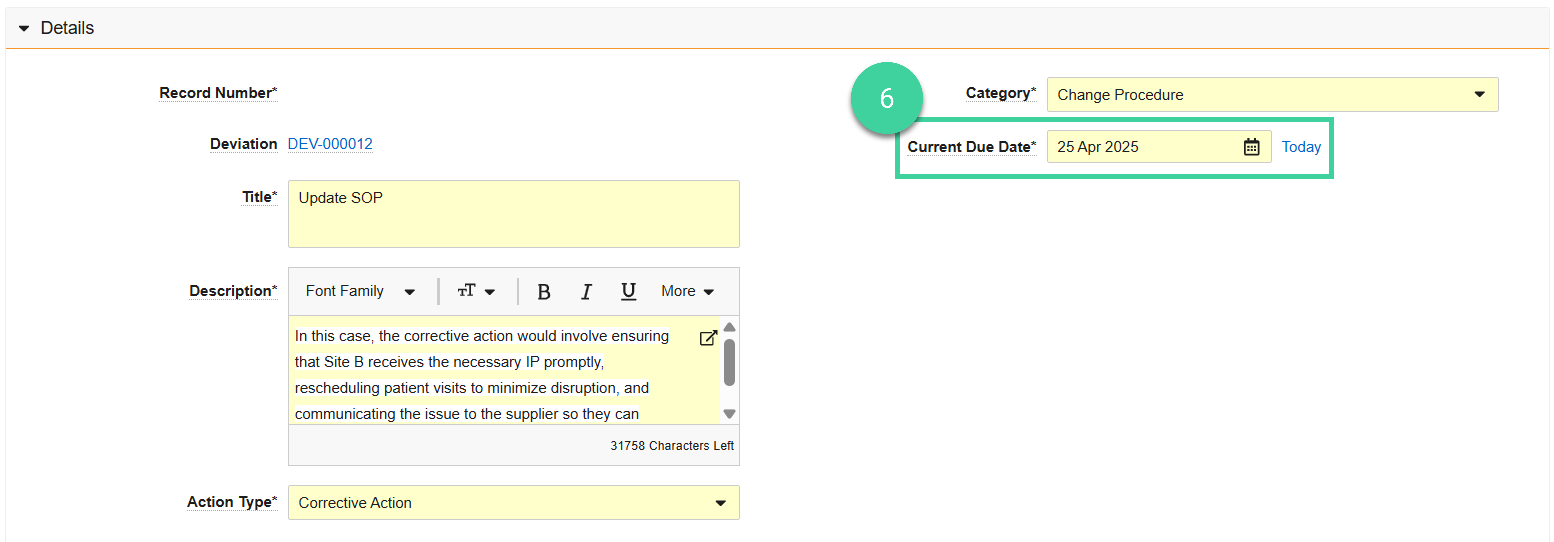
- Current Due Date: The date the CAPA Action execution and approval must be completed. You cannot edit this date after you create the CAPA Action and must create an Extension Request to update this date.
Click Save. Vault creates the CAPA Action record with the status of Define Team and opens the CAPA Action page.
In the Team section, click Manage Team.
Select the Owner responsible for implementing the action and one or more QA Approvers responsible for approving the action implementation. A QA Approver cannot be the same user as the Owner. Vault defaults the QA approver(s) to those already on the Deviation team.
Click Save. Vault saves the team information and updates the CAPA Action status to Initiated.