These pages cover general tasks. For lifecycle-specific guides, visit the Quickstart Guides section in the app homepage.
Mark a Document Confidential
Last updated: Feb 25, 2026
Who can complete this task?
Veeva Quality Basics: Document Workspace User
The Confidential? field controls visibility of documents.
If Confidential? is answered Yes, Vault Admins, Quality Admins, and Document Control Users can see the document. Other users can see confidential documents only when assigned a task or manually added as a Viewer.
If Confidential? is answered No, users will be able to see the document in its steady state.
To mark a document confidential:
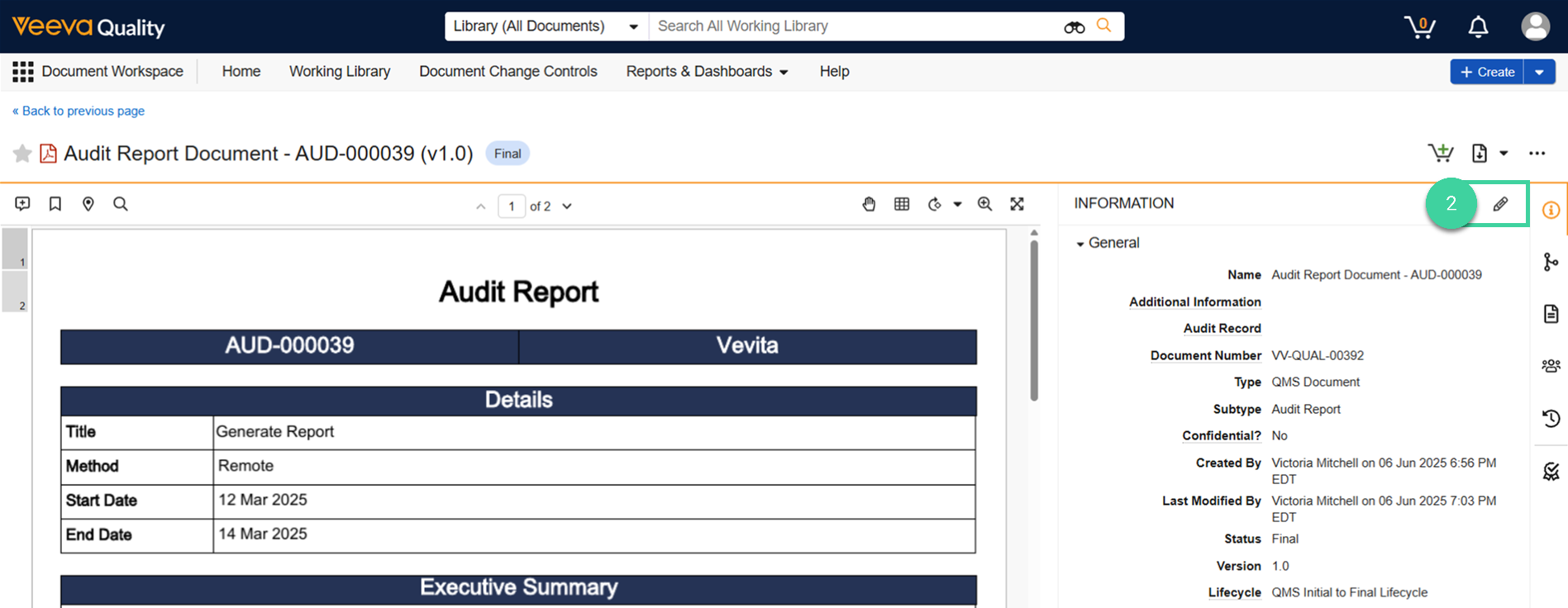
Navigate to Document Workspace > Working Library and open a document.
Click Edit ().
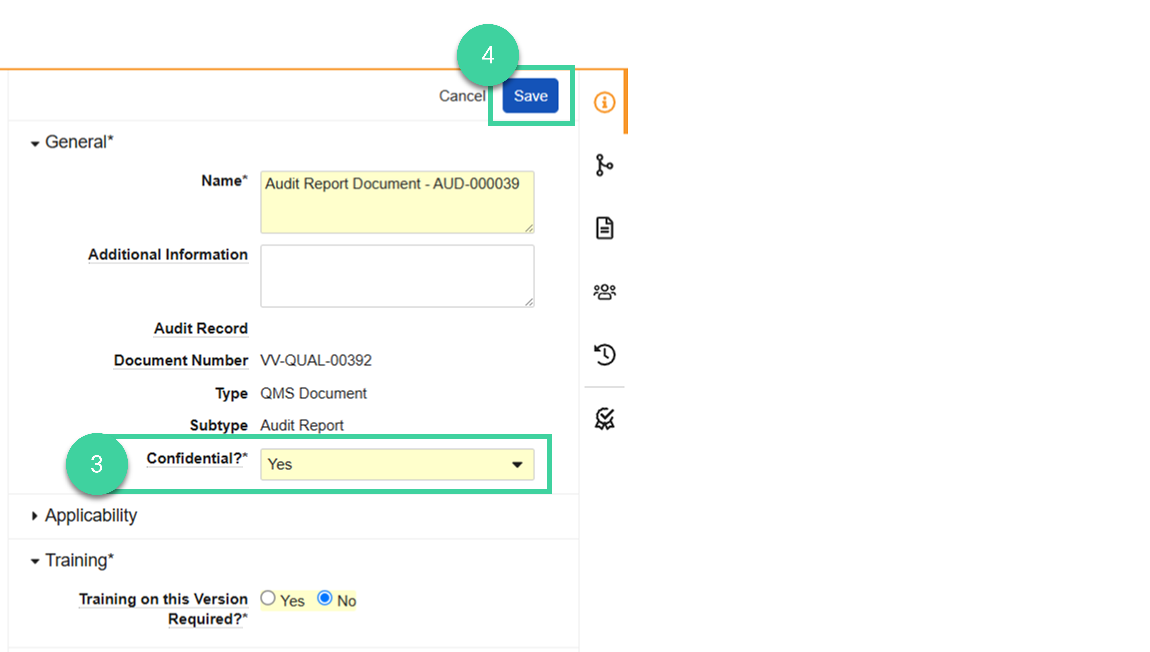
Set the Confidential? field to Yes.
Click Save.