

These pages cover general tasks. For lifecycle-specific guides, visit the Quickstart Guides section in the app homepage.
Upload a New Version of a Document
Last updated: Apr 30, 2026
Note
Only Document Control, the document owner, and the QA approver of the document can create a draft from a steady state document.
Uploading a new version of a document often occurs when a steady state document reaches its periodic review on a document and the result is Needs Revision, or if a document needs to be reclassified but is already in the steady state.
To upload a new version of a document:
Navigate to Document Workspace > Working Library.

From the All Actions menu, select Create Draft.
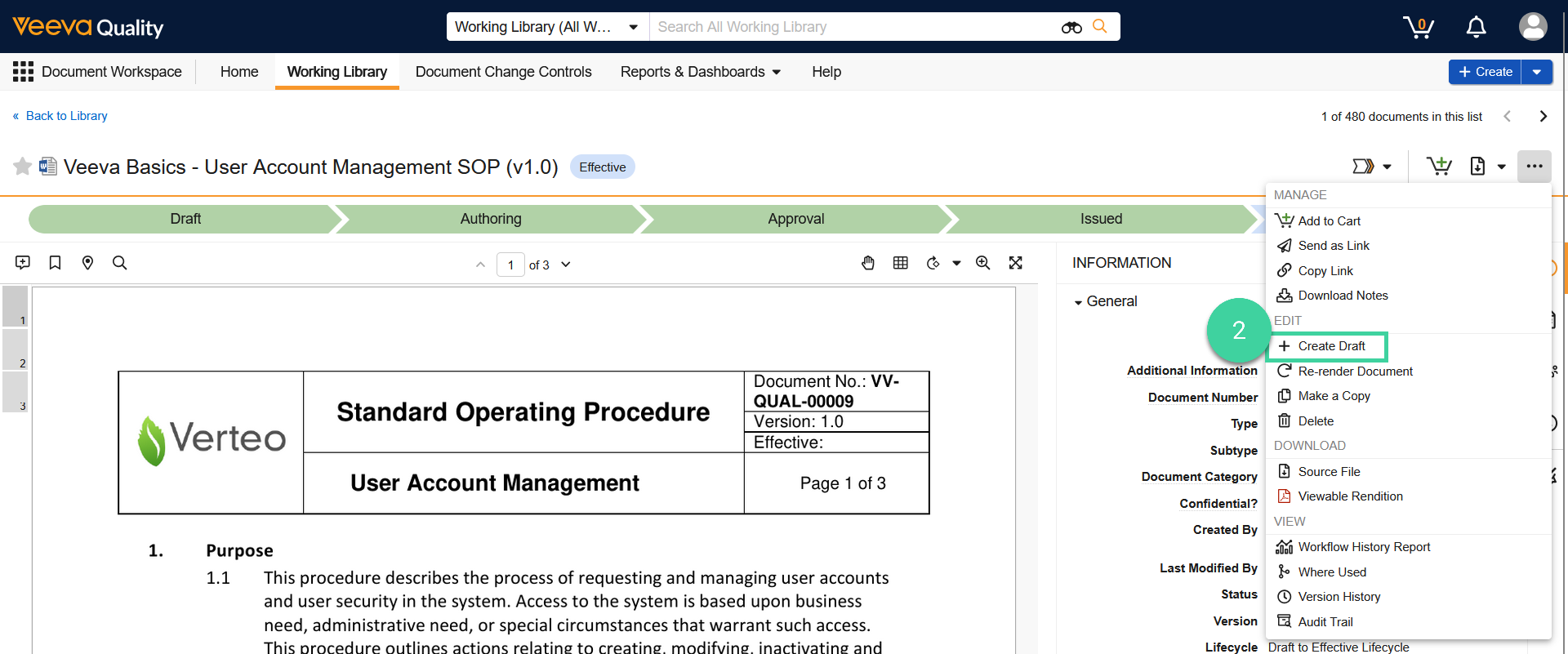
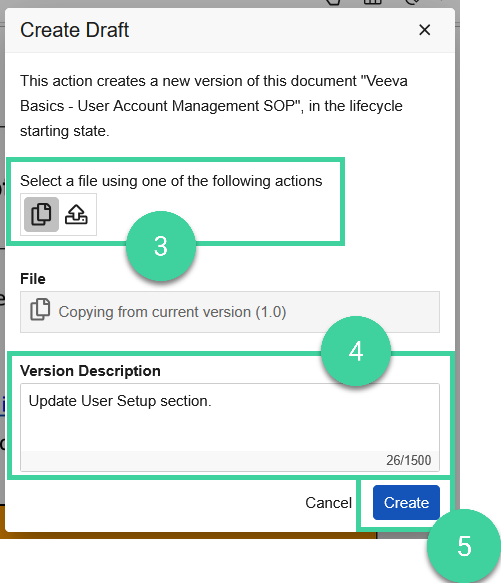
Select an upload method:
- Copy from current version (): This option is recommended if your Vault has Collaborative Authoring enabled, as edits can be seamlessly made by multiple users.
- Upload new version (): This option should be used when editing the document outside of Vault.
Optionally, add a version description.
Click Create.
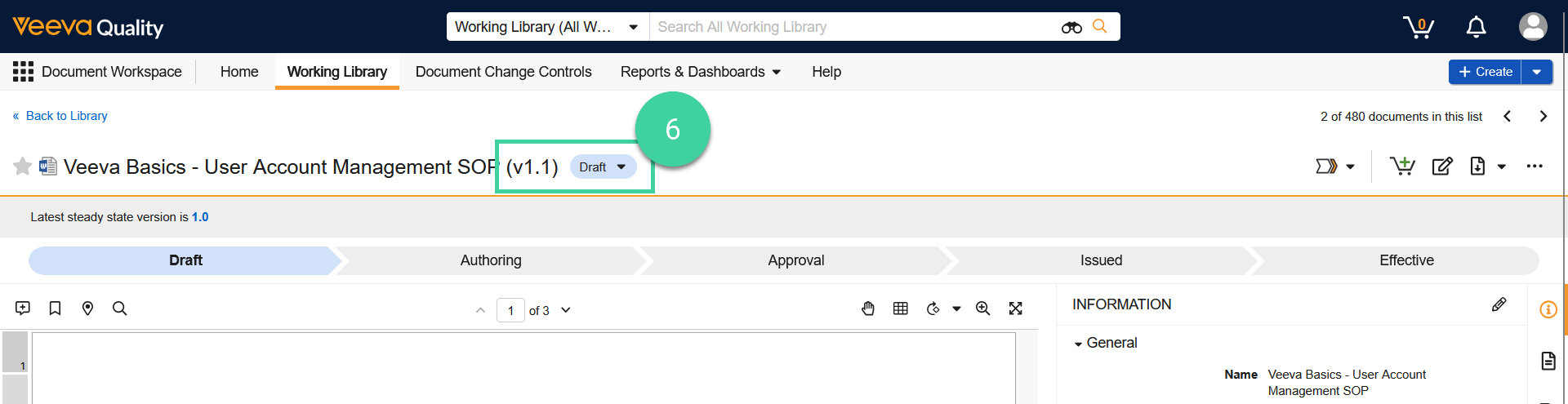
The version number of the document is automatically assigned the next minor version, and the document is in the Draft state.
Best Practice
Once a document is upversioned, revisions should be made using the Authoring/Review workflow. Each time a document is checked in, a new minor version is created.