

Create a Learner
Last updated: May 6, 2026
Who can complete this task?
Veeva Quality Basics: Vault Admin, Training Admin
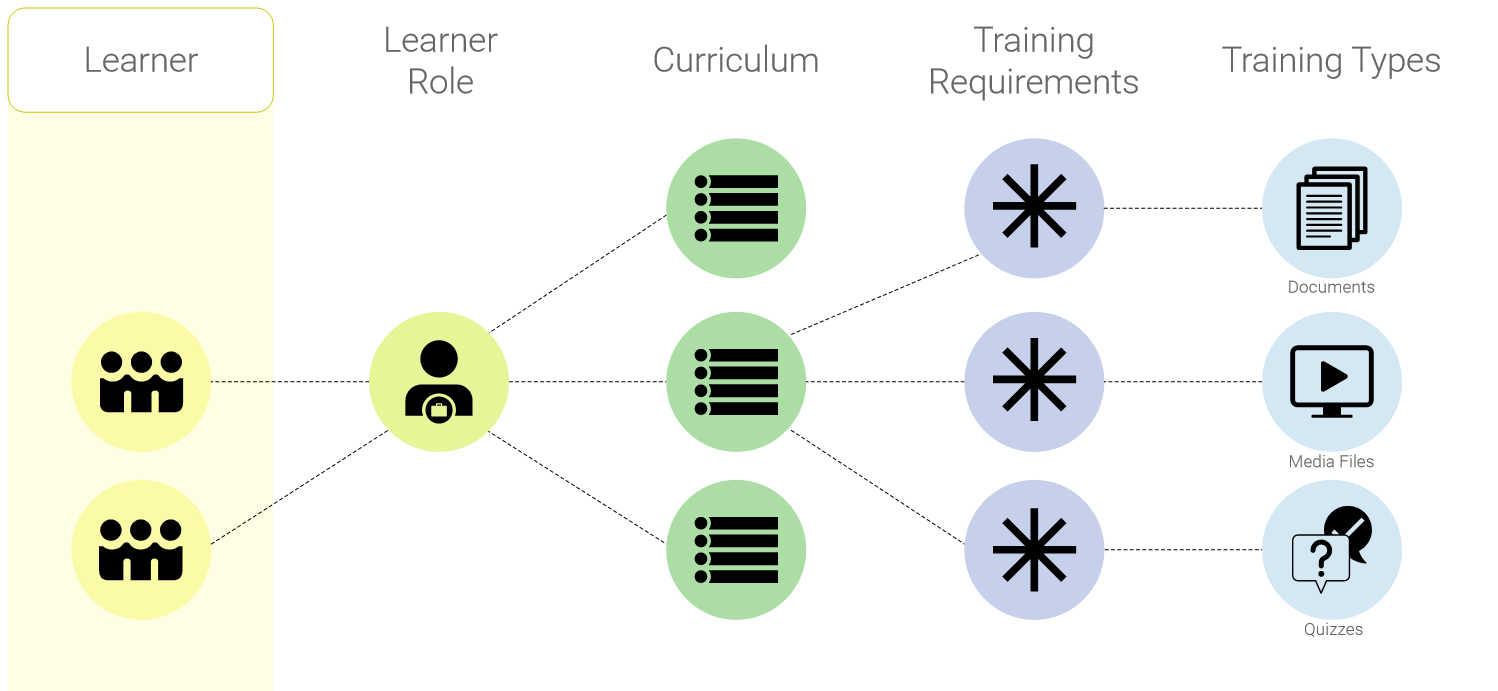
A Learner record must exist for each person you want to track training progress for in Quality Basics: Training.
Learner records are automatically created for Vault users you add to your Quality Basics Vault.
Create an External Learner
Sometimes you might need to create an external Learner who is not a Vault user, for example, an external contractor that needs to train on a document. Although external learners will not be able to log in to Veeva Quality Basics, you can provide training content to them outside of the system (i.e., not via Vault) and then track their training completion through Facilitated Training.
Important
External Learners will not be notified by Vault of any training assignments.
To create an external learner:
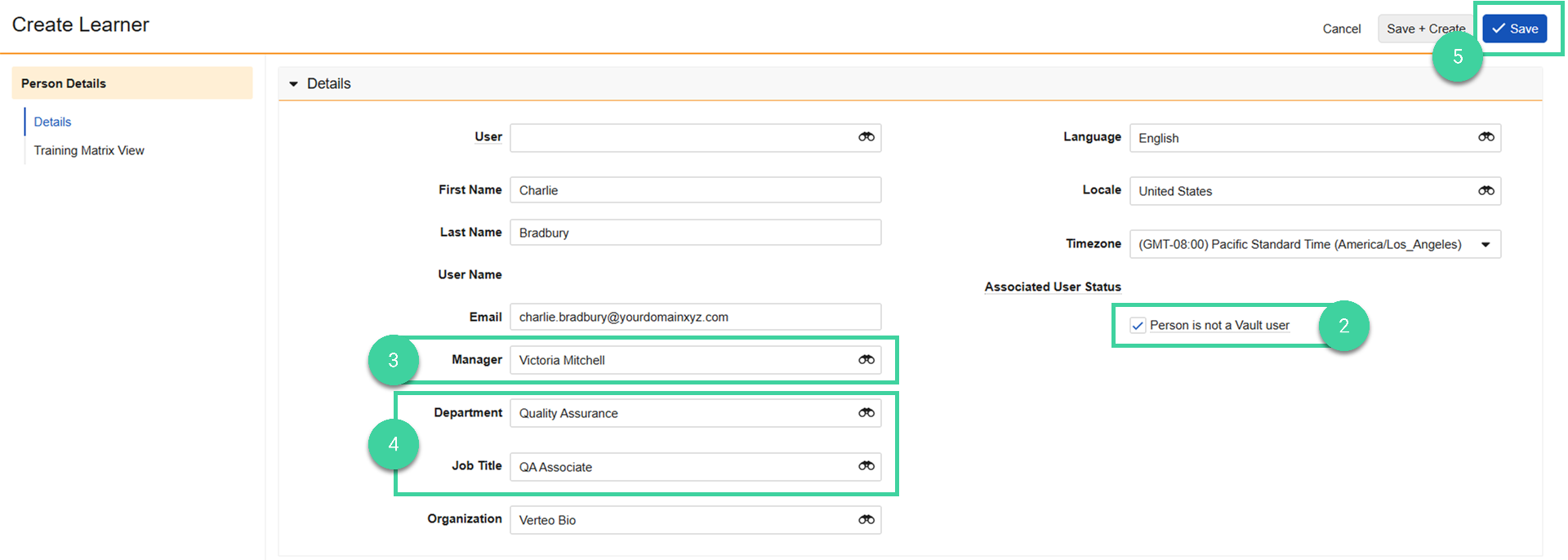
Navigate to Training Admin > Learners & Assignments > Learners and click Create.

Check the Person is not a Vault user box.
Add the learner’s Manager to give the manager visibility into the learner’s training status.
Add the learner’s Department and/or Job Title. These fields can be used to automatically assign a learner role to a learner.
Complete all other necessary fields and click Save.
If the external learner later becomes a Vault user, follow the Change a Learner from Non-Vault User to Vault User work instruction.
Make a Learner Ineligible
By default, a Learner’s status is set to Eligible. Eligible Learners can access any training that has been assigned to them.
If a user will be temporarily unable to complete training (for example, they are on extended leave) change their status to Ineligible. Any outstanding training will be canceled and new training assignments will not be sent to Ineligible learners. When they return from leave, change them back to Eligible. Relevant training will be reassigned.
To change a learner’s status to Ineligible:
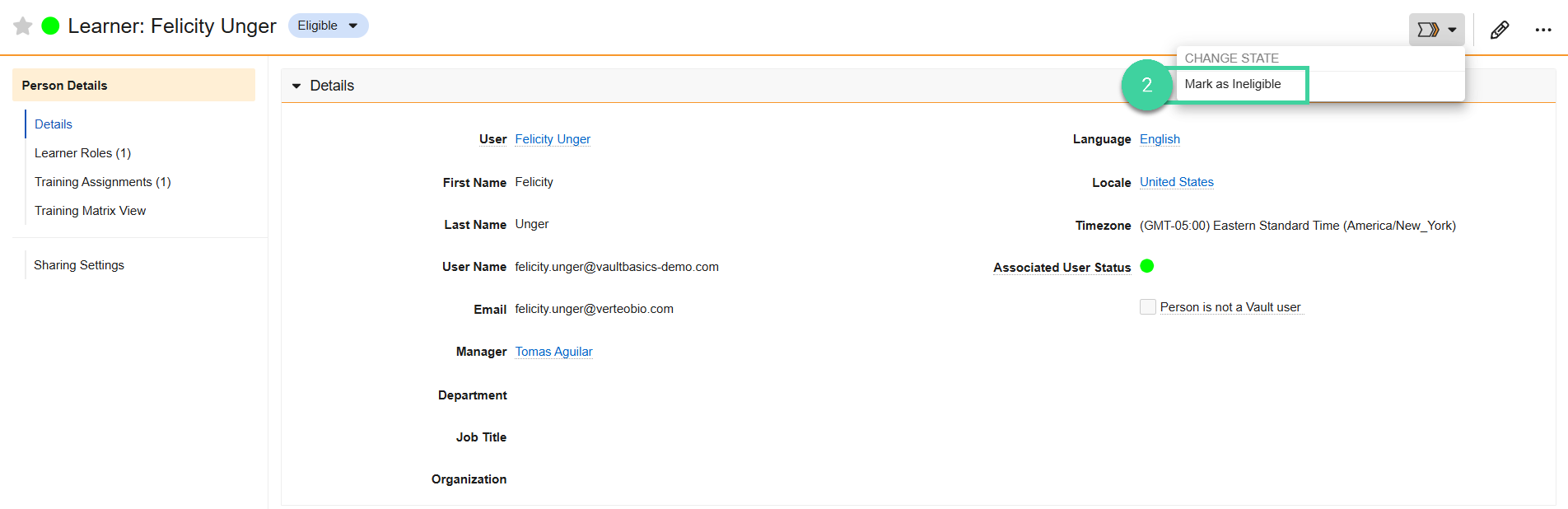
Navigate to Training Admin > Learners & Assignments > Learners and open the learner record.

Select Mark as Ineligible.
Click Yes.

Edit Existing Learner Information
To edit an existing Learner record:
- Navigate to Training Admin > Learners & Assignments > Learners and open the learner record.
- Click Edit.
- Edit the necessary information and click Save. Vault saves your changes. If you edited any fields shared with a User record, Vault updates the corresponding User record.
Add Learner Roles to a Learner
In addition to automatically enrolling Learners in a Learner Role, you can also manually add them when needed.
To manually add a Learner Role to a Learner:
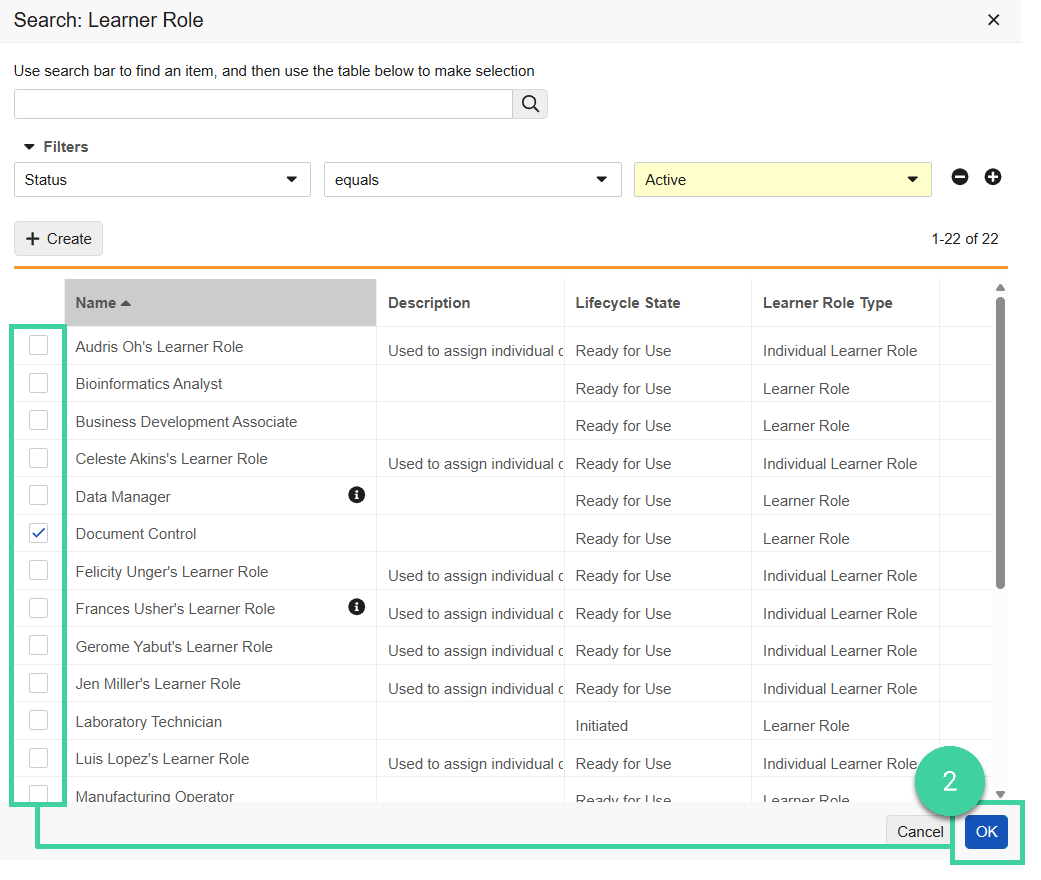
From the Learner record, open the Learner Roles section and click Add.

Select one or more Learner Roles and click OK.
Remove a Learner Role
To remove a Learner Role from a Learner:
From the Learner record, open the Learner Roles section.
Hover over the Learner Role and click Delete.
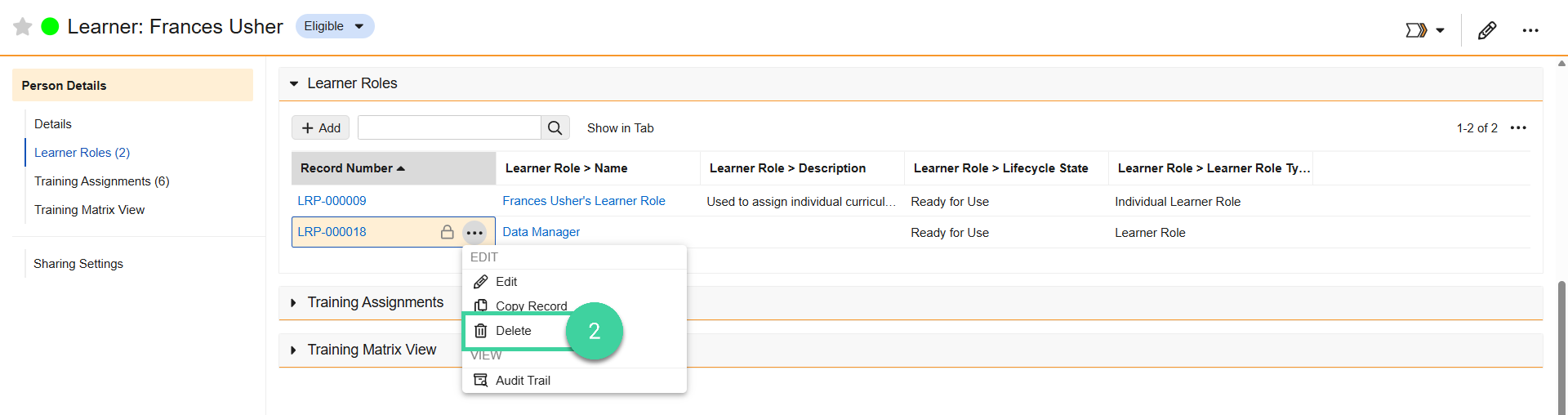
Click Continue.
