

Create a Product Manufacturer
Last updated: May 13, 2026
Who can complete this task?
Veeva RIM Basics: RIM Admin
To create a product manufacturer for a product:
Navigate to the Product Family and select the Product you want to add a manufacturer for.
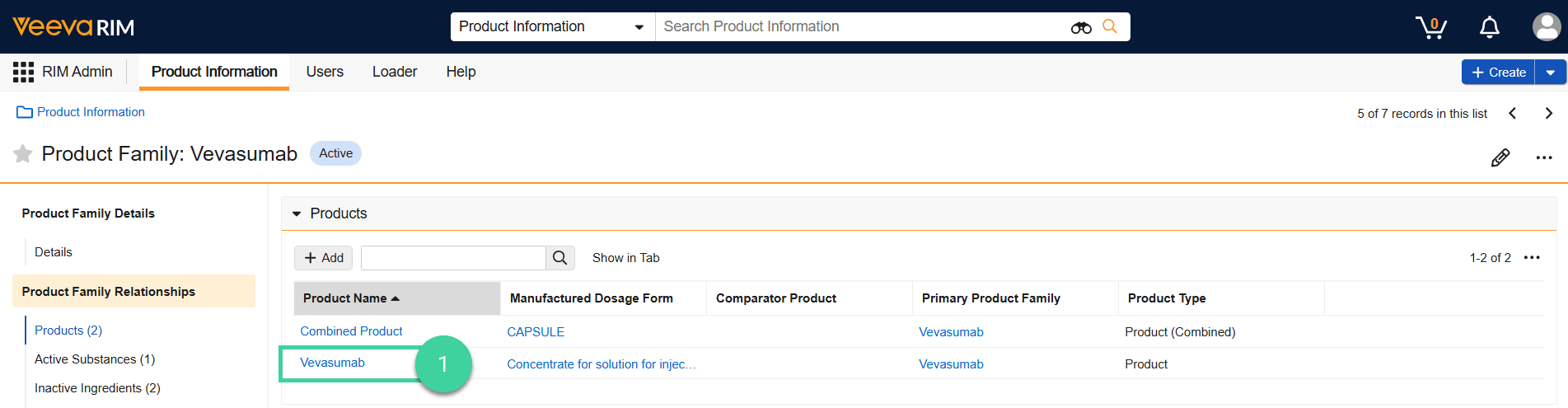
Open the Manufacturers section and click Add.

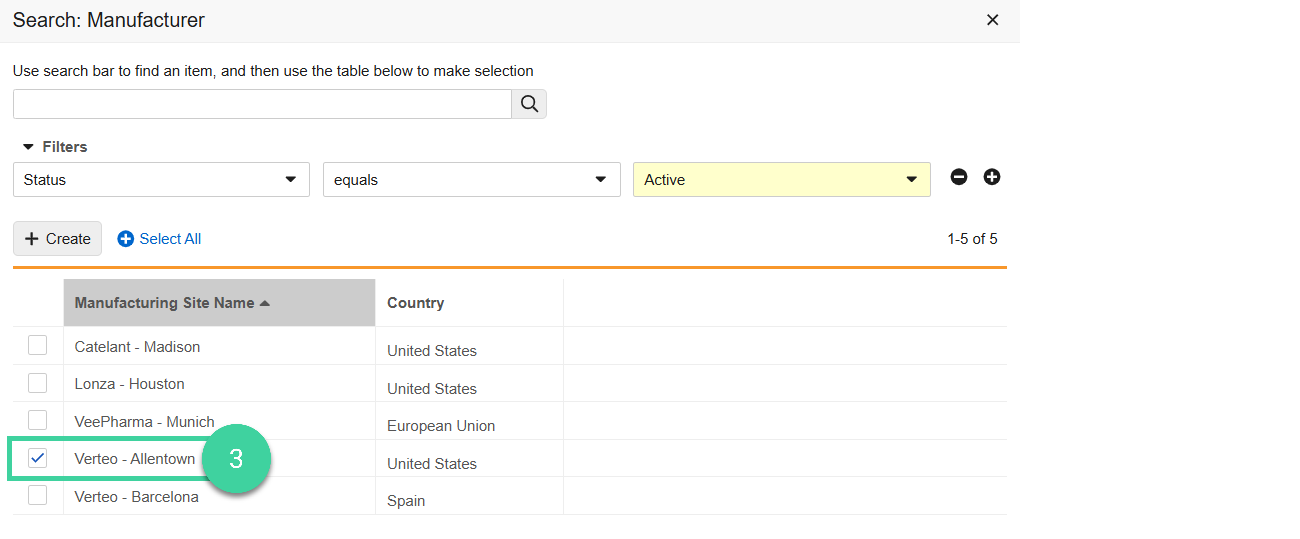
Select one or more product manufacturers. You can add either an existing product manufacturer or create a new one.
To add an existing product manufacturer, select the checkbox for the product manufacturer you want to add.
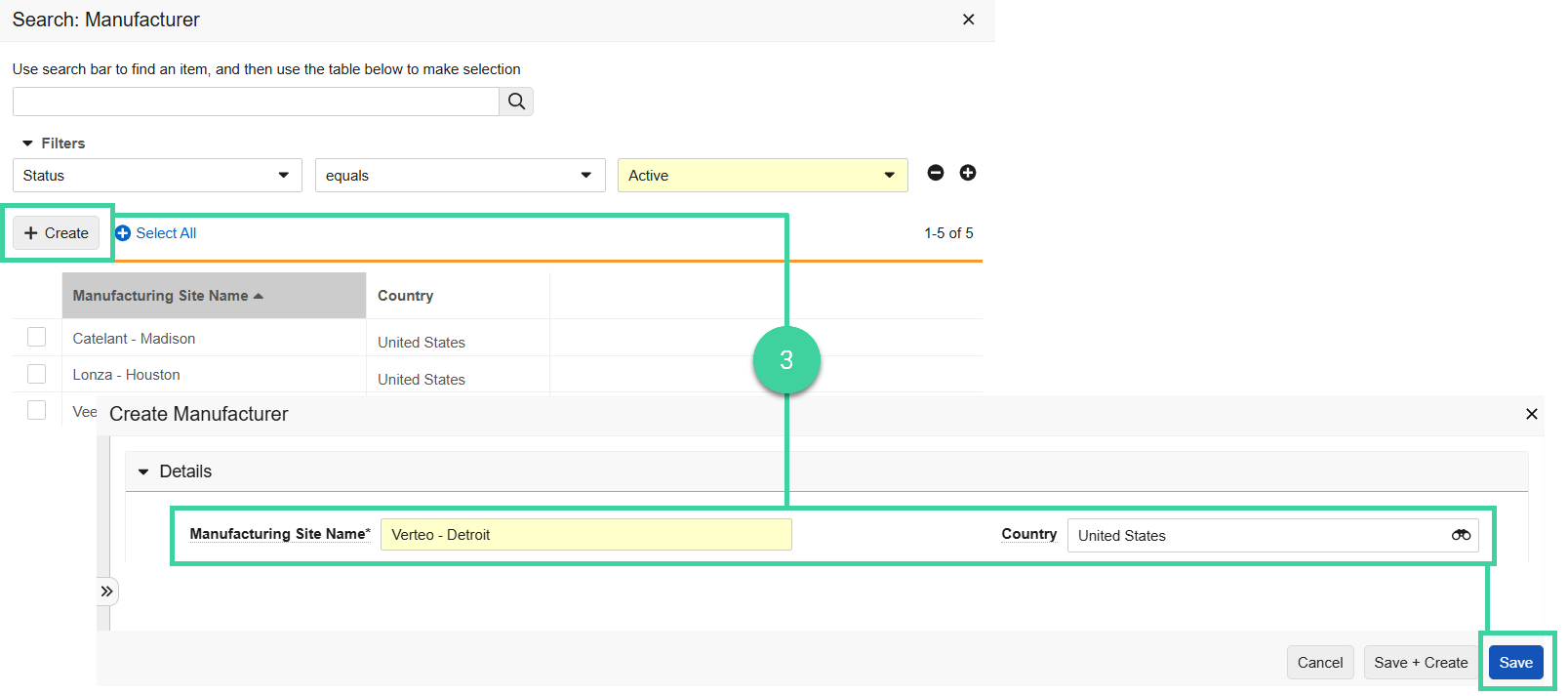
To create a new product manufacturer, click Create, enter the Manufacturing Site Name, select the Country, and click Save. Vault creates the product manufacturer and selects it in the dialog.
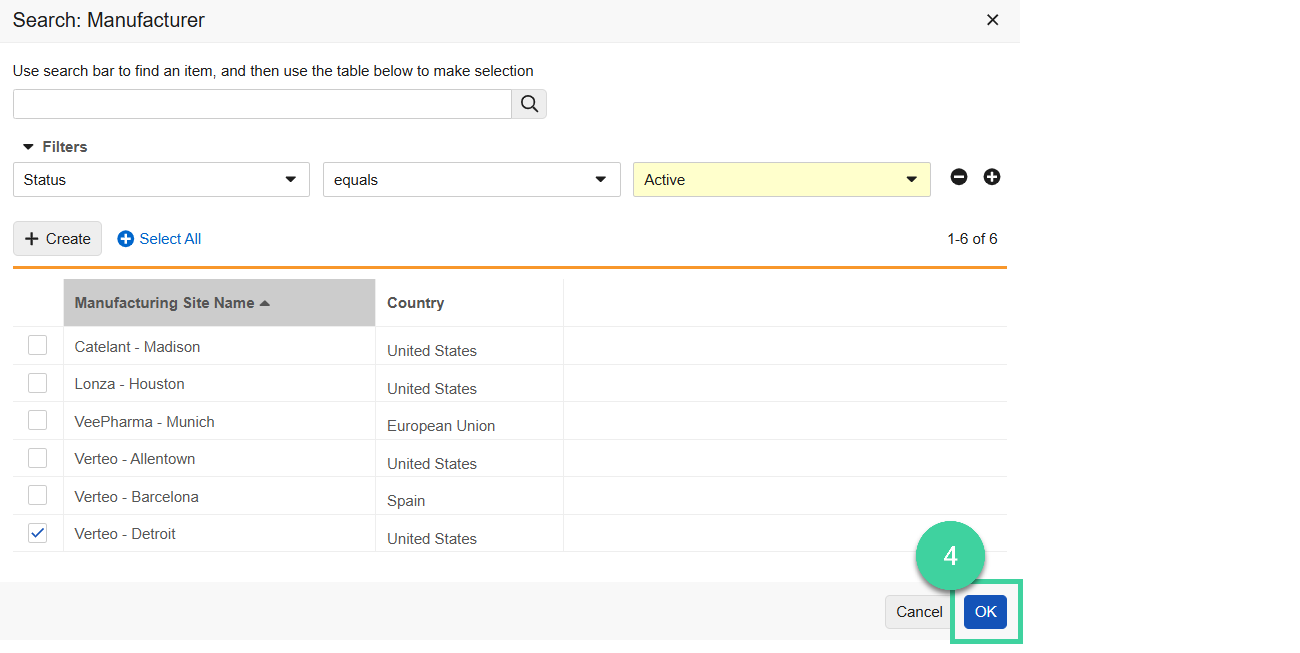
Click OK. Vault adds the product manufacturer to the product family.
Next Step: Continue creating product information and other core data for the product family.
Best Practice
We recommend that you create your core data in the order shown here.