← Back to Tips & Tricks
Using the Clinical Basics Doc Info Pane
Published on January 15, 2026
App Family
App
General
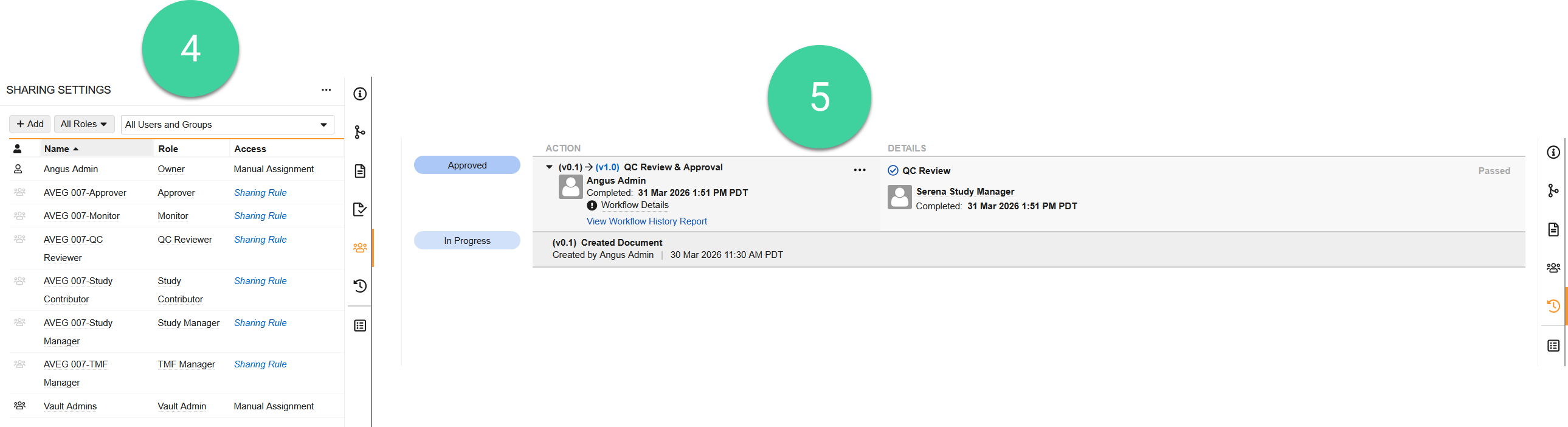
The panels in the Doc Info pane provide a wealth of resources for interacting with a document.
For example, you can link Supporting Documents like a Protocol Summary of Changes in the (1) Relationships panel (), add or download renditions and other relevant attachments in the (2) Document Files panel (), or view the document’s readiness for use in Vault in relation to rendition generation, searchability, and annotations via the (3) Document Readiness panel ().
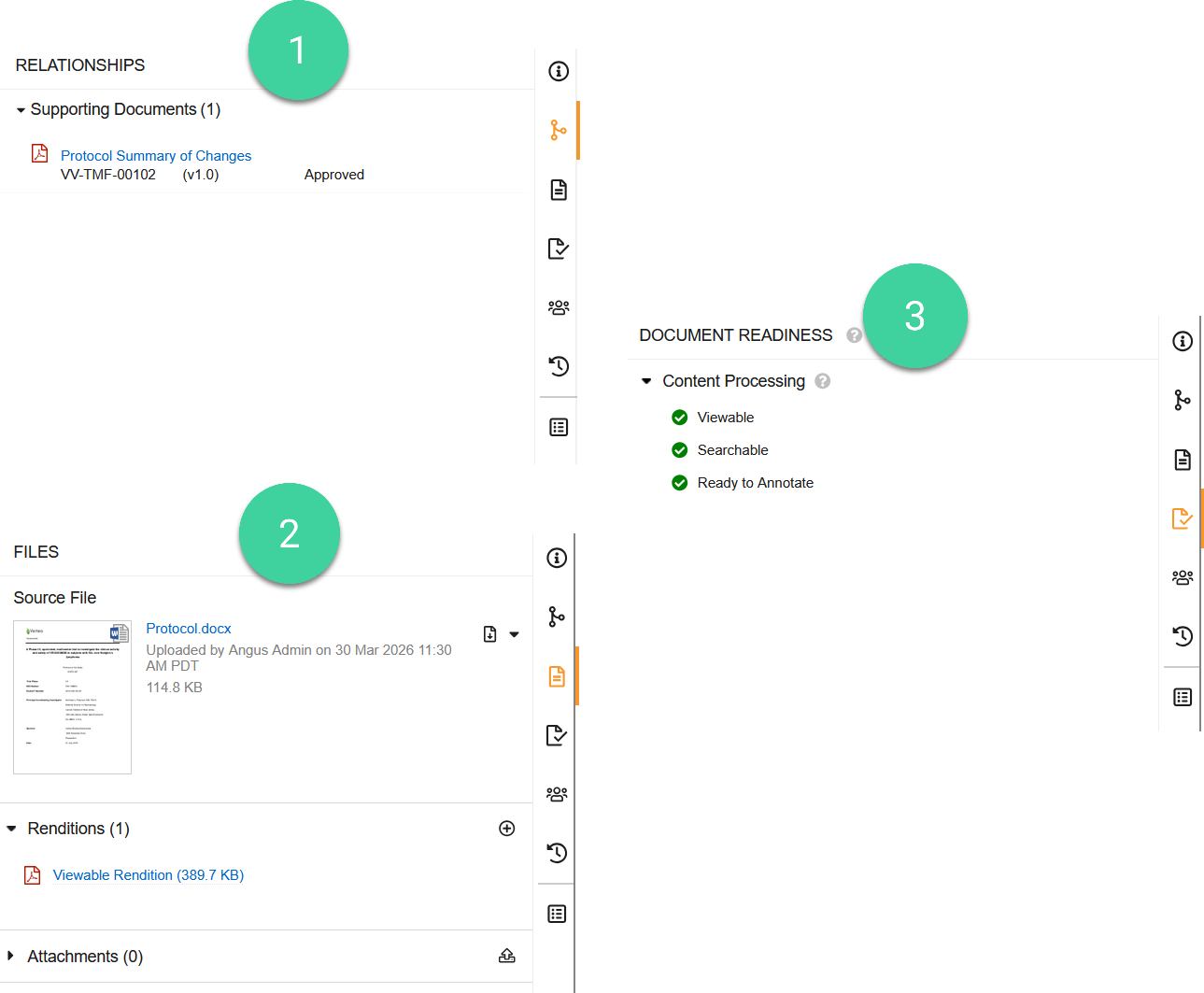
Additionally, you can view document access info via the (4) Sharing Settings () or view workflow & task history via the (5) Timeline View () panels.