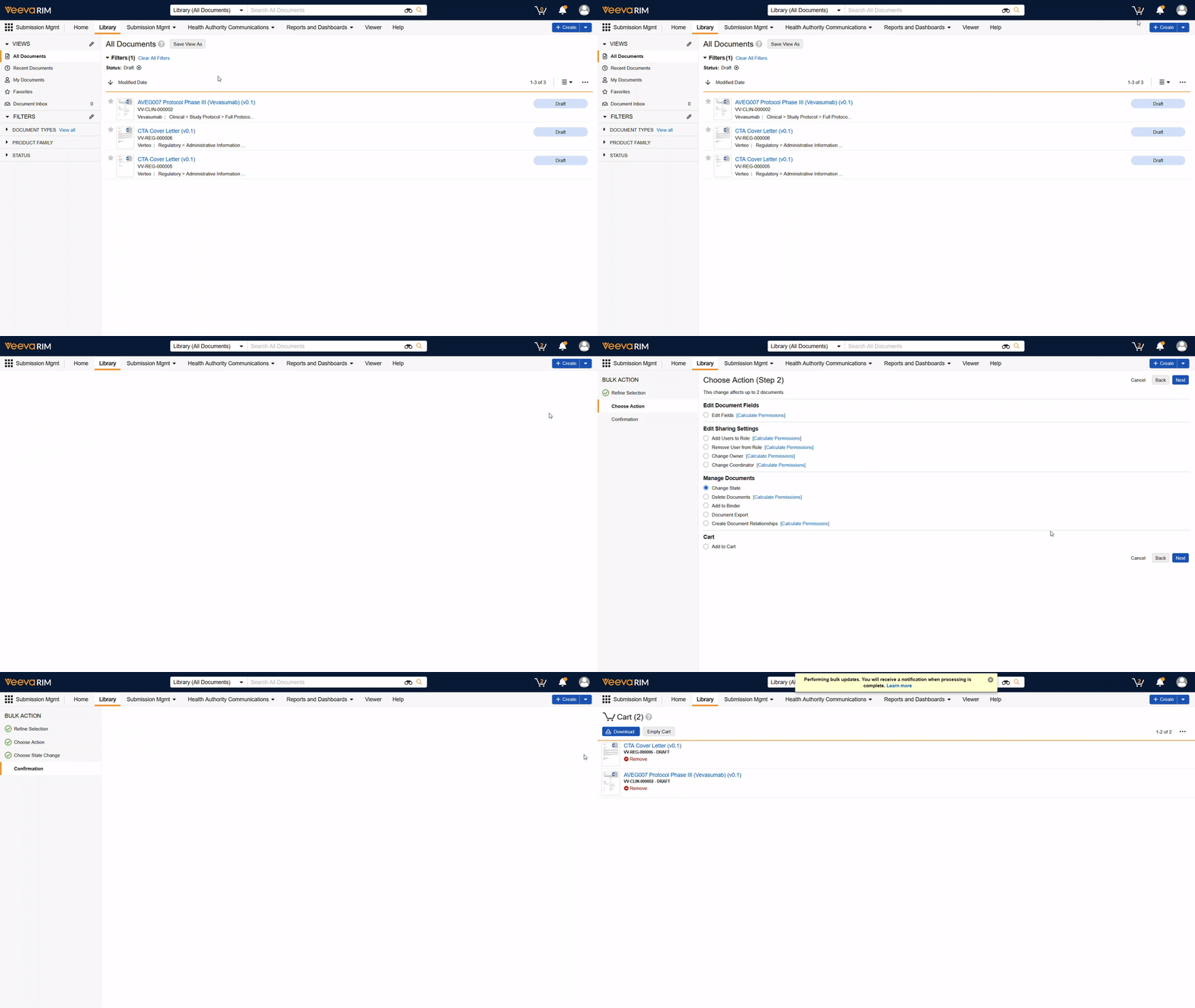
Rather than updating records one at a time, bulk actions let you apply changes to several documents or records at once, saving significant time on repetitive tasks. You can perform a bulk action in several ways:
- Cart: You can add Documents to your Cart, which will be maintained throughout login sessions until cleared/updated
- Favorites: Similar to the Cart, but is also on objects and allows you to see the records in a more familiar way.
- Filtered View: Apply a certain set of filters or navigate to a Saved View on either documents or objects.
- Reports: Outputs from Reports can be used to perform a bulk action.
All of these methods of performing a bulk action or workflow are available by clicking on the ellipses () in the top right of each applicable screen. From there, you can then further narrow down the records that need to be updated.