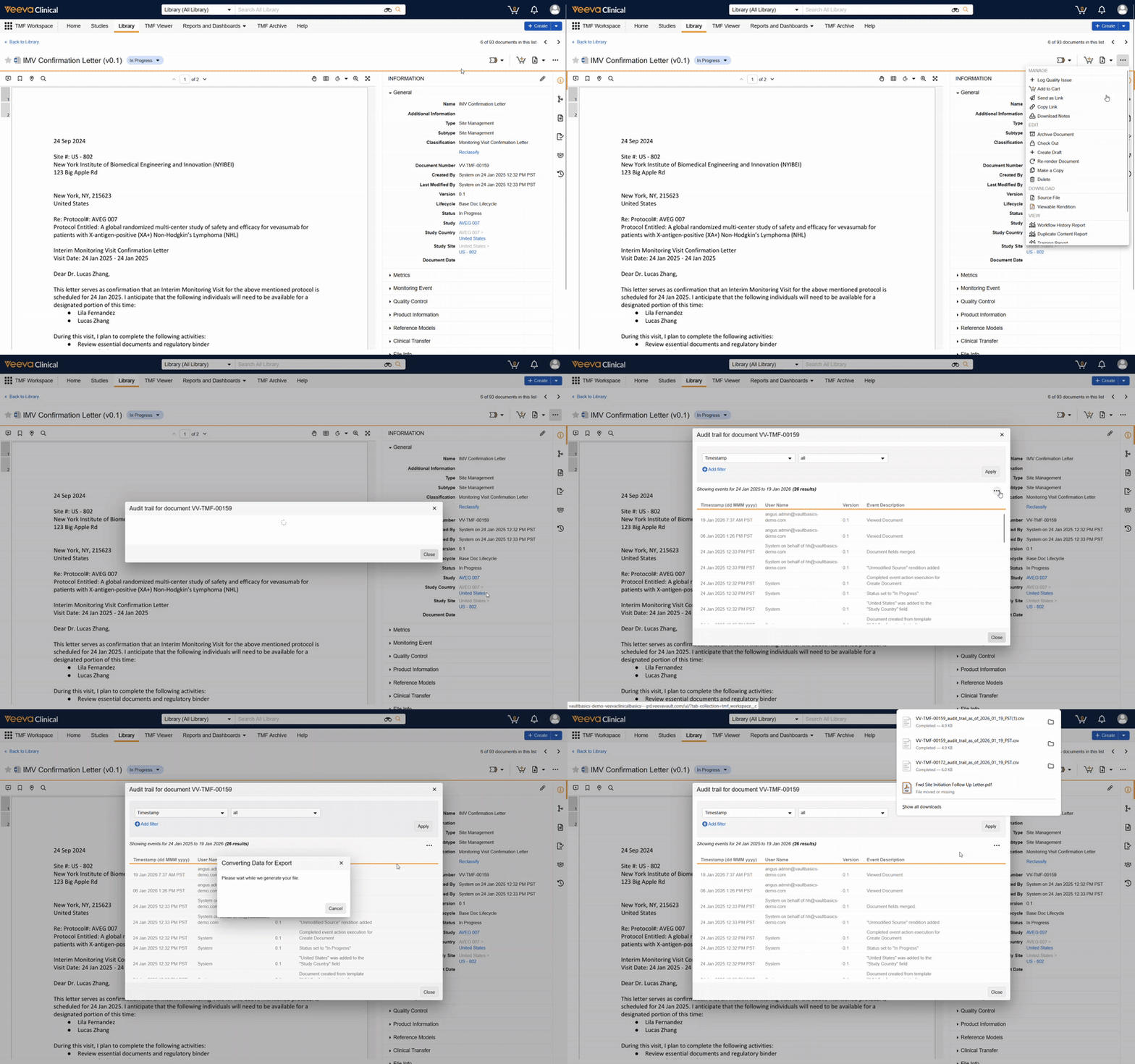
When responding to an audit, investigating an issue, or documenting compliance, you may need to share a record’s history outside of Vault. Audit trails can be exported to CSV or PDF for exactly this purpose.
To do so, click the Actions menu () while viewing an audit trail, then select the desired export type.
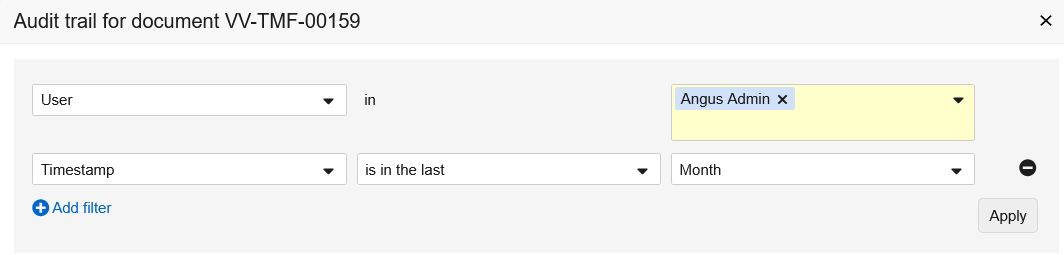
You can further refine the audit trail & its export using the filters available for the record, which varies by record type.