

Favoriting content, accomplished via the star icon (), allows you to easily access it at a later time. Once you have something favorited, you can view all of your favorites for that type of content via the Favorites view.
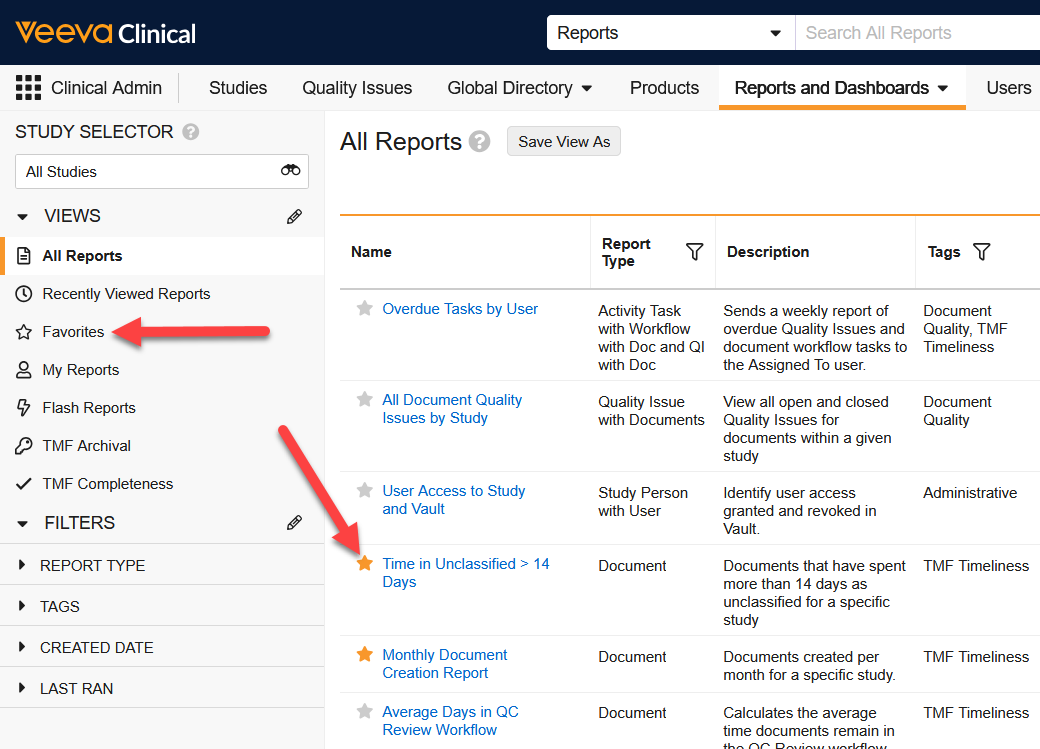
This is a particularly useful feature for reports and the various tabs found throughout Vault, like studies in Clinical, Submissions in RIM, or Curricula in Quality.