

Vault comes equipped with keyboard shortcuts to help you work more efficiently. Let’s take a look at a few examples.
Copying Text
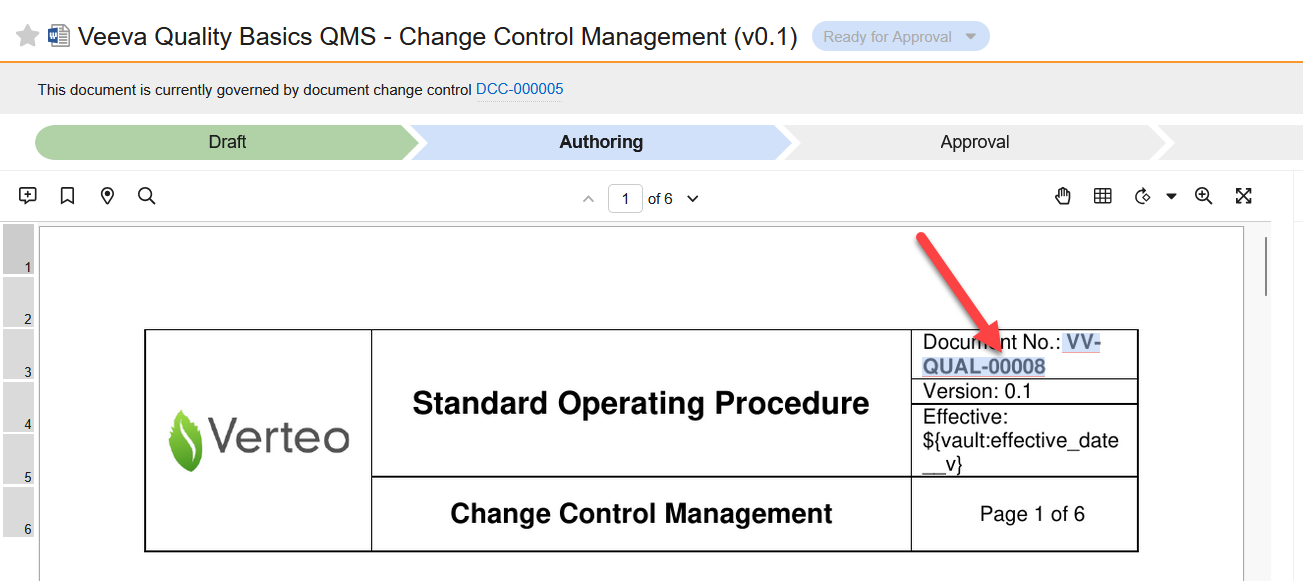
Copying text in a document is as simple as holding C, then clicking on a word. This can be useful to quickly grab something like a document number that you’ll need to paste elsewhere.
Interacting with Document Metadata
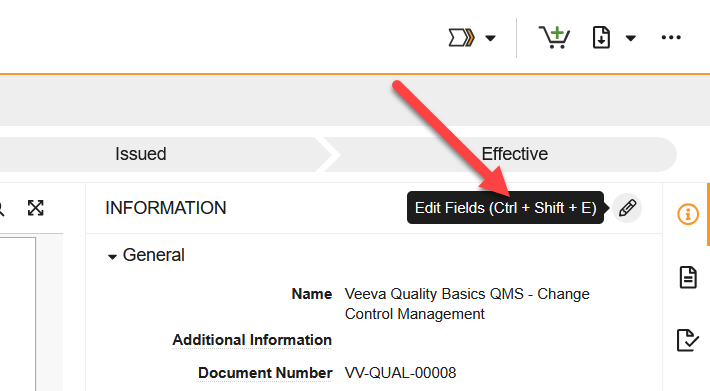
You can mouseover several shortcut-supported features in Vault to see their shortcut. For example, Ctrl+Shift+E / ⌘+Shift+E will toggle the document into edit mode, while Ctrl+Shift+S / ⌘+Shift+S will save changes on a document that’s already in edit mode.
Additionally, you can easily move from field to field while in edit mode with Tab (next field) and Shift+Tab (previous field).
For more keyboard shortcuts, check out our dedicated page.