

In many Veeva Basics Vaults, there are multiple tab collections that divide functionality into various areas based on certain roles. For example, in RIM Basics, there is a “RIM Admin” tab collection for Admins to manage things like Users and Core Data, as well as a “Submission Mgmt” tab collection for End Users to work on Documents, Application, Submissions, and more.
Your Vault Admin can set a preferred tab collection on the User level to decide which tab collection you’d like to land on upon initial login. To do this, they need to add the Preferred Tab Collection column to the Users tab of the relevant Admin tab collection, then click into the field to select it.
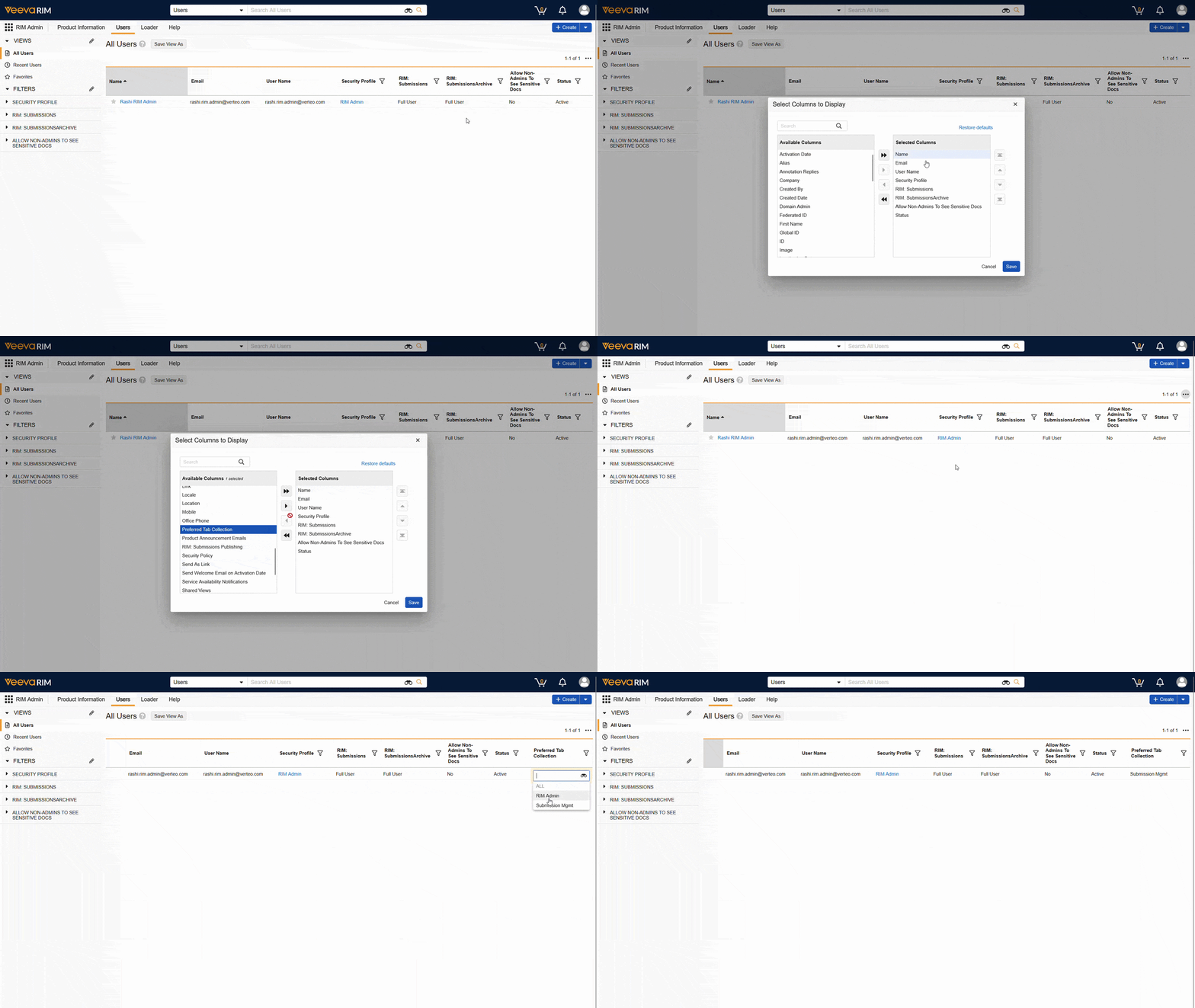
Setting a preferred tab collection allows you to land directly on the tab collection most relevant to your daily work, with no extra clicks required.