← Back to Tips & Tricks
Using the Quality Basics Doc Info Pane
Published on January 15, 2026
App Family
App
General
The panels in the Doc Info pane provide a wealth of resources for interacting with a document.
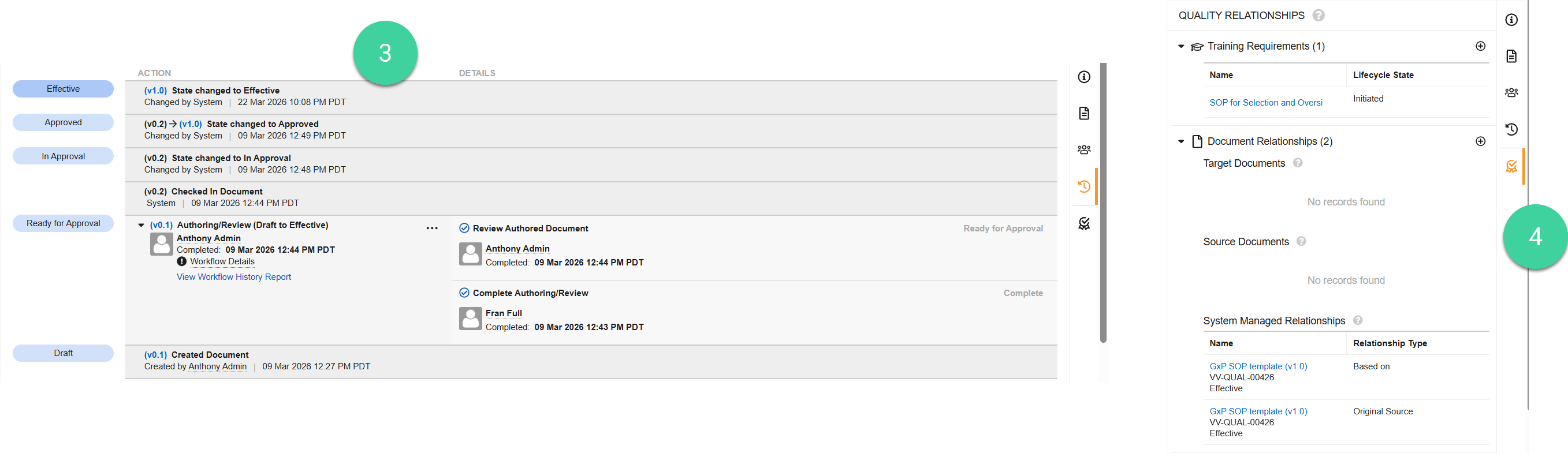
For example, you can use the (1) Document Files () panel to view the source file, add or download a rendition, or add any relevant attachments. Additionally, you can view document access info via the (2) Sharing Settings () or view workflow & task history via the (3) Timeline View () panels.
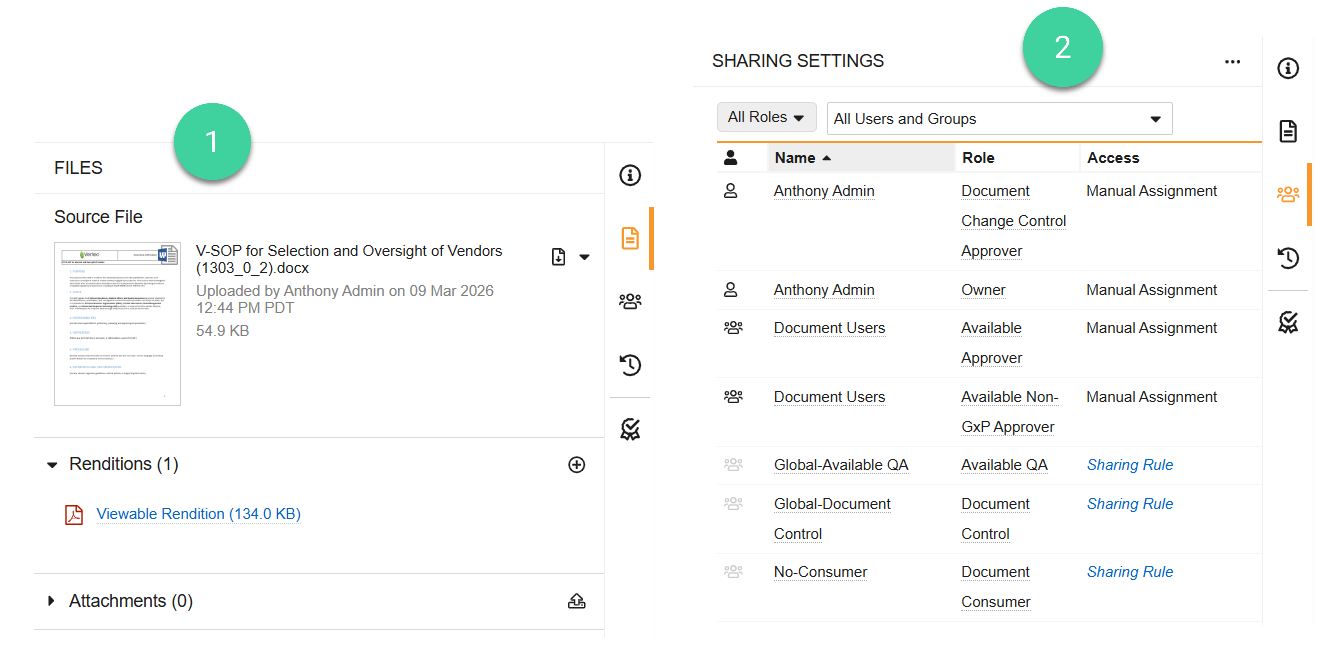
In the (4) Quality Relationships () panel, you can view version-specific Training Requirements and associate supporting documents via Document Relationships.