

One of the most common questions from RIM Basics support tickets is “Why is a section missing in my content plan?” The following steps can be followed to ensure that all necessary sections are created in your content plan:
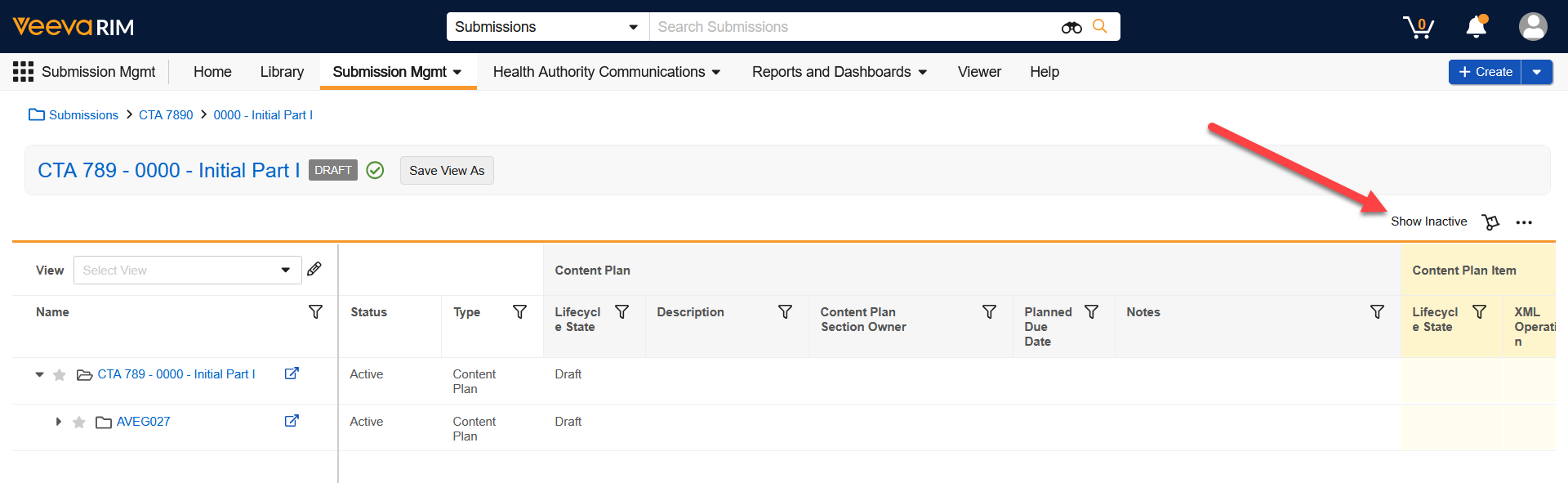
- By default, all sections are created as Inactive, so first use the Show Inactive button in the top right to display all sections.
- Ensure that all relationships are added to your Submission from the Application by using the Submission Wizard.
- Use Submission Relationships to see which sections are driven by specific relationships, such as Clinical Studies and their Types/Subtypes.
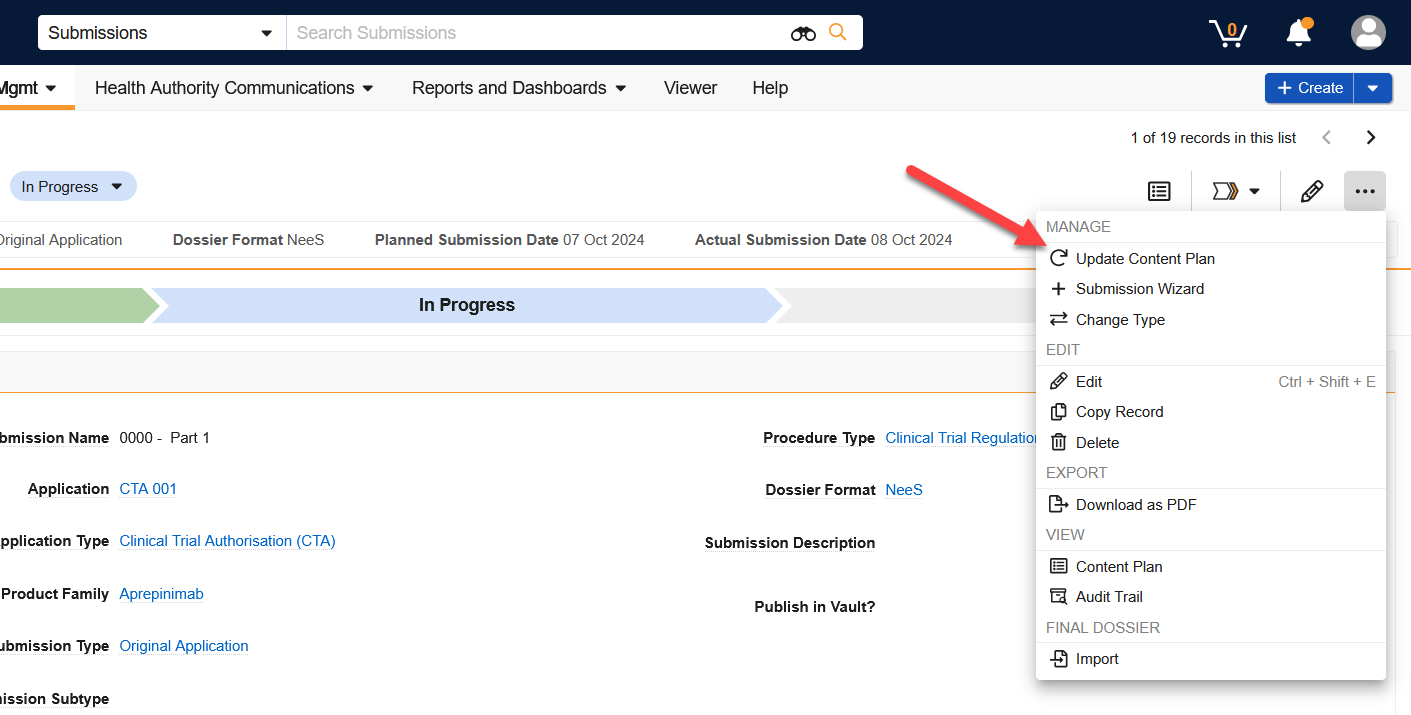
- If you need to update your Submission relationships due to “missing” sections, use the Update Content Plan action.
- You can control which relationships are used to create content plan sections with the Use for Content Planning field
- By setting a specific relationship to No for this field, the system will not create the associated content plan section for that item.
For more info, download this document.